63
GB
Tuning
2 Press MENU.
The menu is displayed on the TV screen.
3 Press V/v repeatedly to select
“FM” or “AM,” then press
or b.
4 Select “Direct Tuning,” then
press .
5 Press SHIFT, then press the
numeric buttons to enter the
frequency, then press .
Example 1: FM 102.50 MHz
Select 1 b 0 b 2 b 5
Example 2: AM 1,350 kHz
Select 1 b 3 b 5 b 0
Tip
If you have tuned in an AM station, adjust the
direction of the AM loop antenna (aerial) for
optimum reception.
If you cannot tune in a station
“– – – .– – MHz” appears and then the display
returns to the current frequency.
Make sure you have entered the right
frequency. If not, repeat step 5. If you still
cannot tune in a station, the frequency is not
used in your area.
You can change the AM tuning scale to either
9 kHz or 10 kHz on the receiver.
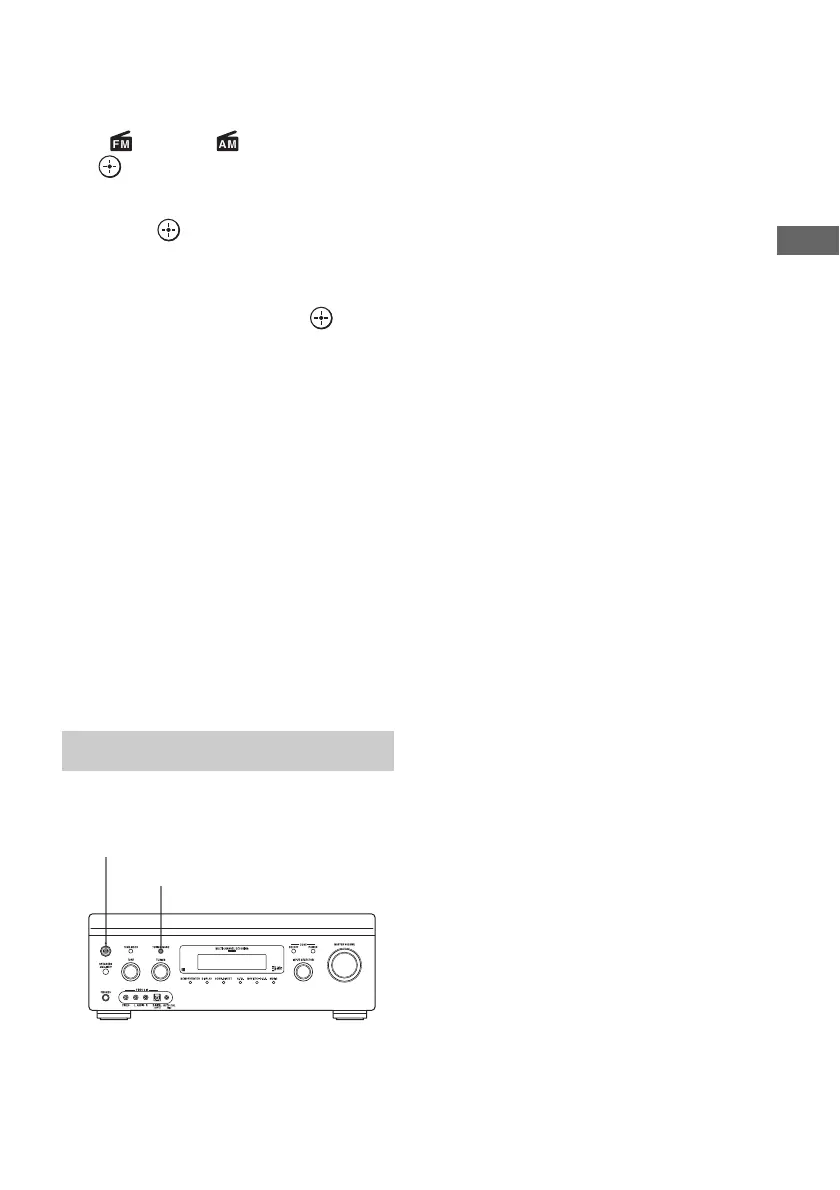
1 Press ?/1 to turn off the
receiver.
2 While holding down TUNING
MODE, press ?/1 on the
receiver.
3 Change the current AM tuning
scale to 9 kHz (or 10 kHz).
To reset the scale to 10 kHz (or 9 kHz),
repeat the procedure above.
Note
All preset stations will be erased when you change
the tuning scale.
Changing the AM tuning scale
?/1
TUNING MODE















 To Next Page