69
GB
Tuning
1 Select a channel you want to
lock using Category Mode
(page 66) or Direct Tuning
(page 67).
2 Press OPTIONS.
The option menu appears.
3 Select “Parental Lock,” then
press or b.
4 Select “ON,” then press .
“Enter your 4-digit lock code.” appears.
5 Press SHIFT, then enter your 4-
digit lock code using the
numeric buttons.
“The channel has been locked.” appears
and the Parental Lock is set.
To delete the numbers you have entered,
go back to step 2 by pressing RETURN/
EXIT O, and then repeat the procedure
above from step 2.
To change the lock code (Lock
Code)
1
Select any channel using Category
Mode (page 66) or Direct Tuning
(page 67).
2 Press OPTIONS.
The option menu appears.
3 Select “Lock Code,” then press .
“Enter your 4-digit lock code.” appears.
4 Press SHIFT, then enter your 4-digit
lock code using the numeric buttons.
“Enter a new lock code.” appears.
5 Press SHIFT, then enter a new 4-digit
lock code using the numeric buttons.
“To confirm, enter your new lock code
again.” appears.
6 Press SHIFT, then reenter the new lock
code with the numeric buttons.
“The lock code has been changed.”
appears.
To listen to the locked channels
1
Select a locked channel you want to
listen to using Direct Tuning (page 67).
“Enter your 4-digit lock code.” appears.
2 Press SHIFT, then enter your 4-digit
lock code using the numeric buttons.
The channel is tuned in.
To cancel the Parental Lock
1
Select a channel you want to unlock
using Direct Tuning (page 67).
2 Press OPTIONS.
The option menu appears.
3 Select “Parental Lock,” then press
or b.
4 Select “OFF,” then press .
“Enter your 4-digit lock code.” appears.
5 Press SHIFT, then enter your 4-digit
lock code using the numeric buttons.
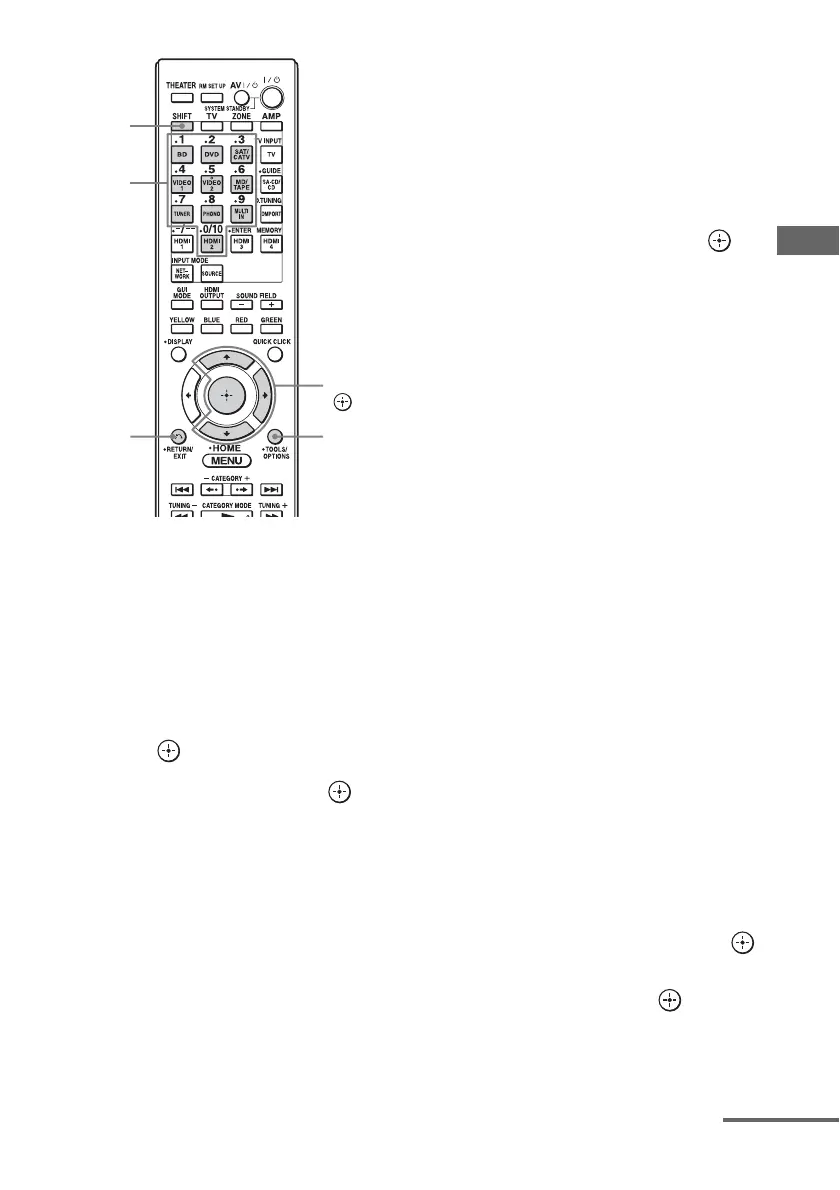
V/v/b,
OPTIONS
Numeric
buttons
RETURN/
EXIT O
SHIFT
continued















 To Next Page