32
GB
D:\NORM'S JOB\SONY HA\SO0109\STR-DH520\4263361111_GB\GB04CON_STR-DH520-
U2.fm
masterpage: Left
STR-DH520
4-263-361-11(1)
3 Set up the optimizer
microphone.
Place the optimizer microphone at your
seating position. Use a stool or tripod so
that the optimizer microphone remains at
the same height as your ears.
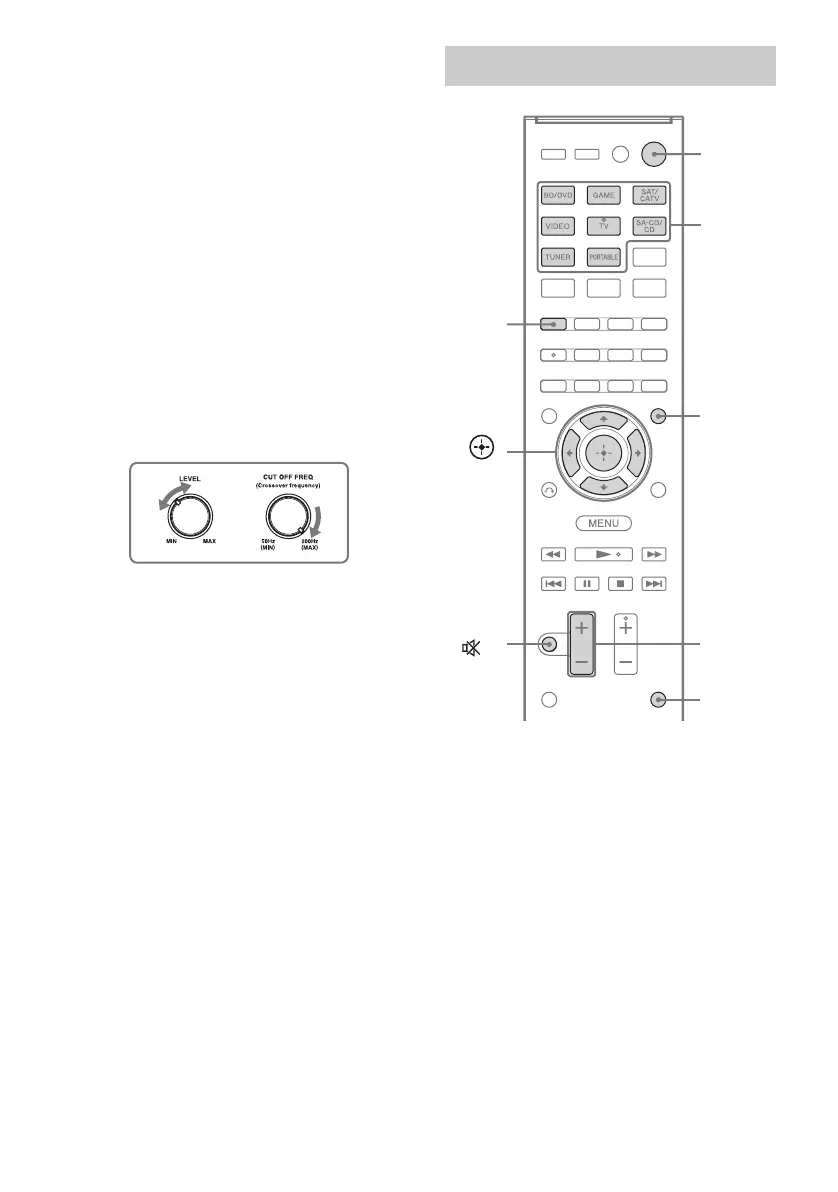
Confirm active subwoofer setup
• When a subwoofer is connected, turn on the
subwoofer and turn up the volume prior to
activating the subwoofer. Turn the LEVEL
knob to just before the mid-point.
• If you connect a subwoofer with a crossover
frequency function, set the value to the
maximum.
• If you connect a subwoofer with an auto
standby function, set it to off (deactivated).
Note
Depending on the characteristics of the subwoofer
you are using, the setup distance value may be
different from the actual position.
Hold down SHIFT, then press AUTO
CAL.
“STANDARD” Auto Calibration is
automatically selected and the default
calibration type is “ENGINEER”.
Measurement starts in 5 seconds.
The measurement process will take
approximately 30 seconds to complete.
2: Performing Auto Calibration
Input
buttons
?/1
MUTING/
MASTER
VOL +/–/
2 +/–
AMP
MENU
,
V/v/B/b
SHIFT
AUTO
CAL



 To Next Page