41
GB
D:\NORM'S JOB\SONY HA\SO0109\STR-DH520\4263361111_GB\GB05BAS_STR-DH520-
U2.fm
masterpage: Right
STR-DH520
4-263-361-11(1)
Tuner Operations
Presetting FM/AM radio
stations
You can store up to 30 FM and 30 AM stations
as your favorite stations as preset stations.
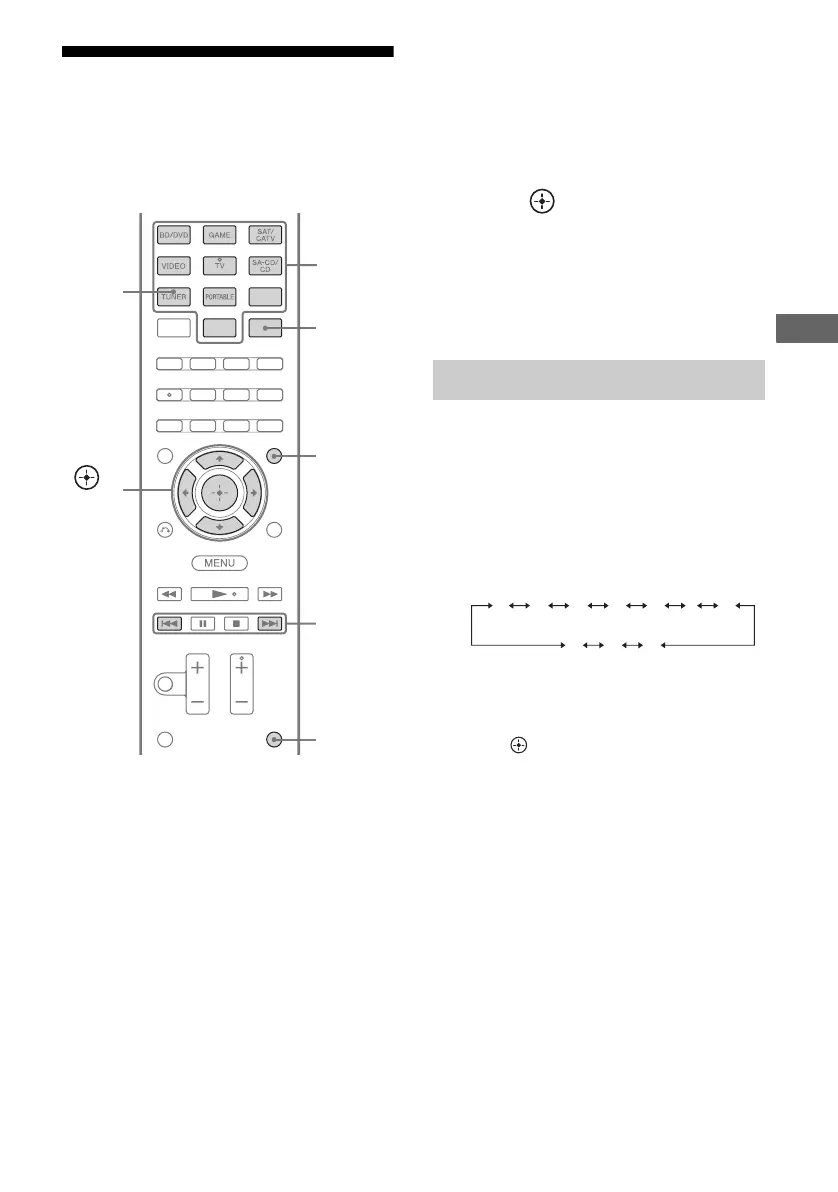
1 Press TUNER repeatedly to
select the FM or AM band.
You can also use INPUT SELECTOR on
the receiver.
2 Tune to the station that you
want to preset using Automatic
Tuning (page 39) or Direct
Tuning (page 40).
3 Hold down SHIFT, then press
ENT/MEM.
You can also use MEMORY/ENTER on
the receiver.
4 Hold down SHIFT, then press
the numeric buttons to select a
preset number.
You can also press PRESET + or
PRESET – to select a preset number.
5 Press .
The station is stored as the selected preset
number.
6 Repeat steps 1 to 5 to store
another station.
1 Press TUNER repeatedly to
select the FM or AM band.
2 Press PRESET + or PRESET –
repeatedly to select the station.
Each time you press the button, you can
select a preset station as follows:
You can also hold down SHIFT and then
press the numeric buttons to enter the
preset station. To tune to the selection,
press .
Using the control buttons on
the receiver
1 Turn INPUT SELECTOR to select the FM
or AM band.
2 Press TUNING MODE repeatedly to select
“PRESET”.
3 Press TUNING + or TUNING – to select the
preset station you want.
PRESET
+/–
Numeric
buttons
ENT/MEM
AMP
MENU
,
V/v/B/b
TUNER
SHIFT
Tuning to preset stations
1 2345 27...
30 29 28



 To Next Page