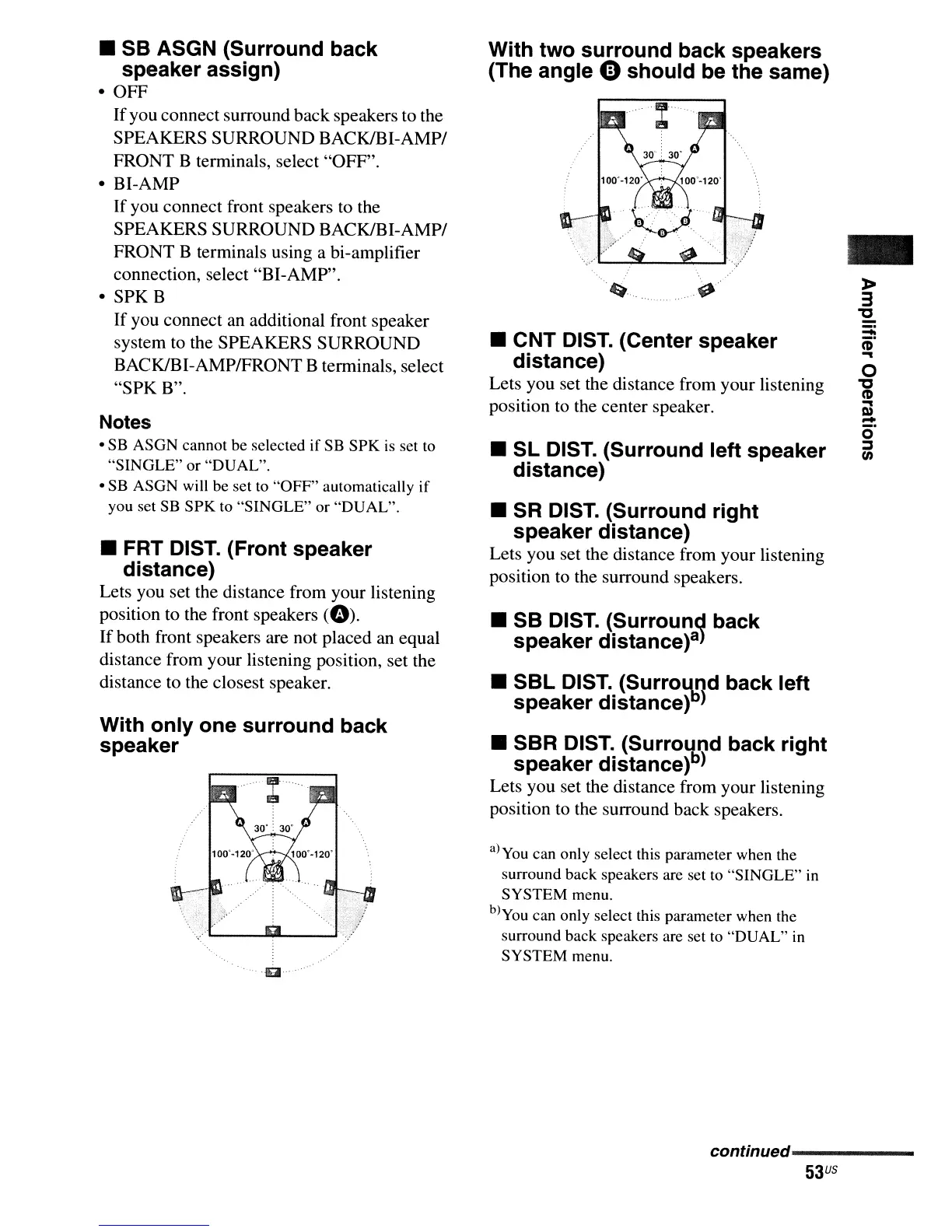
With two surround back speakers
(The angle
e should be the same)
• SB ASGN (Surround back
speaker assign)
• OFF
Ifyou connect surround back speakers to the
SPEAKERS SURROUND
BACK/BI-AMPI
FRONT B terminals, select "OFF".
• BI-AMP
If you connect front speakers
to
the
SPEAKERS SURROUND
BACK/BI-AMPI
FRONT B terminals using a bi-amplifier
connection, select "BI-AMP".
• SPK B
If you connect an additional front speaker
system
to
the SPEAKERS SURROUND
BACK/BI-AMPIFRONT B terminals, select
"SPK B".
Notes
• SB ASGN cannot be selected if SB
SPK
is set to
"SINGLE"
or "DUAL".
• SB ASGN will be set
to
"OFF"
automatically
if
you set SB
SPK
to "SINGLE" or "DUAL".
• FRT DIST. (Front speaker
distance)
Lets you set the distance from your listening
position to the front speakers
CO).
Ifboth front speakers are not placed an equal
distance from your listening position, set the
distance to the closest speaker.
With only one surround back
speaker
...... g .
~....
~
...
• CNT DIST. (Center speaker
distance)
Lets you set the distance from your listening
position
to
the center speaker.
•
Sl
DIST. (Surround left speaker
distance)
• SR DIST. (Surround right
speaker distance)
Lets you set the distance from your listening
position
to
the surround speakers.
• SB DIST. (Surround back
speaker distance
)8)
•
SBl
DIST.
(Surro~od
back left
speaker distance»)
• SSR DIST. (Surround back right
speaker distance)b)
Lets you set the distance from your listening
position
to
the surround back speakers.
a)you can only select this parameter when the
surround back speakers are set to "SINGLE" in
SYSTEM menu.
b)you can only select this parameter when the
surround back speakers are set
to
"DUAL"
in
SYSTEM menu.
-
»
3
"'C
:::;:
(6'
...
o
"'C
(1)
...
Q)
-
o
j
en
conUnued-----------
53
US



 To Next Page