58
US
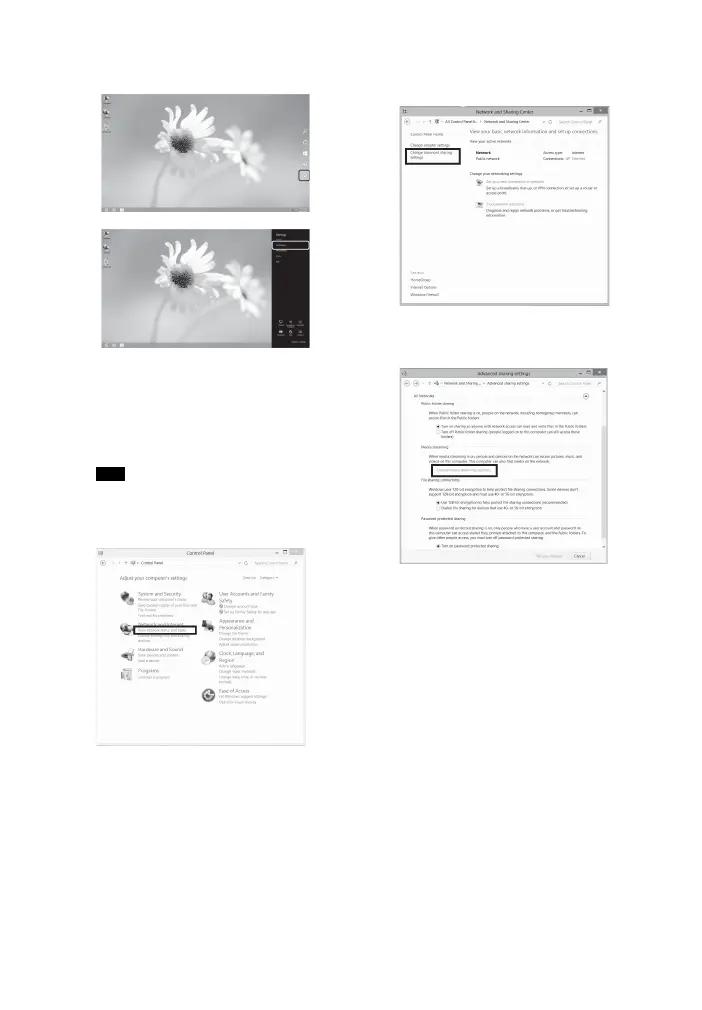
Select [Control Panel] under
[Settings].
2 Select [View network status and
tasks] under [Network and
Internet].
The [Network Sharing Center]
window appears.
If the item you want does not appear on the
display, try to change the display type of the
Control Panel.
3 Select [Change advanced sharing
settings].
4 Select [Choose media streaming
options] from Media streaming.
5 If [Media streaming is not turned
on] appears on the [Media
streaming options] window, select
[Turn on media streaming].
Tip



 To Next Page