Performing Initial Setup Operations
Once you have hooked up the speakers and turned on the
power, clear the receiver's memm_. Then specif,/the
speaker parameters (size, position, etc.) and perfbml any
other initial setup operations necessary fbr your system.
Make sure that you have:
• Turned MASTER VOLUME to the leftmost position (0).
• Selected the appropriate front speakers (see "[_
SPEAKERS selector" on page 28).
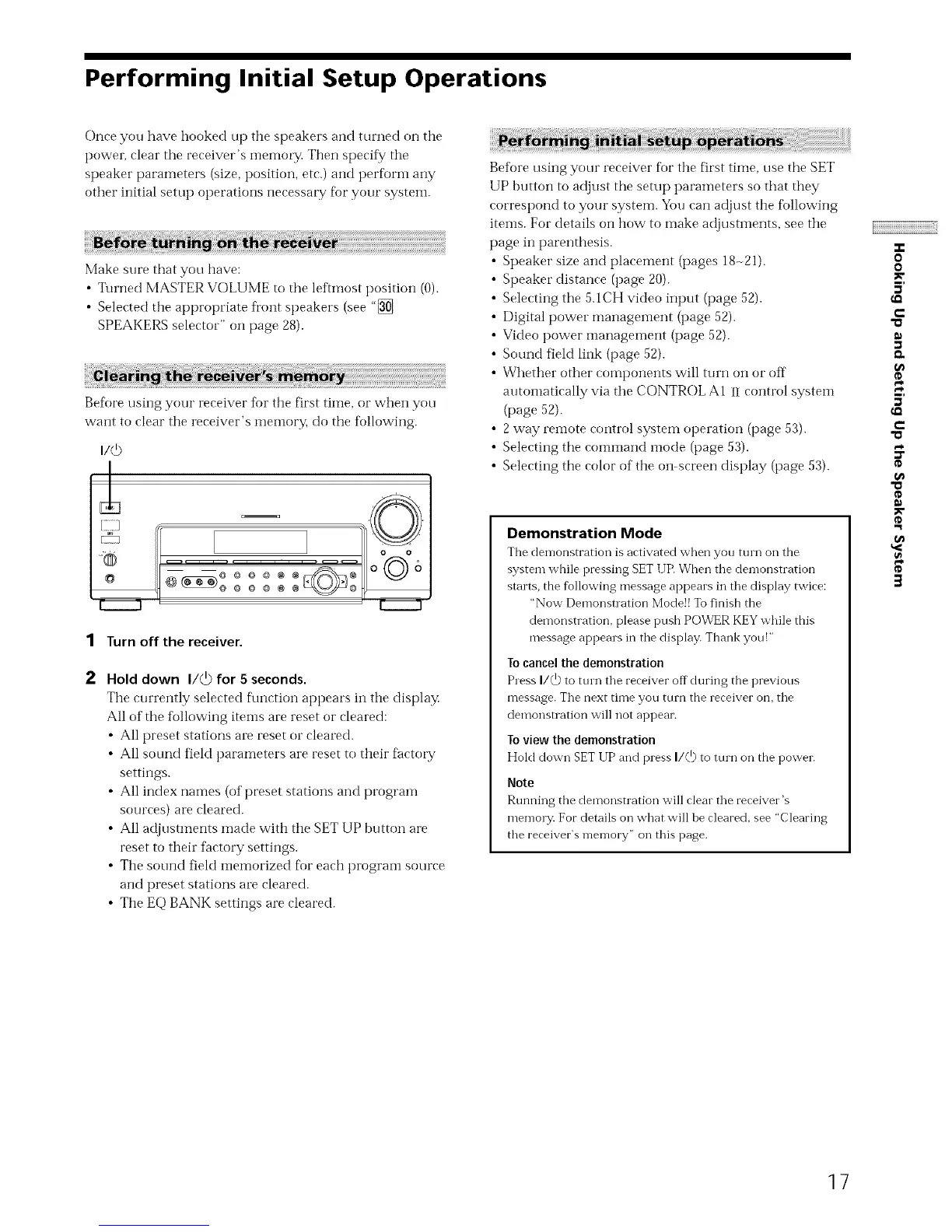
Beff_re using your receiver fbr the first time, or when you
want to cleat" the receiver's llleiilory, do the following.
©
.... oo
"®© o_6
@_ ooo_ o
II II
1 Turn off the receiver.
Hold down I/@ for 5 seconds.
The currently selected f\mction appears in the display.
All of the tbllowing items are reset or cleared:
• All preset stations al_ reset or cleared.
• All sound field parameters are reset to their factoly
settings.
• All index names (of preset stations and program
sources) are cleared.
• All adjustments made with the SET UP button are
reset to their factory settings.
• The sound field memorized fl_r each program source
and preset stations are cleared.
• The EQ BANK settings are cleared.
Beff_re using your receiver fbr the first time, use the SET
UP button to adjust the setup parameters so that they
correspond to your system. You can adjust the fbllowing
items. For details on how to make adjustments, see the
page in parenthesis.
Speaker size and placement (pages 18-21).
Speaker distance (page 20).
Selecting the 5.1CH video input (page 52).
Digital power management (page 52).
Video power inanagement (page 52).
Sound field link (page 52).
Whether other components will turn on or off
atttomatically via the CONTROL A1 iI control system
(page 52).
• 2 way remote control system operation (page 53).
• Selecting the command mode (page 53).
• Selecting the color of the on-screen display (page 53).
Demonstration Mode
The demonstration is activated when you turn on the
system while pressing SET [JR When the demonstration
starts, the following message appears in the display twice:
"Now Demonstration Mode!! To finish the
demonstration, please push POWER KEY while this
message appears in the display. Thank you!"
To cancel the demonstration
Press I/_ to turn the receiver off during the previous
message. The next time you turn the receiver on, the
demonstration will not appear.
To view the demonstration
Hold down SET UP and press I/(D to turn on the power.
Note
Running the demonstration will clear the receiver's
memory. For details on what will be cleared, see "Clearing
the receiver's memory" on this page.
o
o
5'
€-
5'
€-
"o
o
t_
o
g
3
]7


 To Next Page