Speaker System Hookup
-r
0
0
5'
c
#
3
Short circuiting of the speakers inay damage the receiver.
To prevent this, make sure to take the following
precautions when connecting tile speakers.
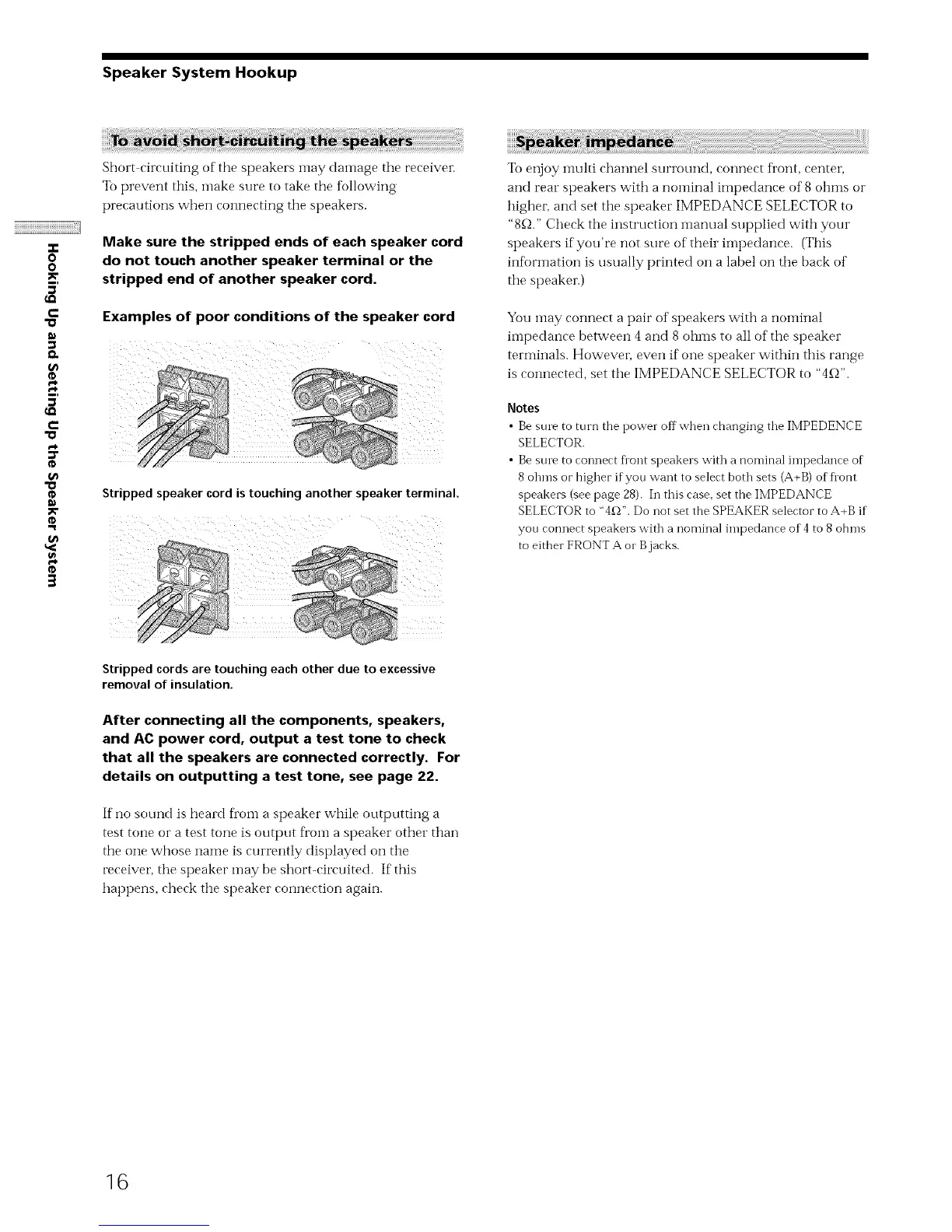
Make sure the stripped ends of each speaker cord
do not touch another speaker terminal or the
stripped end of another speaker cord.
Examples of poor conditions of the speaker cord
Stripped speaker cord is touching another speaker terminal.
To enjoy inulti channel surrotn-ld, connect front, center,
and rear speakers with a nominal impedance of 8 ohms or
highei, and set the speaker IMPEDANCE SELECTOR to
"8_-_."Check tile instruction manual supplied with your
speakers if you're not sure of their iinpedance. (This
infi_rmation is usually printed on a label on tile back of
the speaker.)
You may connect a pair of speakers with a nominal
impedance between 4 and 8 ohms to all of the speaker
terminals. Howeven even if one speaker within this range
is c(mnected, set tile IMPEDANCE SELECTOR to "4_-_".
Notes
• Bestnv to turn the power offwhen changing the IMPEDENCE
SELECTOR.
• Bestnv to connect Dont speakers with a nominal impedance of
8 ohms or higher ifyou want to select both sets (A+B) of Dont
speakers (see page 28). In this case. set the IMPEDANCE
SELECTOR to "4£_". Do not set the SPEAKER selector to A+B if
you connect speakers with a nominal impedance of 4 to 8 ohms
to either FRONT A or B jacks.
Stripped cords are touching each other due to excessive
removal of insulation.
After connecting all the components, speakers,
and AC power cord, output a test tone to check
that all the speakers are connected correctly. For
details on outputting a test tone, see page 22.
If no sound is heard ti"om a speaker while outputting a
test tone or a test tone is output ti'om a speaker other than
the one whose name is currently displayed on tile
receiver, the speaker may be short-circuited. If this
hapt)ens, check the speaker connection again.
16



 To Next Page