Power Sources26
EN
Low-power Consumption Mode
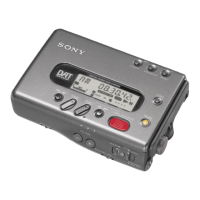
If the tape-corder
remains in the stop mode
for 3 minutes or more, it
will enter the low-power
consumption mode
automatically to conserve
the battery.
Tips
The tape-corder does not
enter the low-power
consumption mode when
you operate it with the
AC power adaptor or car
battery.
The tape is unloaded automatically to protect the tape
and the tape-corder enters the low-power
consumption mode to conserve the battery when the
tape-corder is in the stop mode for 3 minutes or more.
The clock display appears and the display light turns
off in the low-power consumption mode.
To enter the low-power consumption mode
manually
1 Make sure that the tape-corder is in the stop mode.
Press the STOP p button if the tape-corder is in the
pause mode.
2 Slide the HOLD/PUSH OPEN switch to HOLD.
The tape-corder enters the low-power
consumption mode.
Stop p
HOLD/PUSH OPEN



 To Next Page