Additional Information38
EN
Additional Information
!™
!§
!£
!¢
!∞
!¶
!•
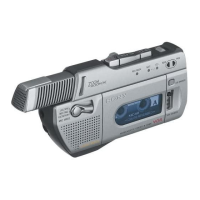
!™ LIGHT button
Press to illuminate the display
when using the tape-corder in the
dark.
!£ RESET/+ button (5, 40)
!¢ COUNTER/- button (5, 40)
!∞ CLOCK/SET button (5, 41)
!§ REMOTE·DIGITAL I/O (input/
output) jack (14, 23, 28)
Connect equipment with digital
input/output using the connecting
cable POC-DA12/DA12M/DA12S
or RK-D3K (not supplied), the
adaptor kit RM-D3K, the remote
control RMT-D7, or the super bit
mapping adaptor SBM-1 etc.
!¶ Battery compartment lid (4)
!• DC IN 6V (external power input)
jack (27)



 To Next Page