GDM-200PS/200PST/200PST9
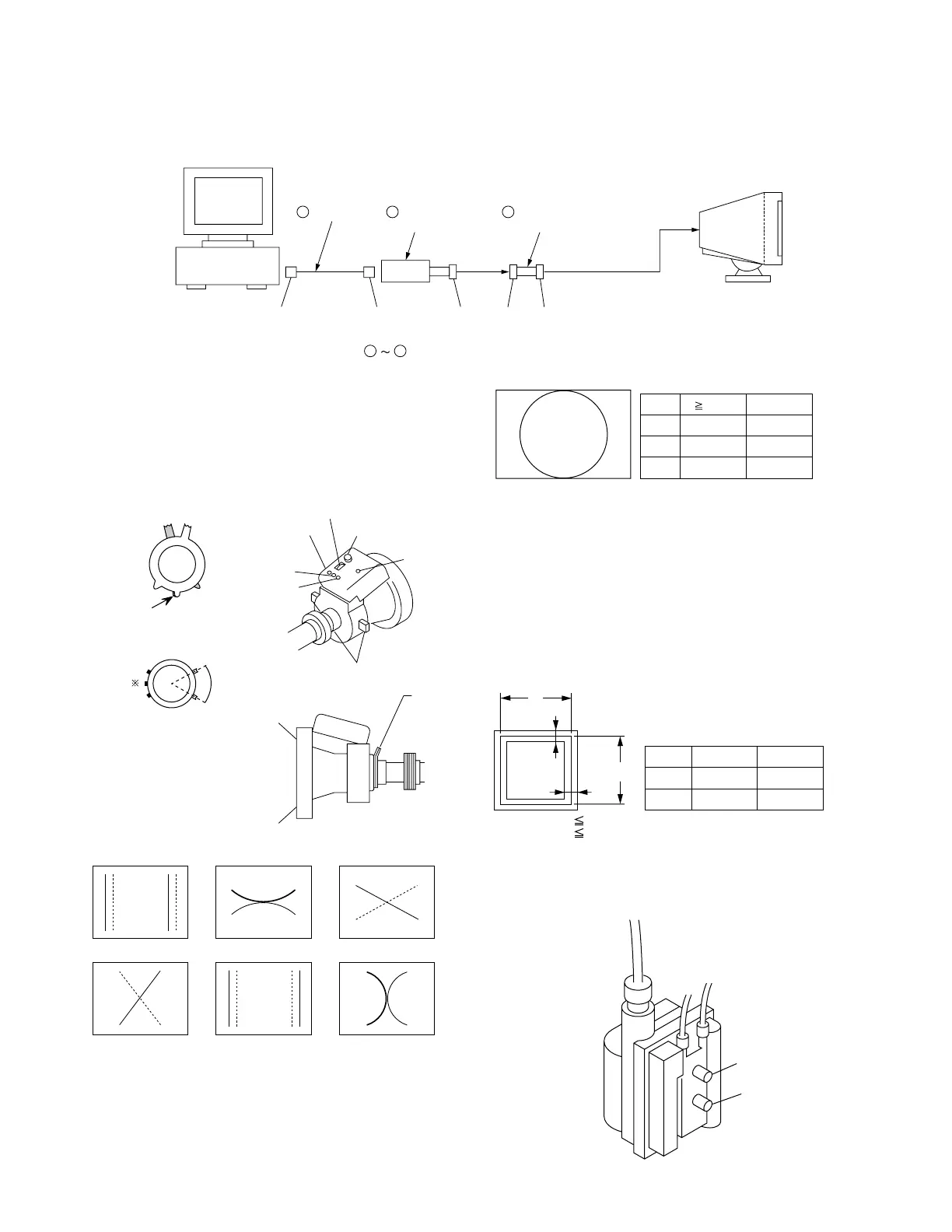
Connect the communication cable of the computer to the connector located on the D board on the monitor. Run the service software and
then follow the instruction.
IBM AT Computer
as a Jig
1-690-391-21
1
A-1500-819-A
Interface Unit
2
*The parts above ( ) are necessary for DAS adjustment.
1
3
D-sub
(9 Pin [female])
mini Din
(8Pin)
4 Pin
3-702-691-01
Connector Attachment
3
To BUS CONNECTOR
4 Pin 4 Pin
• Convergence Rough Adjustment
(1) Receive an image of the white crosshatch signals (white
lines on black).
(2) Place the protrusions of the 6-fold poles magnet attached to
the CRT neck upon each other. (Fig. 1)
(3) Make rough adjustment of the H and V direction conver-
gence by using 4-fold poles magnet.
• Convergence Specification
• White Balance Adjustment Specification
(1) 9300K
x = 0.283 ± 0.005
y = 0.298 ± 0.005
(All White)
(2) 6500K
x = 0.313 ± 0.005
y = 0.329 ± 0.005
(All White)
• Vertical and Horizontal Position and Size
Specification
• Focus adjustment
Adjust the focus volume 1 and 2 for the optimum focus.
Standard: HMC, VMC ± 0.1 mm (In the center of screen)
Protrusions
60°
Fig. 1
Fig. 3
* Set so that the protruding parts of
the 2 magnet rings agree with each
other.
XBV XCV
R
B
B
RR
B
B
R
BBR
H. AMP
H. TILT (TLH) YBHYCH
R B
R B
R
FOCUS 1
FOCUS 2
XCV
YBH
XBV
APH
TLH
TLV
YCH
Purity
B
a
a 2.4 mm
b 2.4 mm
a
b
b
A
A
B
4 : 3
312 mm
234 mm
5 : 4
293 mm
234 mm
B
A
MODE
A
B
C
fH 60 kHz
0.24 mm
0.24 mm
0.32 mm
fH < 60 kHz
0.24 mm
0.32 mm
0.36 mm
4-2











 To Next Page