Chapter z: Using Idasic Features
WatchingTVPrograms
MUTING(_ (_SLEEP
WNIDE0
Q
®®®
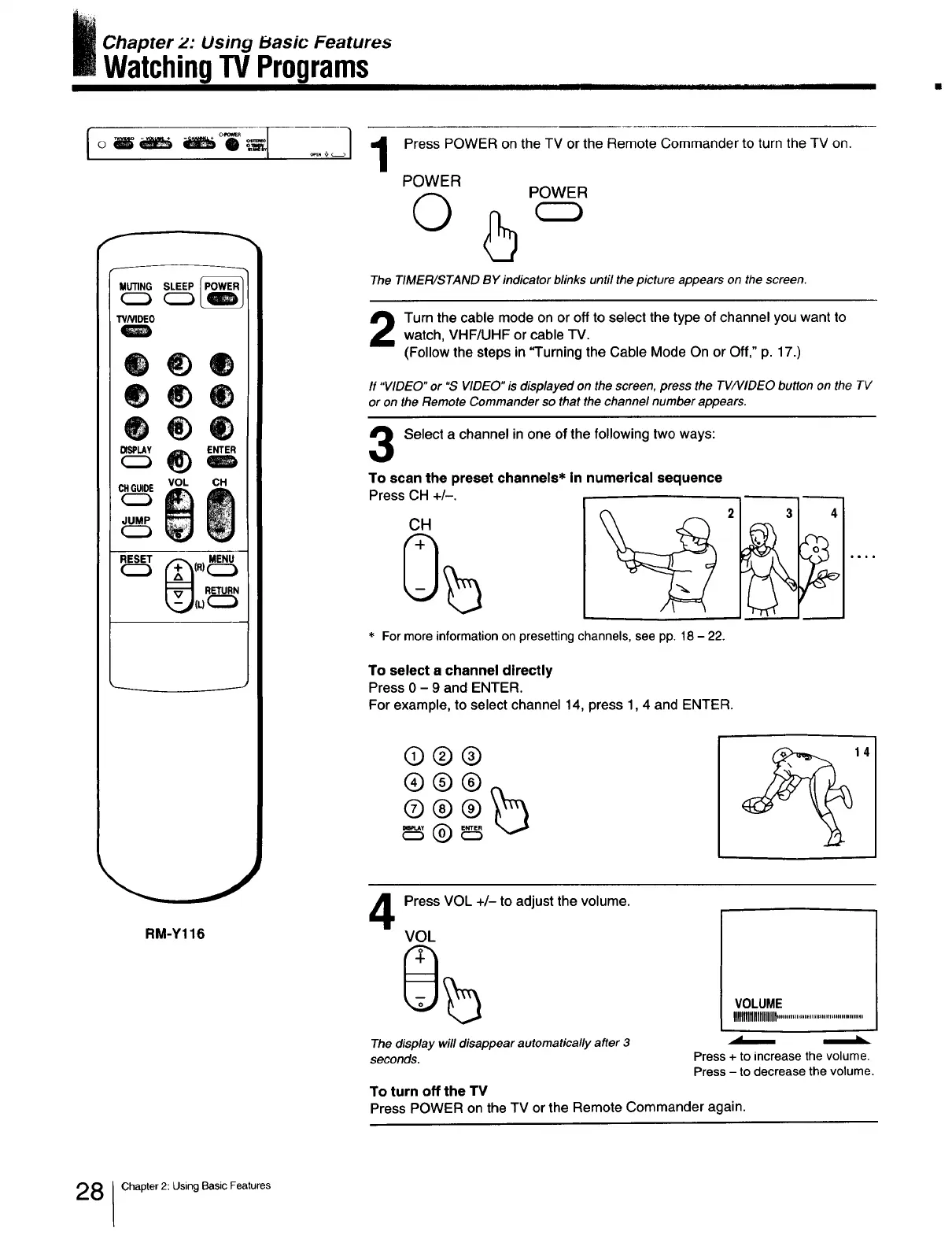
Press POWER on the TV or the Remote Commander to turn the TV on.
POWER
Q
POWER
The TIMER/STAND BY indicator blinks until the picture appears on the screen.
Turn the cable mode on or off to select the type of channel you want to
watch, VHF/UHF or cable TV.
(Follow the steps in "Turning the Cable Mode On or Off," p. 17.)
If "VIDEO" or "S VIDEO" is displayed on the screen, press the TV/VlDEO button on the TV
or on the Remote Commander so that the channel number appears.
Select a channel in one of the following two ways:
VOL CH
(R)
RM-Y116
To scan the preset channels* in numerical sequence
Press CH +/-.
CH
For more information on presetting channels, see pp. 18 - 22.
To select a channel directly
Press 0 - 9 and ENTER.
For example, to select channel 14, press 1,4 and ENTER.
3 4
®®®
®®®
14
4
Press VOL +/- to adjust the volume.
VOL
The display will disappear automatically after 3
seconds.
VOLUME I
IIIIIIIIIIIIIIIIIIIIII............................................
Press + to increase the volume.
Press - to decrease the volume.
To turn off the TV
Press POWER on the TV or the Remote Commander again.
8 Chapter 2: Using Basic Features







 To Next Page