CustomizingtheScreenDisplay
IIl[I[lllllll IIII I1 I [111111.....
f
MUTING(_ (_m_SLEEP
TVNIDEO
®®®
®®®
®®®
VOL CH
RM-Y116
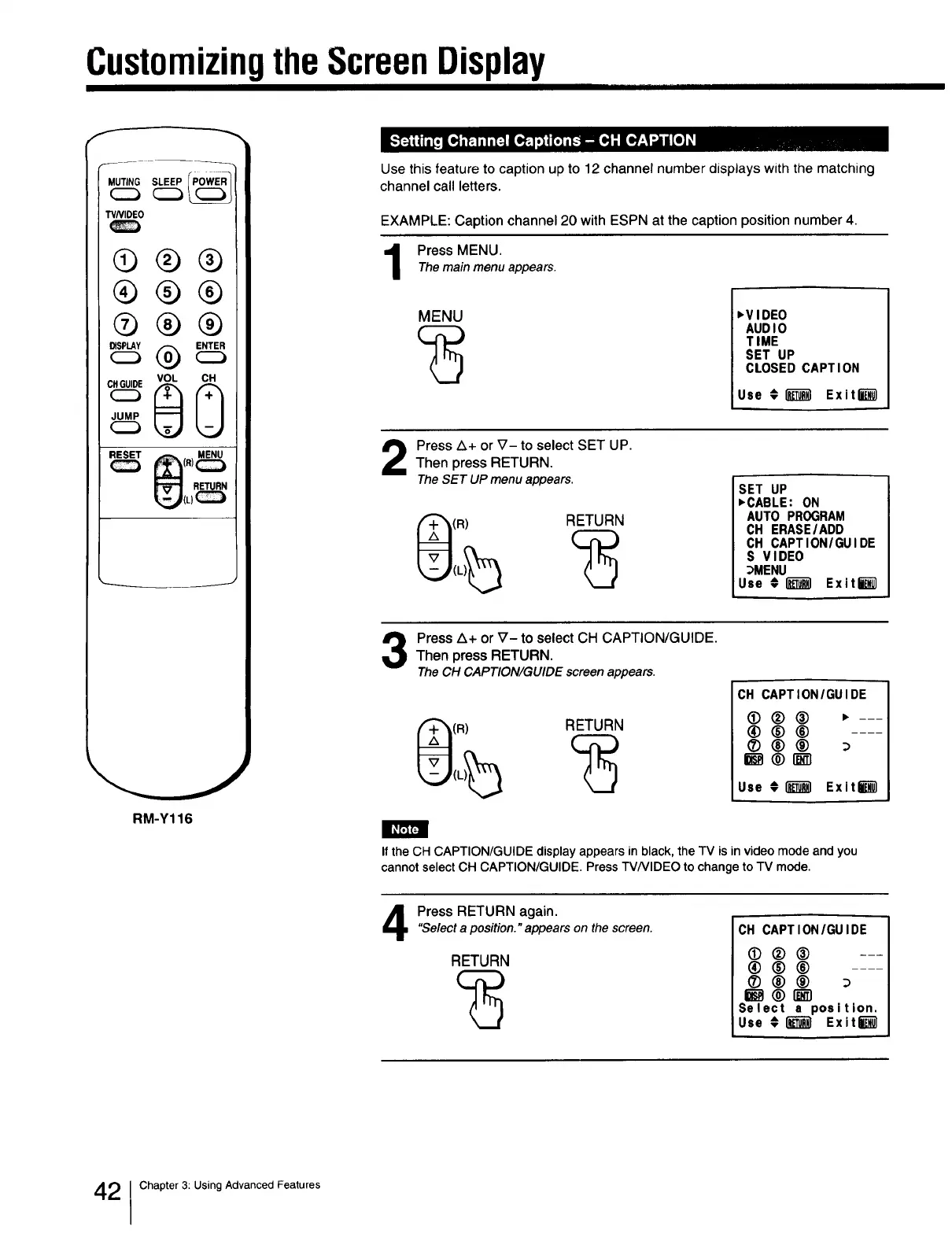
Use this feature to caption up to 12 channel number displays with the matching
channel call letters.
EXAMPLE: Caption channel 20 with ESPN at the caption position number 4.
Press MENU.The main menu appears.
MENU
'VIDEO
AUDIO
TIME
SET UP
CLOSED CAPTION
Use #1_ Exit_
Press Z_+ or V- to select SET UP.Then press RETURN.
TheSET UP menu appears.
(R) RETURN
SET UP
,CABLE: ON
AUTO PROGRAM
CH ERASEIADD
CH CAPTION/GUIDE
S VIDEO
_MENU
Use 01_ Exit_
Press Z_+ or V- to select CH CAPTION/GUIDE.Then press RETURN.
The CH CAPTION/GUIDE screen appears.
(R) RETURN
CH CAPTION/GUIDE
_)®® ,---
®®®
®®® :_
_ ® I_--'1
Use t l_l ExitU
If the CH CAPTION/GUIDE display appears in black, the TV is in video mode and you
cannot select CH CAPTION/GUIDE. Press TVNIDEO to change to TV mode.
Press RETURN again."Selecta position." appears on the screen.
RETURN
CH CAPTION/GUIDE
(!)®® ---
®®®
®®®
Select a position.
Use # _ Exit_
2 1Chapter 3: Using Advanced Features







 To Next Page