t;ustomizing the Screen Display
I I II I I IIIIIIII I I I I I
f
MUTING SLEEP
WNIDE0
VOL CH
c_
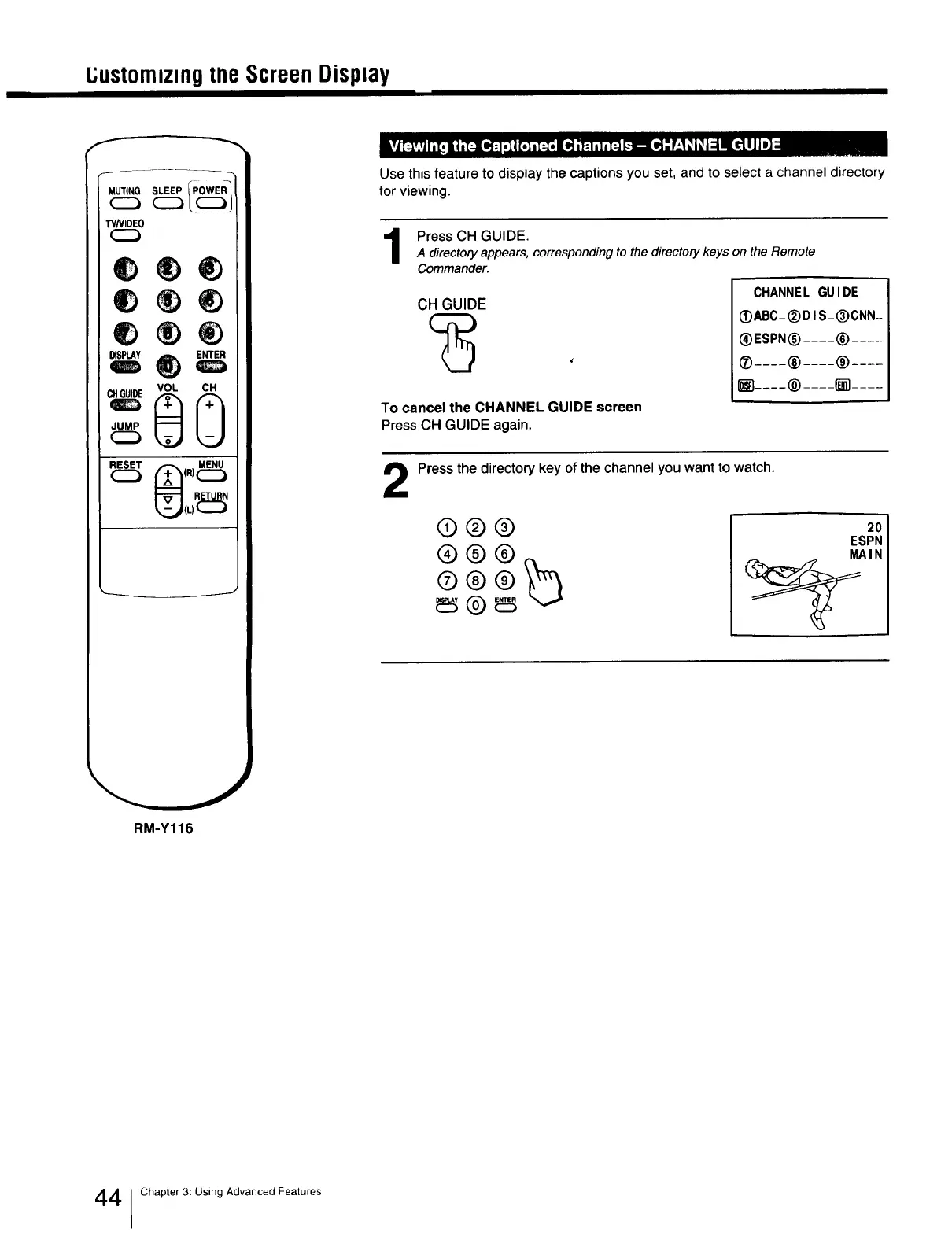
Use this feature to display the captions you set, and to select a channel directory
for viewing.
PressCH GUIDE.
A directory appears, corresponding to the directory keys on the Remote
Commander.
CH GUIDE
To cancel the CHANNEL GUIDE screen
Press CH GUIDE again.
CHANNEL GUIDE
_ABC- (_)DI S-(_)CNN-
(_)ESPN(_).... (_)....
® .... ® .... ® ....
.... ® .... _ ....
2
Press the directory key of the channel you want to watch.
®®®
®®®
®®®_
2O
ESPN
MAIN
RM-Y116
4 1Chapter 3: Using Advanced Features







 To Next Page