PresettingTVChannels
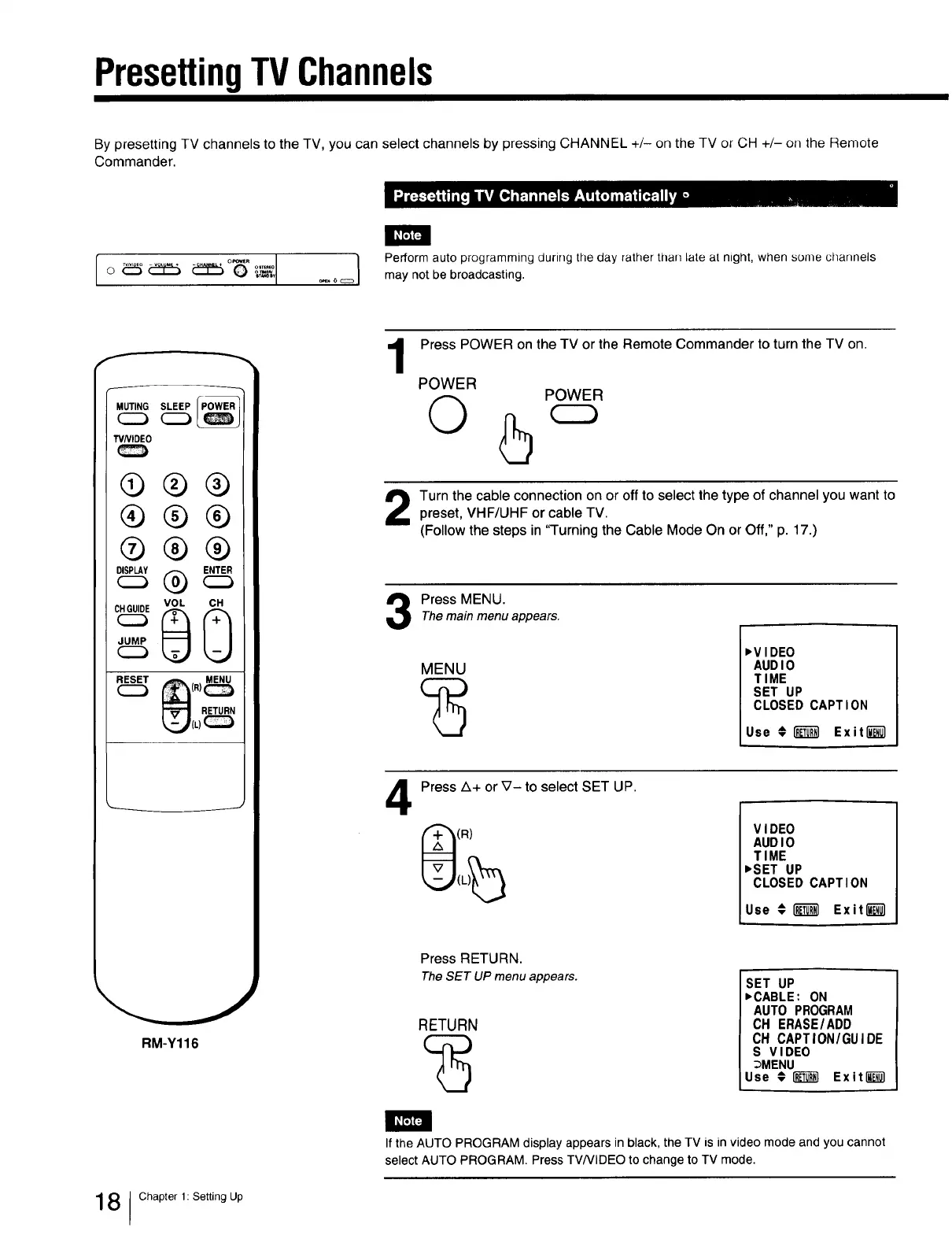
By presetting TV channels to the TV, you can select channels by pressing CHANNEL +/- on the TV or CH +/- on the Remote
Commander.
[_
I o _ _ _ o_ _, _ o_ I
Perform auto programming during the day rather thafl late at night, when some channels
may not be broadcasting.
f
MUTING SLEEP
C2)_
WNIDEO
®®®
®®®
®®®
cQ
RM-Y116
1
Press POWER on the TV or the Remote Commander to turn the TV on.
POWER
O
POWER
Turn the cable connection on or off to select the type of channel you want topreset, VHF/UHF or cable TV.
(Follow the steps in "Turning the Cable Mode On or Off," p. 17.)
Press MENU.Themain menu appears.
MENU
,VIDEO
AUDIO
TIME
SET UP
CLOSED CAPTION
Use # _ Exitl_
4
Press A+ or V- to select SET UP.
(R)
VIDEO
AUDIO
TIME
,SET UP
CLOSED CAPTION
Use # I_ Exitl_
Press RETURN.
The SET UP menu appears.
RETURN
SET UP
,CABLE: ON
AUTO PROGRAM
CH ERASE/ADD
OH CAPTION/GUIDE
S VIDEO
_MENU
Use #1_ Exitli_l
If the AUTO PROGRAM display appears in black, the TV is in video mode and you cannot
select AUTO PROGRAM. Press TV/VIDEO to change to TV mode.
8 Chapter 1: Setting Up







 To Next Page