4
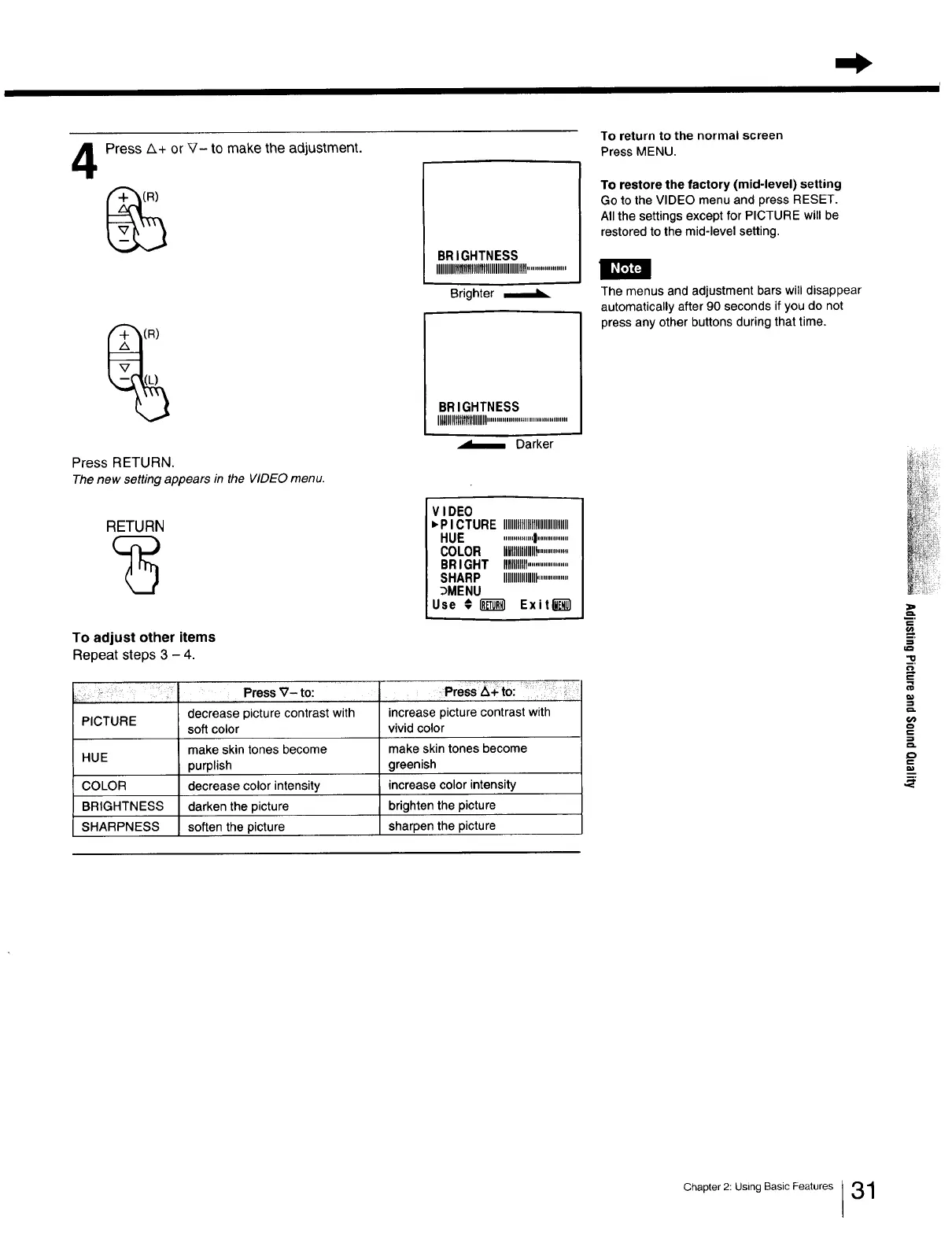
Press A+ or V- to make the adjustment.
Press RETURN.
Thenew setting appears in the VIDEOmenu.
I
BRIGHTNESS
IIIIIIIIIIllllll!f!!llHIIIIIIIIIIIIIlllll....................
Brighter ,_
1
BR IGHTNESS
IllUlllltttttttttlllllll.........................................
J
Darker
RETURN
VIDEO
,P ICTURE IIIIIIIIIIIIIllllllllllllllmlll
HUE ...............I................
COLOR IMlllllllll_...............
BRIGHT IIIlllllllll.....................
SHARP IIIIIIIIIllllllll................
_MENU
Use # _ Exitl_
To adjust other items
Repeat steps 3 - 4.
l Press _- to:
decrease picture contrast with increase picture contrast with
PICTURE
soft color vivid color
make skin tones become make skin tones become
HUE
purplish greenish
COLOR decrease color intensity increase color intensity
BRIGHTNESS darken the picture brighten the picture
SHARPNESS soften the picture sharpen the picture
To return to the normal screen
Press MENU.
To restore the factory (mid-level) setting
Go to the VIDEO menu and press RESET.
All the settings except for PICTURE will be
restored to the mid-level setting.
The menus and adjustment bars will disappear
automatically after 90 seconds if you do not
press any other buttons during that time.
._=-.
=
"I0
=_
Chapter 2: Using Basic Features ]31







 To Next Page