Connecting Your TV
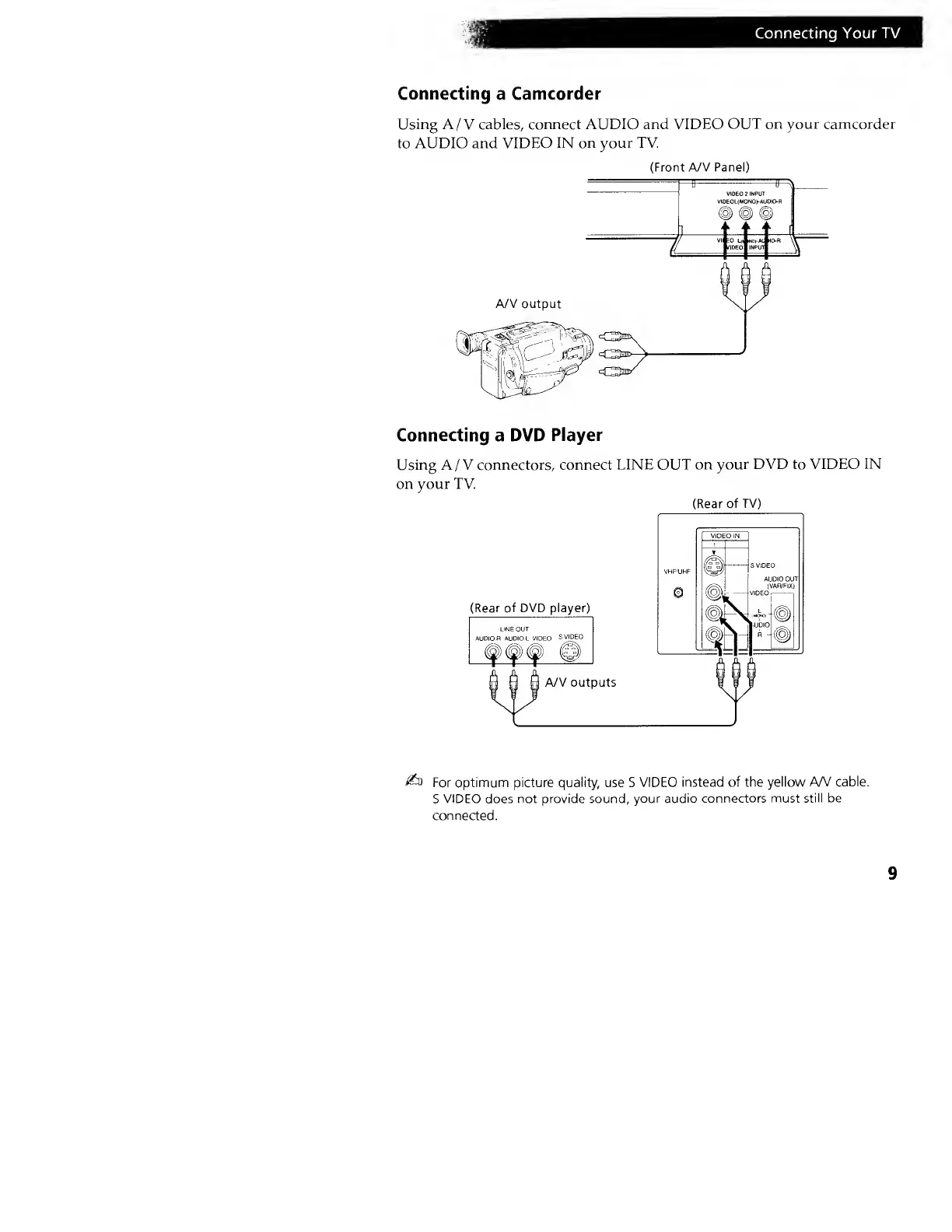
Connecting
a
Camcorder
Using A/V cables, connect AUDIO and VIDEO
OUT on your camcorder
to AUDIO and VIDEO IN
on your TV
(Front A/V Panel)
Connecting a DVD
Player
Using A/V connectors, connect
LINE OUT on
your DVD to VIDEO IN
on your TV.
(Rear
of TV)
(Rear of DVD player)
A/V outputs
&s
For optimum picture quality, use S VIDEO
instead of the yellow
A/V cable.
S
VIDEO does not provide sound,
your audio connectors must
still be
connected.
9







 To Next Page