EasyManua.ls Logo

Sony Trinitron KV-20FV10 - Setting Up Parental Control; Creating and Managing Passwords; Activating Lock and Selecting Ratings

Sony Trinitron KV-20FV10
41 pages
Print Icon
To Next Page IconTo Next Page
To Previous Page IconTo Previous Page
Loading...
Using the
Menus
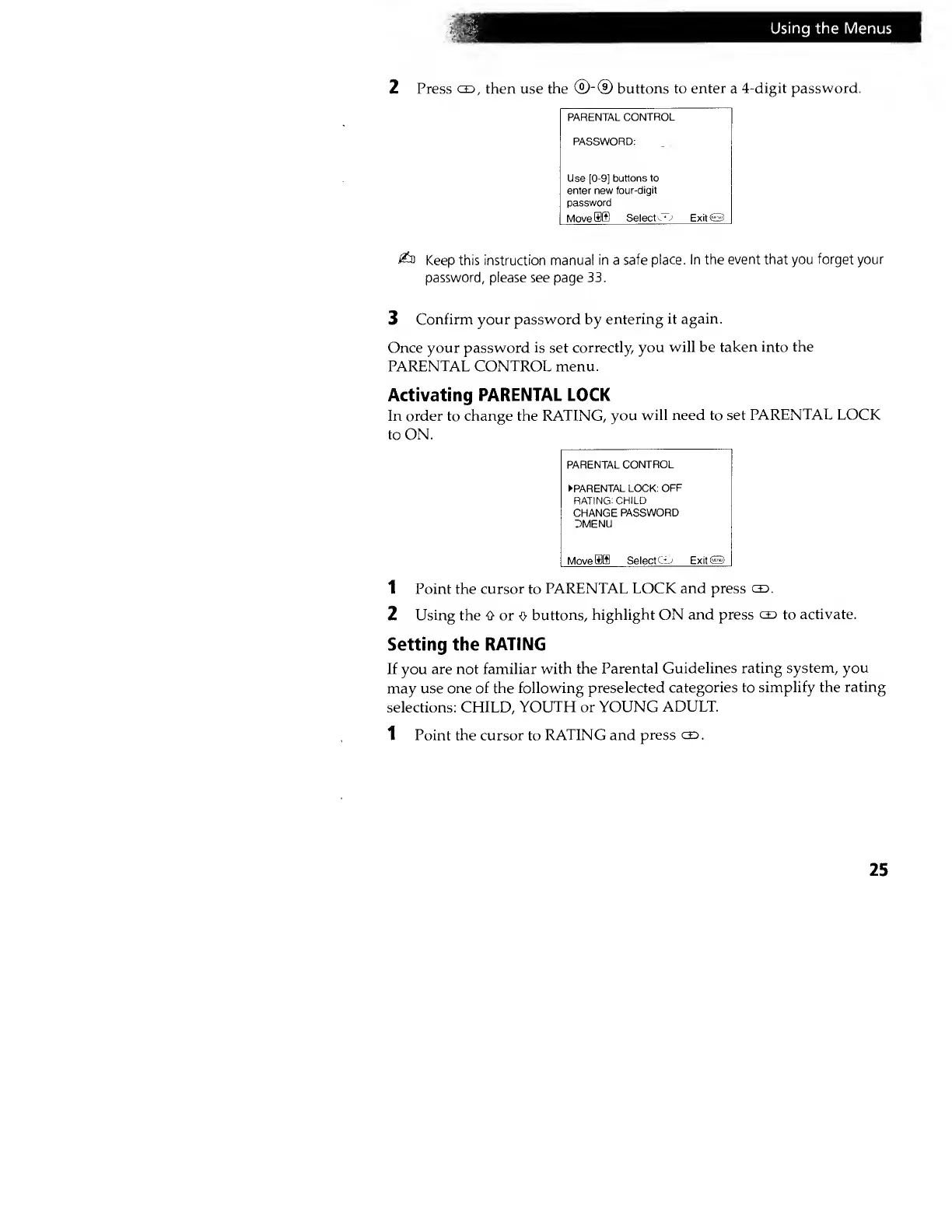
2 Press
cs,
then use
the
®~©
buttons to
enter
a
4-digit password.
PARENTAL
CONTROL
PASSWORD:
Use [0-9]
buttons to
enter new
tour-digit
password
Move
SIB Select
CT-i
ExitO
Keep this instruction manual
in a safe
place. In the
event that
you
forget your
password,
please see page
33.
3
Confirm your password by
entering
it again.
Once your password
is
set
correctly, you
will be
taken into the
PARENTAL CONTROL menu.
Activating
PARENTAL LOCK
In order to change the RATING,
you
will need to set
PARENTAL LOCK
to ON.
PARENTAL
CONTROL
PARENTAL LOCK:
OFF
RATING:
CHILD
CHANGE
PASSWORD
DMENU
Move
SIS Select
C-D
ExitO
1 Point the
cursor
to
PARENTAL
LOCK and press
ce>.
2 Using the 0 or
o
buttons,
highlight ON and press
ce>
to
activate.
Setting the
RATING
If
you
are not familiar with
the Parental
Guidelines
rating system, you
may use
one of the following
preselected
categories to
simplify the rating
selections: CHILD,
YOUTH or YOUNG
ADULT.
1 Point the cursor
to
RATING and
press
gd
.
25