EasyManua.ls Logo

Sony TRINITRON KV-M1620U - Aerial Adjustment

Sony TRINITRON KV-M1620U
12 pages
Print Icon
To Next Page IconTo Next Page
To Previous Page IconTo Previous Page
Loading...
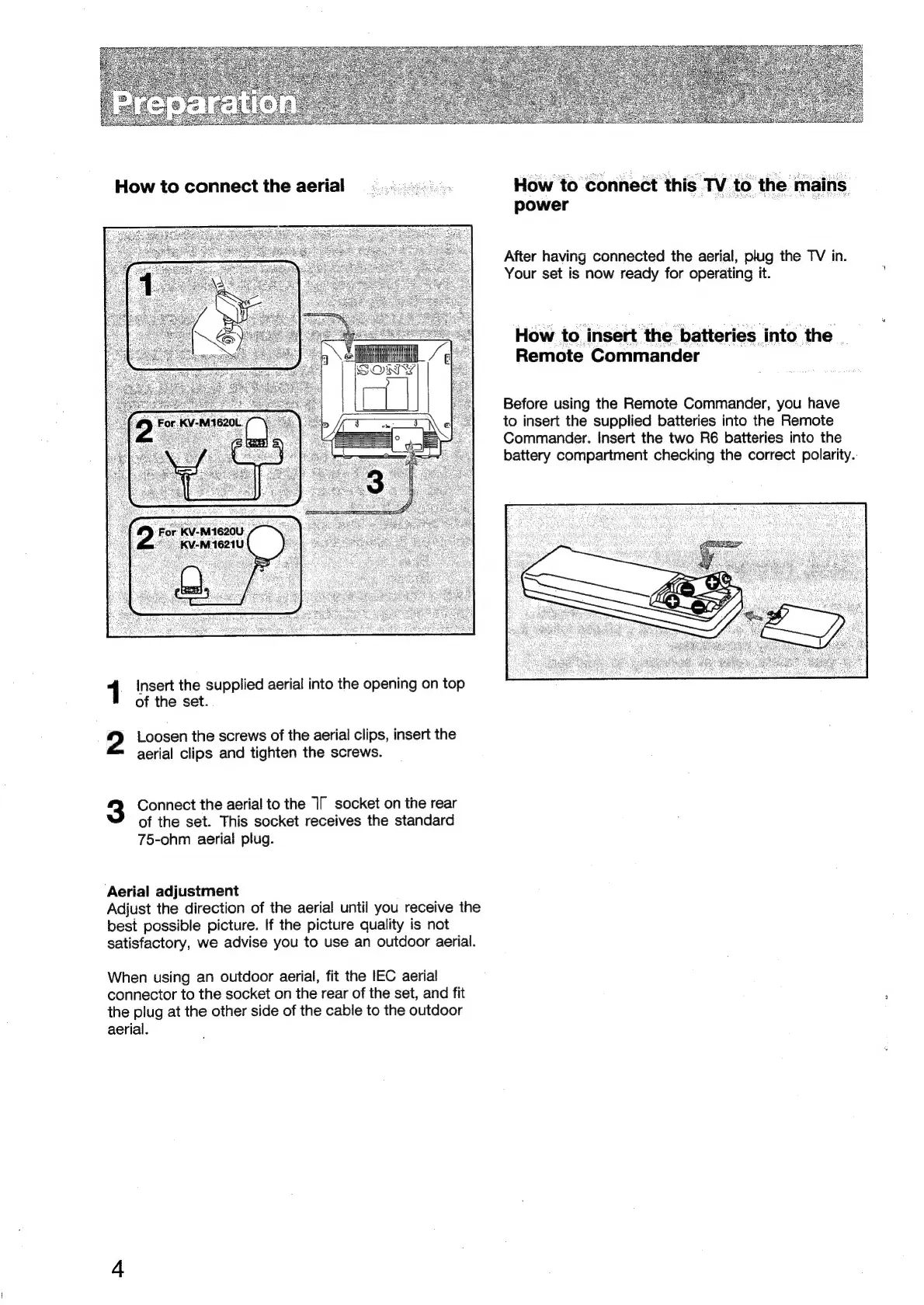
How
to
connect
the
aerial
1
insert
the
supplied
aerial
into
the
opening
on
top
of
the
set.
2
Loosen
the
screws
of
the
aerial
clips,
insert
the
aerial
clips
and
tighten
the
screws.
3
Connect
the
aerial
to
the
1T
socket
on
the
rear
of
the
set.
This
socket
receives
the
standard
75-ohm
aerial
plug.
Aerial
adjustment
Adjust
the
direction
of
the
aerial
until
you
receive
the
best
possible
picture.
If
the
picture
quality
is
not
satisfactory,
we
advise
you
to
use
an
outdoor
aerial.
When
using
an
outdoor
aerial,
fit
the
IEC
aerial
connector
to
the
socket
on
the
rear
of
the
set,
and
fit
the
plug
at
the
other
side
of
the
cable
to
the
outdoor
aerial.
How
to
connect
this
TV
to
the
mains
power
ae
j
After
having
connected
the
aerial,
plug
the
TV
in.
Your
set
is
now
ready
for
operating
it.
How
to
insert
the
batteries
into
the
|
Remote
Commander
Before
using
the
Remote
Commander,
you
have
to
insert
the
supplied
batteries
into
the
Remote
Commander.
Insert
the
two
R6
batteries
into
the
battery
compartment
checking
the
correct
polarity.

Related product manuals