EasyManua.ls Logo

Sony TRINITRON KV-M1620U - Page 6

Sony TRINITRON KV-M1620U
12 pages
Print Icon
To Next Page IconTo Next Page
To Previous Page IconTo Previous Page
Loading...
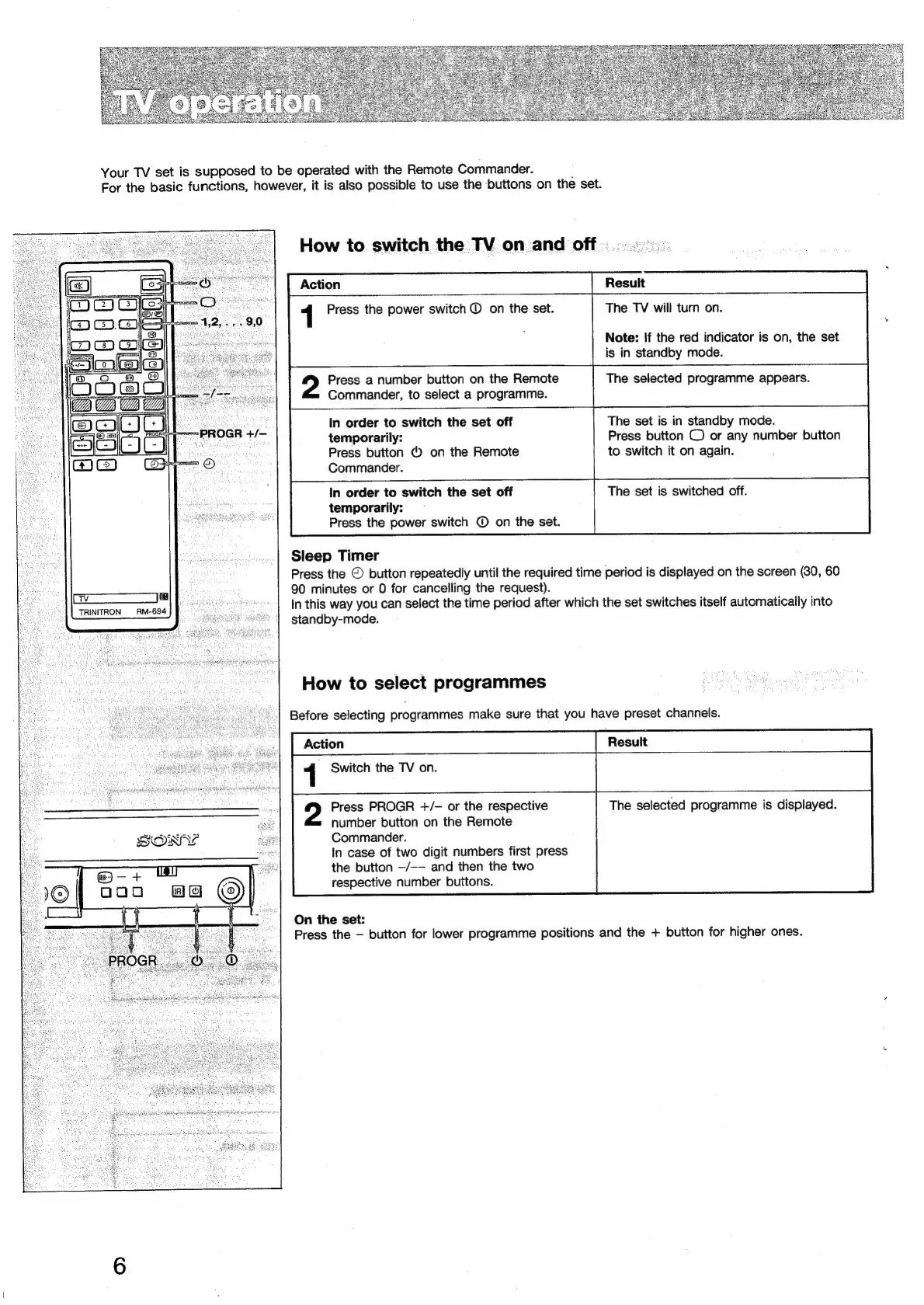
Your
TV
set
is
supposed
to
be
operated
with
the
Remote
Commander.
:
For
the
basic
functions,
however,
it
is
also
possible
to
use
the
buttons
on
the
set.
PROGR
+/—
a
aie
TRINITRON
RM-694
How
to
switch
the
TV
on
and
off
Resuit
The
TV
will
turn
on.
Action
1
Press
the
power
switch
©
on
the
set.
Note:
if
the
red
indicator
is
on,
the
set
is
in
standby
mode.
Press
a
number
button
on
the
Remote
Commander,
to
select
a
programme.
The
selected
programme
appears.
The
set
is
in
standby
mode.
Press
button
©
or
any
number
button
to
switch
it
on
again.
In
order
to
switch
the
set
off
temporarily:
Press
button
©
on
the
Remote
Commander.
In
order
to
switch
the
set
off
The
set
is
switched
off.
temporarily:
Press
the
power
switch
©
on
the
set.
Sleep
Timer
Press
the
©
button
repeatedly
until
the
required
time
period
is
displayed
on the
screen
(30,
60
90
minutes
or
0
for
cancelling
the
request).
In
this
way
you
can
select
the
time
period
after
which
the
set
switches
itself
automatically
into
standby-mode.
How
to
select
programmes
Before
selecting
programmes
make
sure
that
you
have
preset
channels.
1
Switch
the
TV
on.
Press
PROGR
+/-
or
the
respective
The
selected
programme
is
displayed.
number
button
on
the
Remote
Commander.
In
case
of
two
digit
numbers
first
press
the
button
—/--
and
then
the
two
respective
number
buttons.
On
the
set:
Press
the
button
for
lower
programme
positions
and
the
+
button
for
higher
ones.

Related product manuals