– 4 –
KV-BM142M70
RM-W101
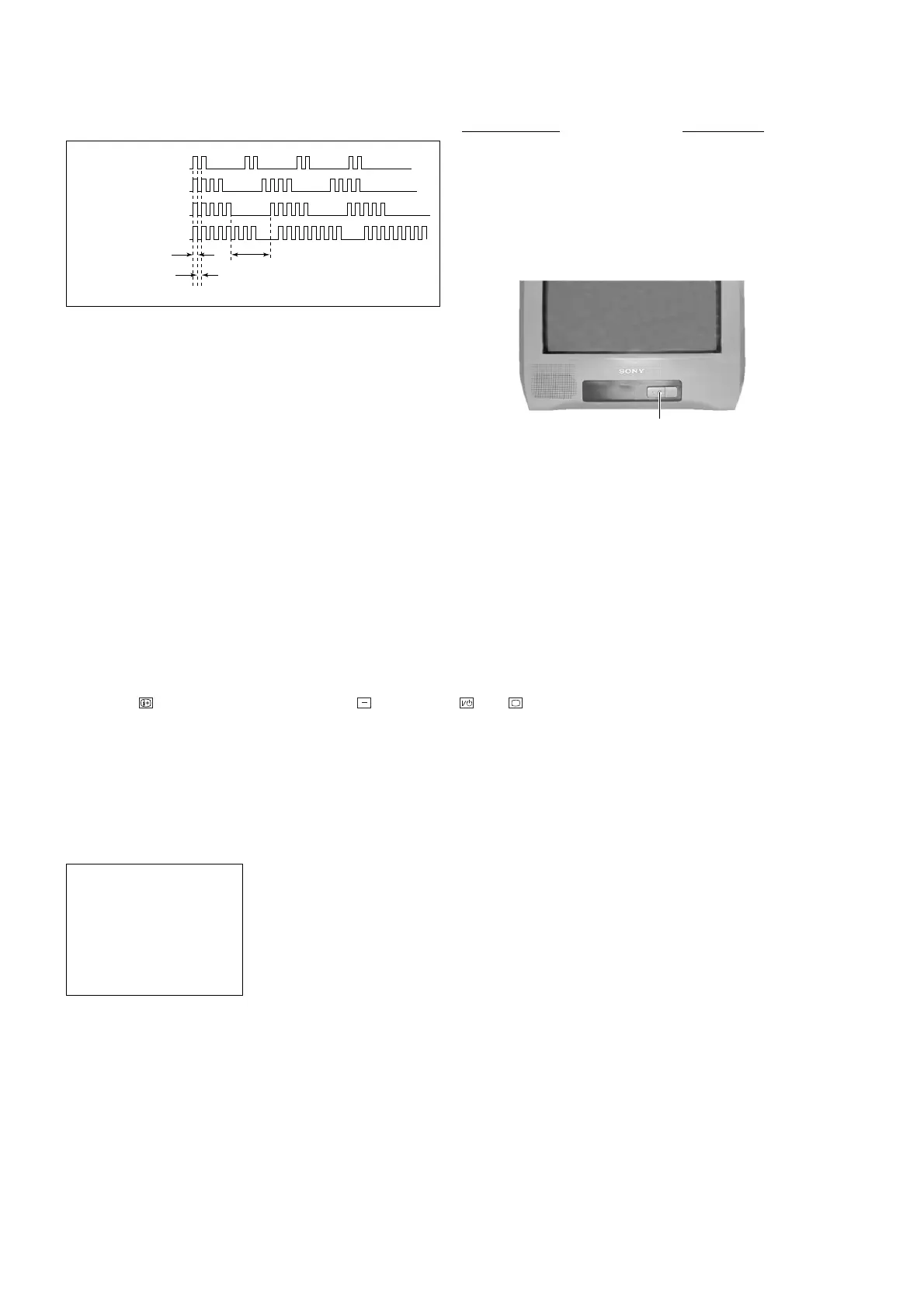
STANDBY indicator
2. DISPLAY OF STANDBY (1) INDICATOR
FLASH COUNT
3. STOPPING THE
STANDBY (1) INDICATOR FLASH
Turn off the power switch on the TV main unit or unplug the power cord from the outlet to stop the STANDBY (1)
indicator from flashing.
4. SELF-DIAGNOSTIC SCREEN DISPLAY
For errors with symptoms such as "power sometimes shuts off" or "screen sometimes goes off" that cannot be confirmed,
it is possible to bring up past occurrences of failure on the screen for confirmation.
[To Bring Up Screen Test]
In standby mode, press buttons on the remote commander sequentially in rapid succession as shown below:
Display
/ Channel 5 / Volume / Power / TV
˘
Note that this differs from entering the service mode (volume [+]).
The following screen will be displayed indicating the error count.
Diagnostic Item Flash Count*
+B overcurrent 2 times
V-Protect 4 times
IK (AKB) 5 times
Power Supply NG (+5V) 8 times
for Video processor
* One flash count is not used for self-diagnosis.
2 : 0
3 : N/A
4 : 0
5 : 1
8 : 0
101 : N/A
SELF DIAGNOSTIC
Numeral "0" means that no fault was detected.
Numeral "1" means the number of a fault occurrence (1 ~ 255).
Lamp ON 300ms
Lamp OFF 3 sec.
Lamp OFF 300ms
2 times
4 times
5 times
8 times








 To Next Page