– 29 –
KV-BM142M70
RM-W101
3-3. PICTURE QUALITY ADJUSTMENTS
PMAX/CONTRAST ADJUSTMENT
1. Select Video Mode.
2. Input PAL CB to TV set (others), Input NTSC 75% CB
to TV set (NTSC model).
3. Set PICT 003 "PWL" to 00h and WHBL 017 "BLBG" to
01h.
4. Set the following condition:
PICTURE 100%, COLOR 0%, BRIGHTNESS 50%.
5. Connect an oscilloscope to pin 4 (R output) of CN004.
6. Set to Service Mode "PWL" to 00h, “BLBG” to 01h.
7. Select SADJ 000 "PMAX" with 1 and 4 of the
commander then adjust VR within spec with 3 and 6.
8. Select 'WIDE' mode for TV and Video mode write
'PMAX' data 8 steps (for models with V-Compression
features only).
9. Then press [MUTING] t - to write the data
10. Set "PWL" and "BLBG" back to initial data repectively.
(PWL: 01h and BLBG: 00h)
SUB COLOR ADJUSTMENT
1. Select Video and set Picture mode.
2. Input PAL 100% CB to TV set (others), Input NTSC
75% CB to TV set (NTSC model).
3. Set PICT 006 "WTS" to 00h, and Intelligent Picture to
"OFF".
4. Set the following condition:
PICTURE 100%, COLOR 50%, BRIGHTNESS 50%,
HUE Center, SHP 50%.
5. Connect an oscilloscope to pin 2 (B output) of CN004.
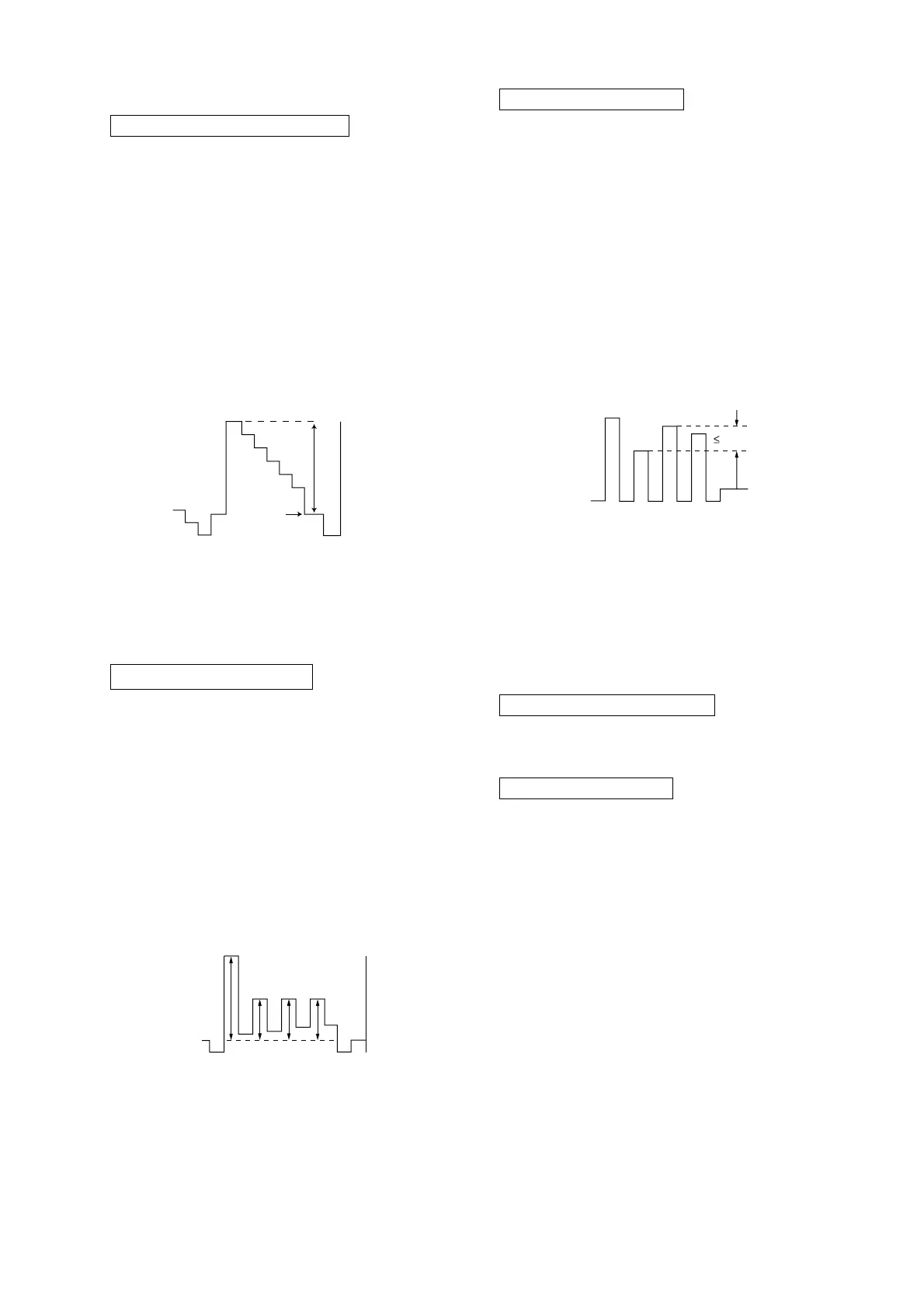
6. Select to Service Mode and adjust SADJ 004 "SCOL"
with 1 and 4 of commander then adjust to
VB2 = VB3 = VB4 with 3 and 6, and write in the
data as +10 step with +5 step offset.
7. Then press [MUTING] t - to write the data.
8. Set "WTS" back to original data and set Intelligence
Picture to "ON".
SUB HUE ADJUSTMENT
1. Select Video.
2. Input a NTSC 3.58 Color Bar to TV set.
3. Set the following condition:
PICTURE 100%, COLOR 50%, BRIGHTNESS 50%,
HUE Center, SHP 50%.
4. Connect an oscilloscope to pin 2 (B output) of CN004.
5. Set to Service and adjust SADJ 001 "SHUE" with 1
and 4 of commander then adjust to VB1 = VB2 =
VB3 = VB4 with 3 and 6.
6. Then press [MUTING] t - to write the data.
7. Select TV channel with NTSC 3.58 and repeat 4-6
(except GA NTSC model)
8. Select TV channel with 3.58 repeat 4-5, +1 step data
offset (applied to GA NTSC models), then press
[MUTING] t
- to write the data.
9. The highest level of VB1, VB2, VB3, VB4 must be
aligned at the same time.
The ideal difference between VB2 and VB3 is within
±80mV.
For single system with NTSC 4.43 select TV channel
with NTSC 4.43 and repeat 4 t 6.
3-4. DEFLECTION ADJUSTMENT
H-TRAPEZOID ADJUSTMENT
1. Receive cross hatch/dotsignal.
2. Adjust on to make H-Trapezoid distortion best.
NORMAL MODE (50Hz)
1. Set to Service Mode.
2. Input SPCB Signal (Select Video Mode for USA).
3. Using the 1 and 4 button select GEOM (Service
Mode).
VB1
VB2 VB3 VB4
VB2 = VB3 = VB4
(for PAL Sub Color adjustment)
VB1 = VB4
(for NTSC Sub Color adjustment)
(Difference is within 70mV)
VR
Black
1.46 ± 0.03 Vp-p (for 14" multi models)
1.10 ± 0.03 Vp-p (for 14" NTSC models)








 To Next Page