8 Installation
Sony KV-BT212M80 Group I15 (GB)_2-023-202-11 (1)
The selected channel will appear on
the screen.
2) Press 2 +/– to select the new
program number position for your
selected channel, then press t.
3) Repeat steps b) 1) and 2) if you wish
to change the order of the other
channels.
c) Press MENU to go to the next menu.
4
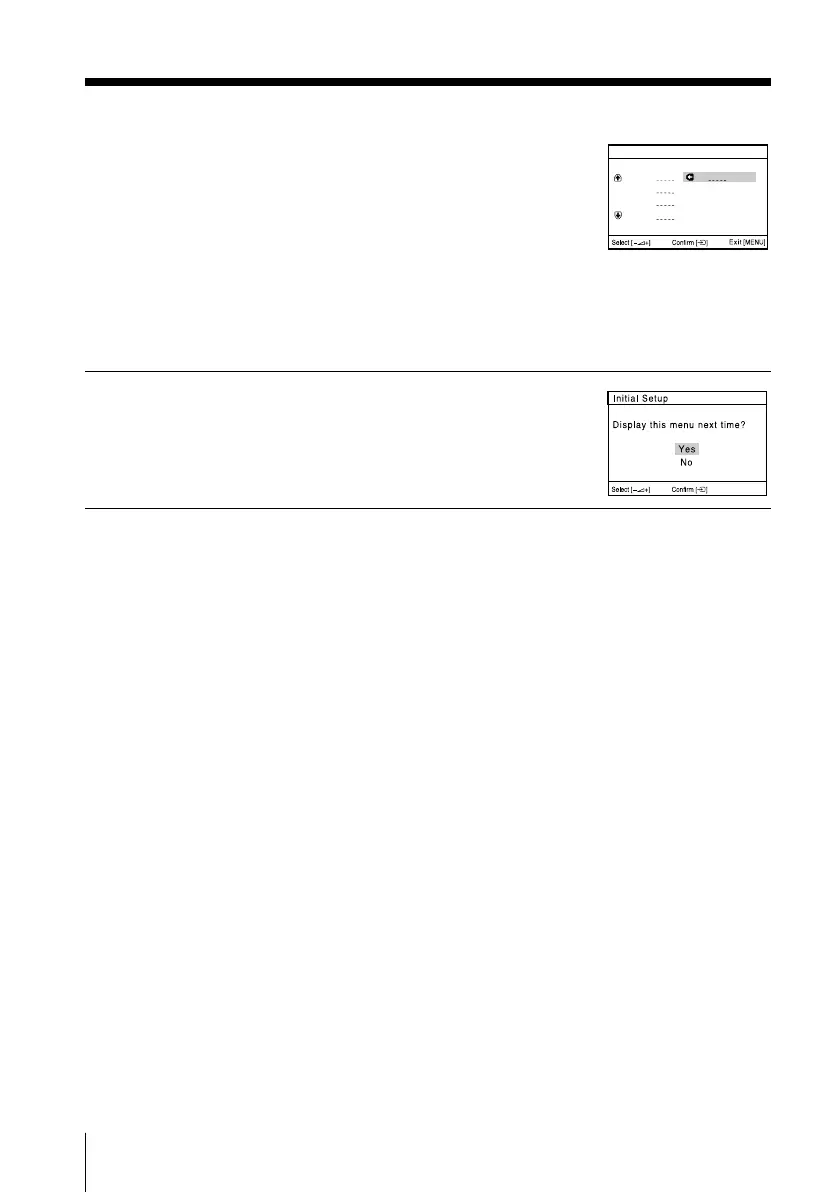
Press 2 +/– to select “No”, then press t.
This menu will not appear again the next
time you turn on the TV by pressing !.
To allow this menu to appear again, select
“Yes”, then press t.
Tips
• You can immediately go to the end of the ”Initial Setup” menu by pressing MENU.
• You can also set up your TV by pressing the MENU button on the top control panel for about
five seconds or using the menu system (see page 12).
01
Program Sorting
Program:
01
02
03
04
Select new position
continued
01GB04INS-SVAPAK.p65 5/21/04, 9:39 AM8
Black








 To Next Page