11
Overview of Controls
Sony KV-BT212M80 Group I15 (GB)_2-023-202-11 (1)
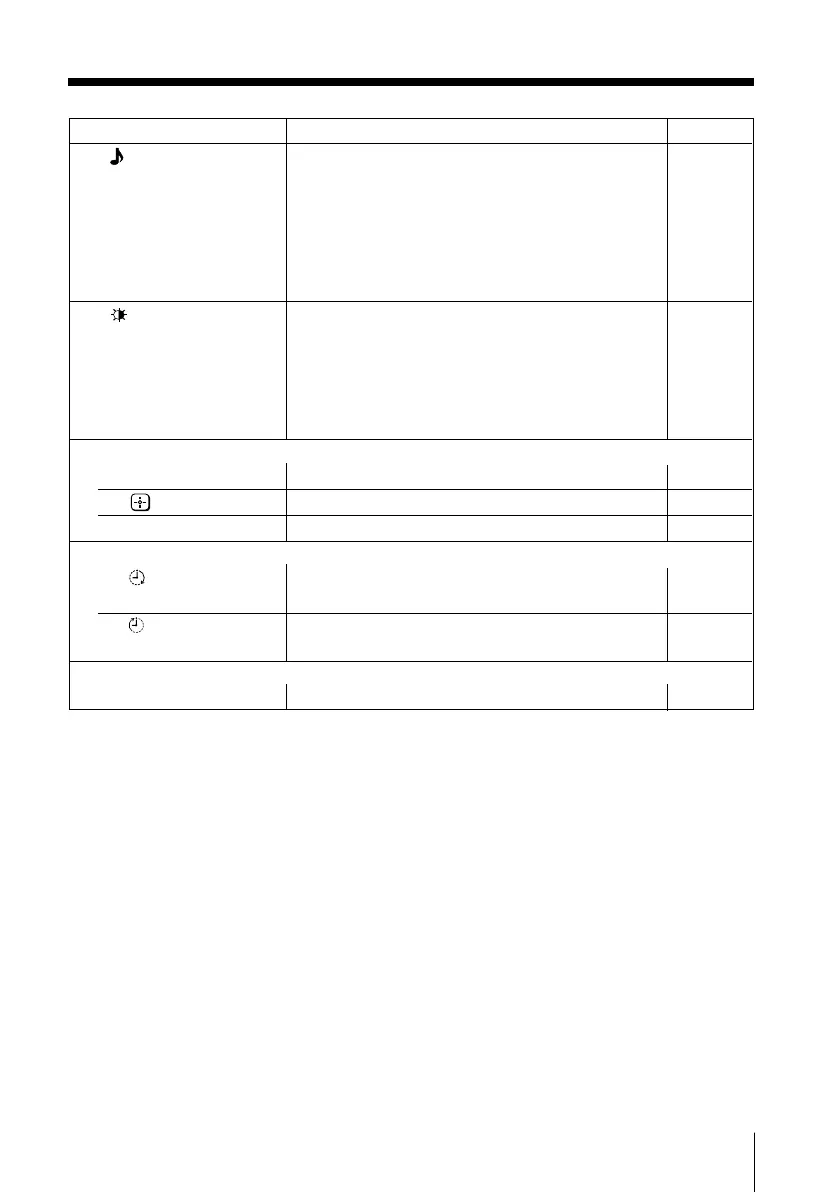
Button Description Page
qk Select sound mode options: –
(KV-BT212M80 only) “Dynamic” (low and high tones), “Drama” (voice
and high tones), “Soft” (soft, natural and relaxing
sound), “Personal”*.
* When the “Personal” mode is selected, you can
receive the last adjusted sound settings from the
“Sound Adjustment” option in the menu
(see page 16).
ql Select picture mode options: –
“Dynamic” (high contrast), “Standard” (normal
contrast), “Soft” (mild), “Personal”*.
* When the “Personal” mode is selected, you can
receive the
last adjusted picture settings from the
“Picture Adjustment” option in the menu
(see page 15).
Menu operations
6 MENU Display or cancel the menu. 14
7 selected items. 14
qj V, v, B, b Select and adjust items. 14
Timer operations
qf Set TV to turn on automatically according to the –
desired period of time.
qg Set TV to turn off automatically according to the –
desired period of time.
Stereo/bilingual operations
qa A/B Not function for your TV. –
01GB04INS-SVAPAK.p65 5/21/04, 9:39 AM11
Black







 To Next Page