- 14 -
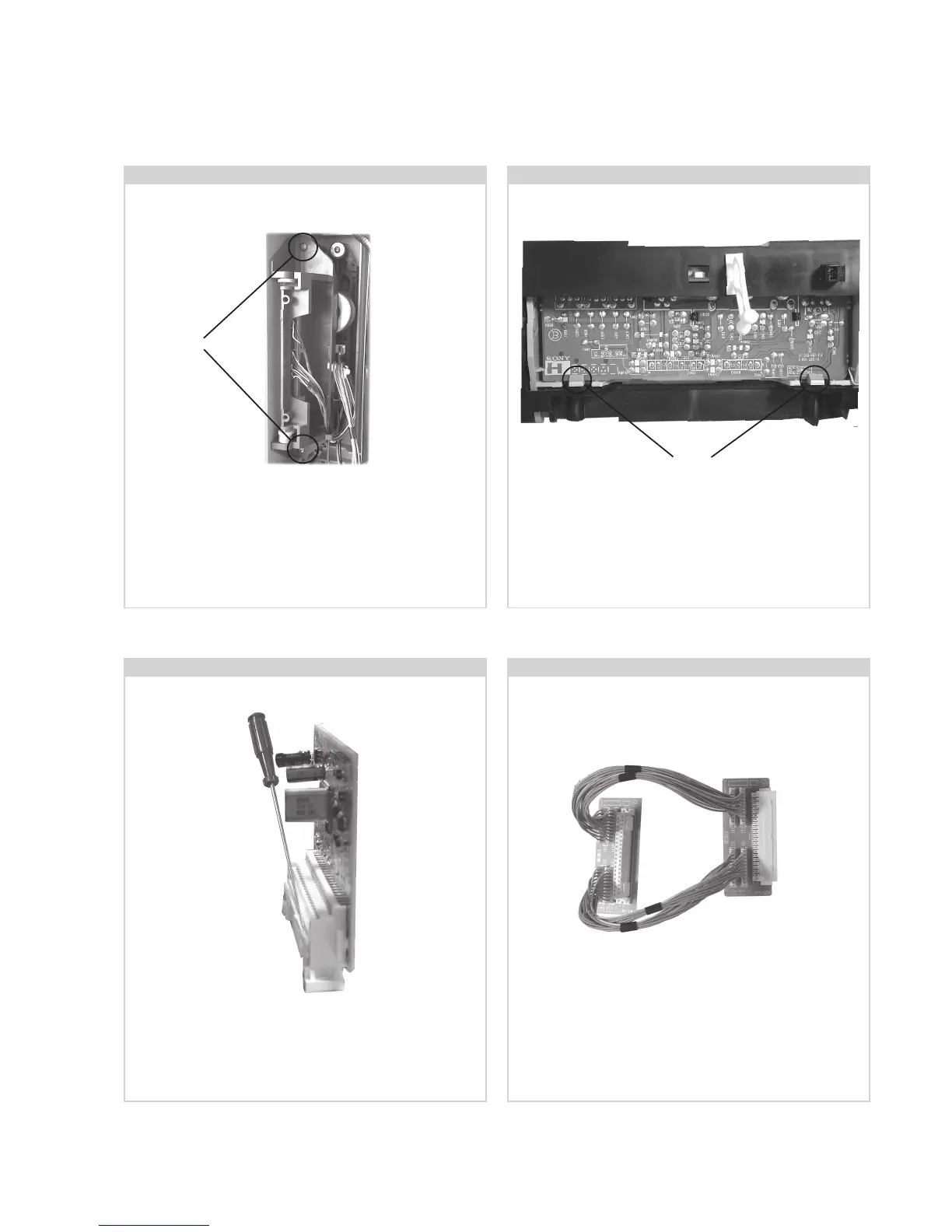
2-8. Side Control Module Removal
If the M2 Board needs to be removed for testing when the
chassis is placed in its service position, it would be necessary
to use an extender board and extension cable as indicated
above.
The Extender board and extension cable are available as a
service part by ordering the part number as indicated.
2-9. H2 Board Removal
Remove the two screws fixing the user control module to the
side of the set. The control module can then be removed by
sliding it towards the rear of the set allowing access to the H2
Board.
Screws
2-10. M2 Board Removal
To remove the M2 Board gently release the two clips with a
screwdriver and remove the board from its socket vertically.
2-11. Service Connector for M2 Board
To remove the H2 Board release the two clips circled and ease
the board gently away from the support bracket.






 To Next Page