46
Attachment and Installation Procedures
Attaching the supplied
accessory to the hand-held
microphone (UTX-H2)
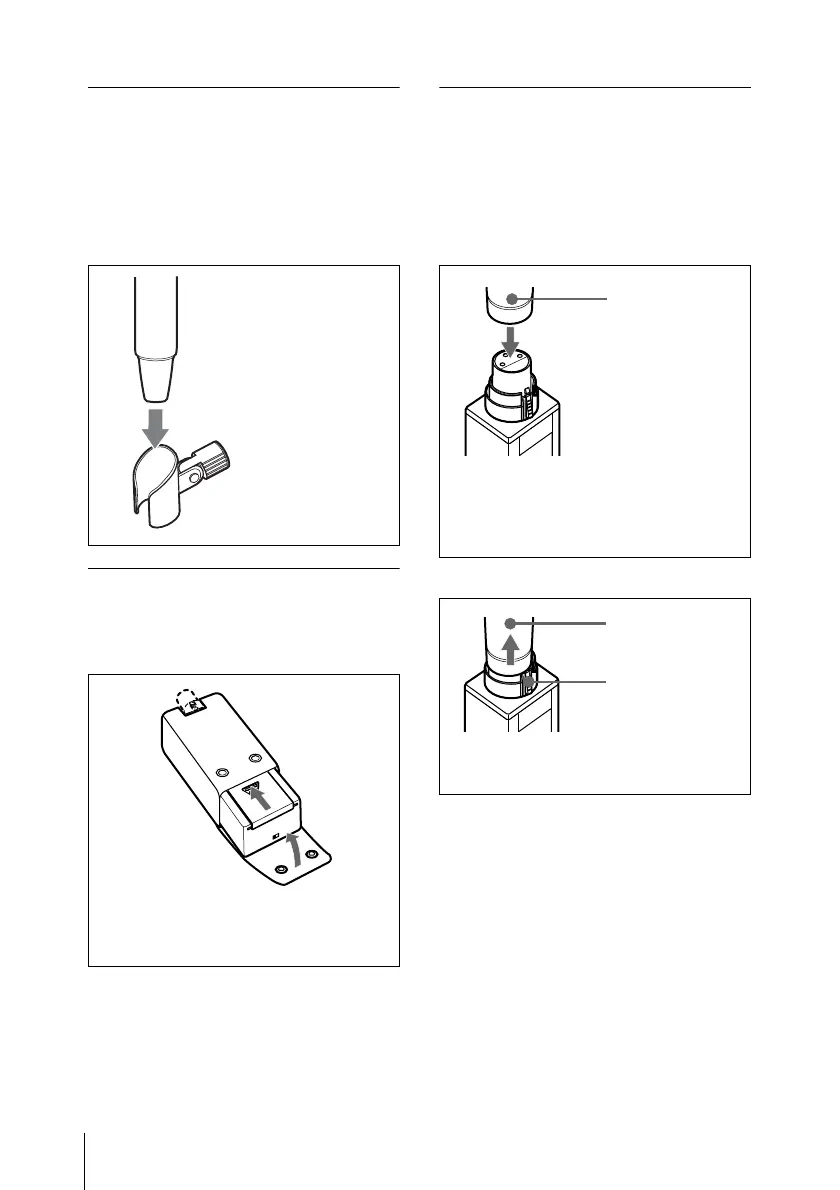
To attach the microphone
holder
Inserting the plug-on
transmitter (UTX-P1) into
the supplied soft case
Attaching the optional
accessory to the plug-on
transmitter (UTX-P1)
To attach a microphone or a
cable
To detach a microphone or a cable
Insert the bottom
part of the
microphone into
the holder.
Insert the UTX-P1 into the supplied soft
case with the rear side up, and close the
flap.
Push the microphone or cable
connector (XLR-3-12C connector)
against the audio input connector of
the UTX-P1 until it clicks into place.
Microphone or
cable connector
Press the release button and pull off
the microphone or cable slowly.
Release button
Microphone or
cable connector



 To Next Page