VPL-CS2/CX1
4-079-834-11 (1)
D:\Data\Oka\407983411VPLCS2CX1WW\02GB-
VPLCS2,CX1WW\04SET.fm
masterpage:Left
19
GB
Connecting the Projector
Setting Up and Projecting
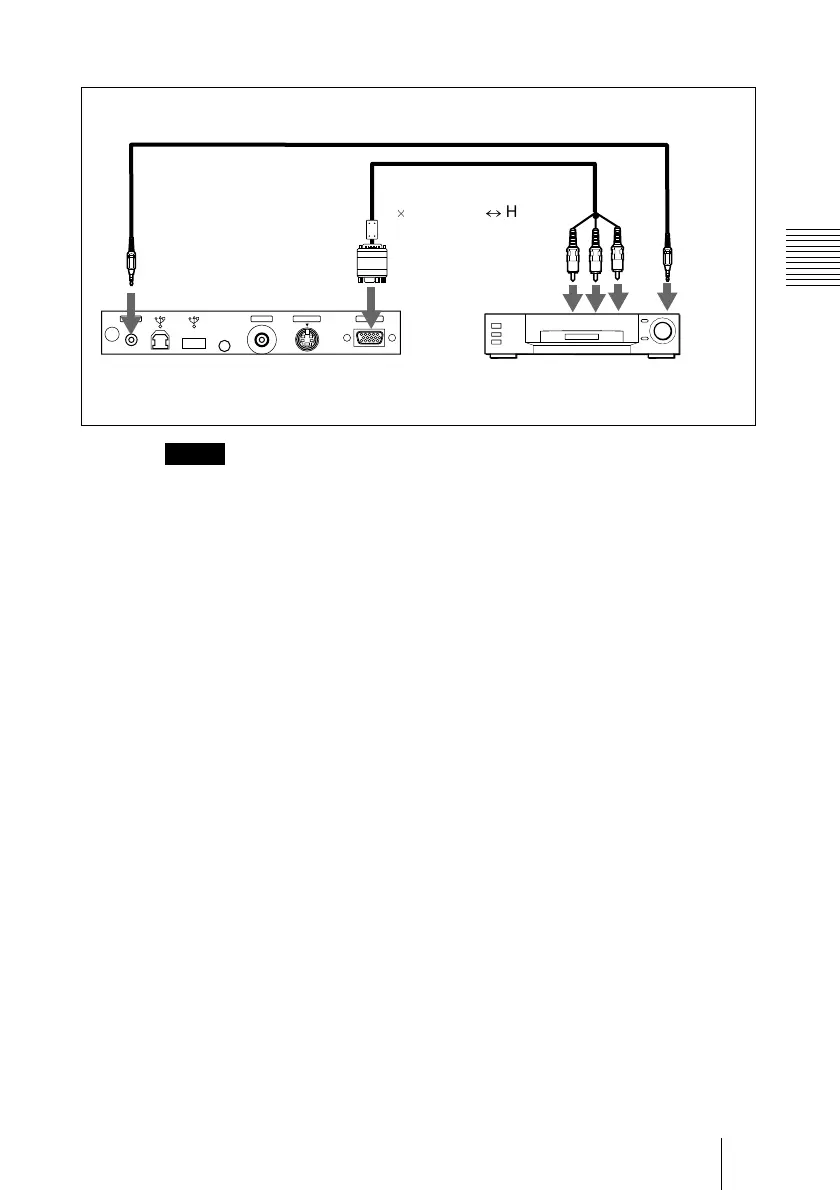
To connect a 15k RGB/Component equipment
•S
et the aspect ratio using ASPECT in the INPUT SETTING menu
according to the input signal.
• When
you connect the unit to 15k RGB/component video equipment,
select RGB or component with the INPUT-A setting in the SET
SETTING menu.
•U
se the composite sync signal when you input the external sync signal
from 15k RGB/component equipment.
Notes
INPUT AS VIDEOVIDEOMOUSEAUDIO
Rear side
Stereo audio connecting cable (not supplied)
SMF-402 Signal Cable
(not supplied)
3
u
phono jack
l
HD D-sub
15-pin (male)
to audio
output
15k RGB/Component equipment
to RGB/
component
output



 To Next Page