VPL-CS2/CX1
4-079-834-11 (1)
D:\Data\Oka\407983411VPLCS2CX1WW\02GB-
VPLCS2,CX1WW\04SET.fm
masterpage:Left
25
GB
Projecting
Setting Up and Projecting
To enlarge the image (Digital Zoom function)
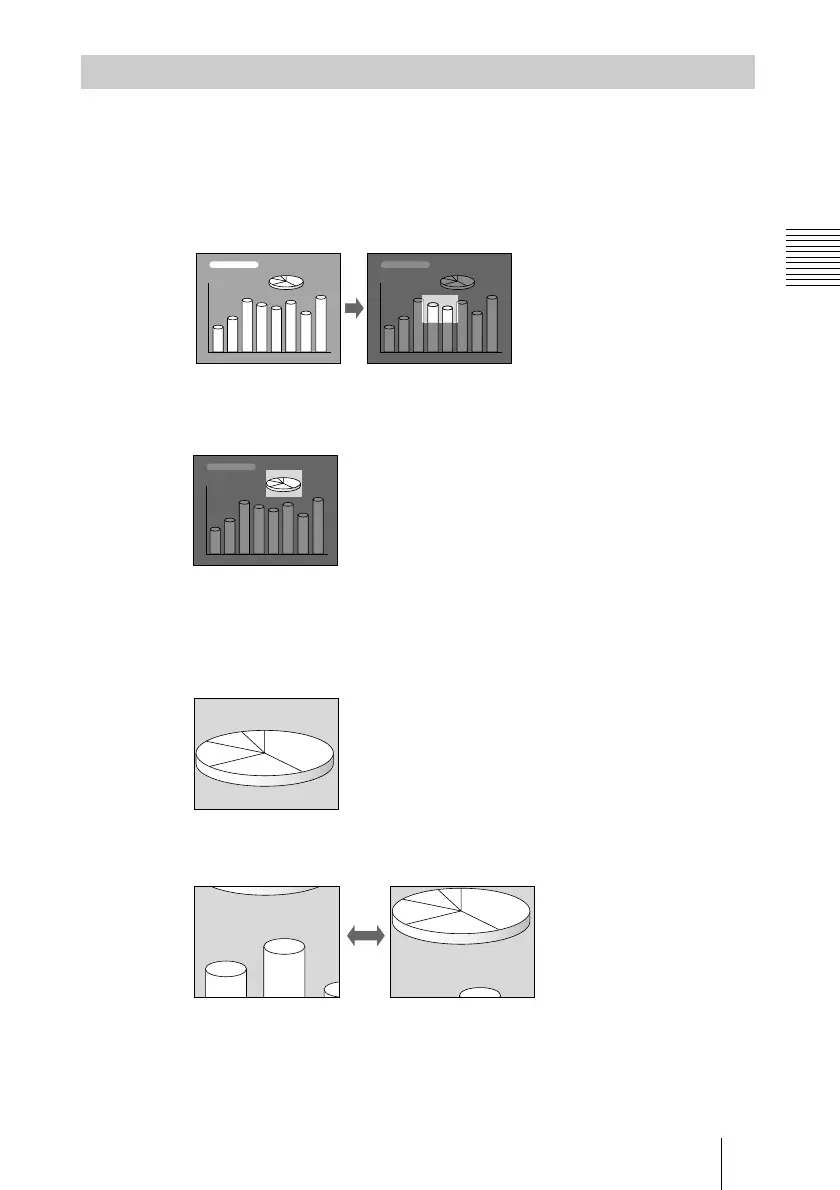
You can select a point in the image to enlarge.
1
Project the original size picture and press the D ZOOM + key on the
Remote Commander.
One of the images divided into 16 is highlighted at the center of the image.
2
Move the highlight portion to the point you want to enlarge by pressing the
arrow keys (M/m/</,).
3
Press the D ZOOM + key again.
The highlight image displayed in step 2 is enlarged.
By pressing the + key repeatedly, the image size increases (ratio of
enlargement: max. 4 times.)
Use the arrow keys (M/m/</,) to scroll the enlarged image.
To return the image back to its original size
Press the D ZOOM – key on the Remote Commander. Just pressing the
RESET (ZOOM) key returns the image back to its original size immediately.
Effective Tools for Your Presentation



 To Next Page