9
Connecting the Projector
Preparation
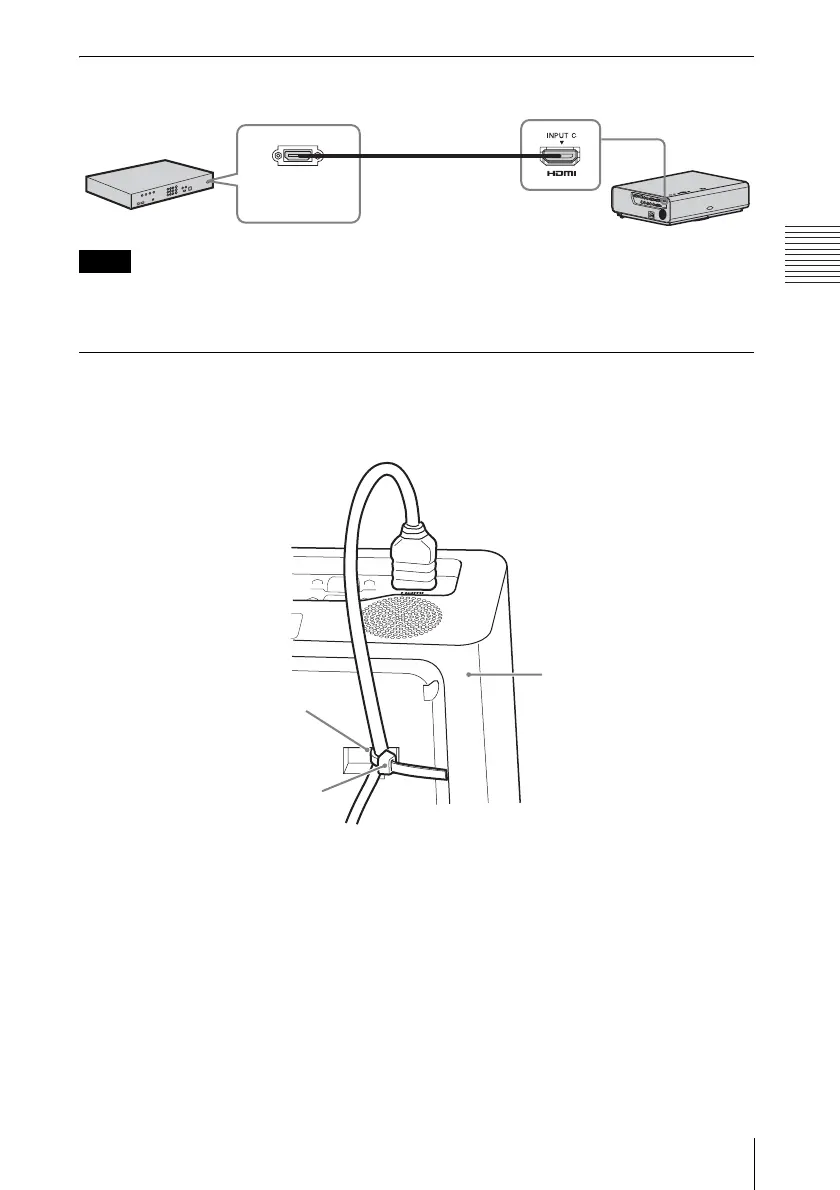
INPUT C
For connecting video equipment with an HDMI output connector.
• Use HDMI-compatible equipment and cable(s) that have an HDMI logo on them.
• The HDMI connector of this projector is not compatible with DSD (Direct Stream Digital) Signal
or CEC (Consumer Electronics Control) Signal.
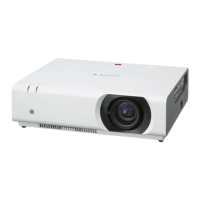
To attach the HDMI cable
Fix the cable to the cable tie holder at the bottom of the projector, using a commercially
available cable tie, as in the illustration.
Use a cable tie of less than 1.9 mm × 3.8 mm in thickness.
Notes
Video equipment
HDMI cable
(not supplied)
HDMI output
connector
Cable tie holder
Cable tie
(commercially
available)
Bottom of the projector


 To Next Page