14 Location and Function of Controls
qh APA (Auto Pixel Alignment) key
Automatically adjusts a picture to its
clearest while a signal is input from a
computer.
For details, see “Smart APA” in the SET
SETTING menu on page 31.
qj VOLUME +/– keys
qk LENS key
Each time you press this key, Focus
adjustment menu and Zoom adjustment
menu are displayed alternately.
ql PJ/NETWORK (Projector/
Network) selector switch
Normally, set to “PJ.”
w; COMMAND ON/OFF switch
When this switch is set to OFF, no key
on the Remote Commander function.
This saves battery power.
wa Infrared transmitter
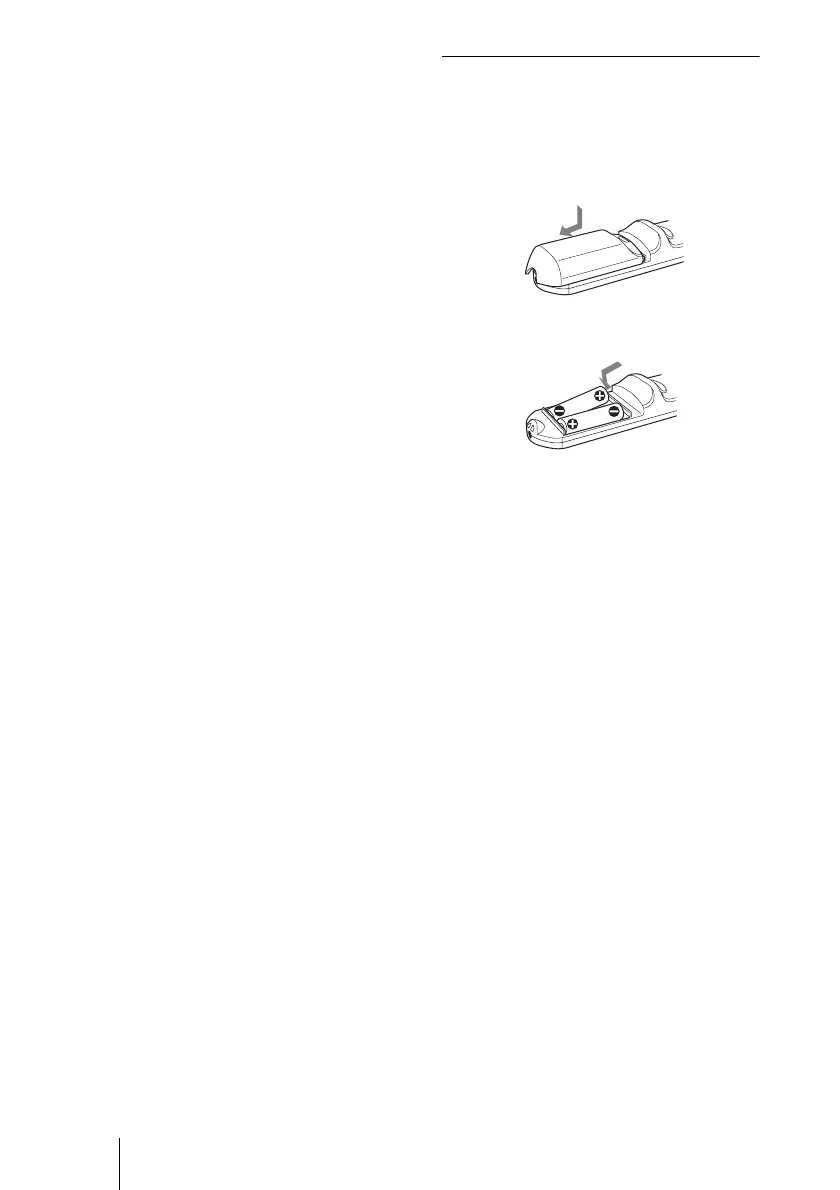
To install batteries
1 Push and slide to open the lid, then
install the two size AA (R6) batteries
(supplied) with the correct polarity.
2 Replace the lid.
Notes on Remote Commander
• Make sure that nothing obstructs the
infrared beam between the Remote
Commander and the remote control
detector on the projector. Direct the
Remote Commander toward the front or
rear remote control detector.
• The operation range is limited. The shorter
the distance between the Remote
Commander and the projector is, the wider
the angle within which the commander can
control the projector becomes.
Be sure to install the battery
from the
# side.
While pressing the lid, slide it.



 To Next Page