41
Troubleshooting
Others
B Others
Troubleshooting
If the projector appears to be operating erratically, try to diagnose and correct the problem
using the following instructions. If the problem persists, consult with qualified Sony
personnel.
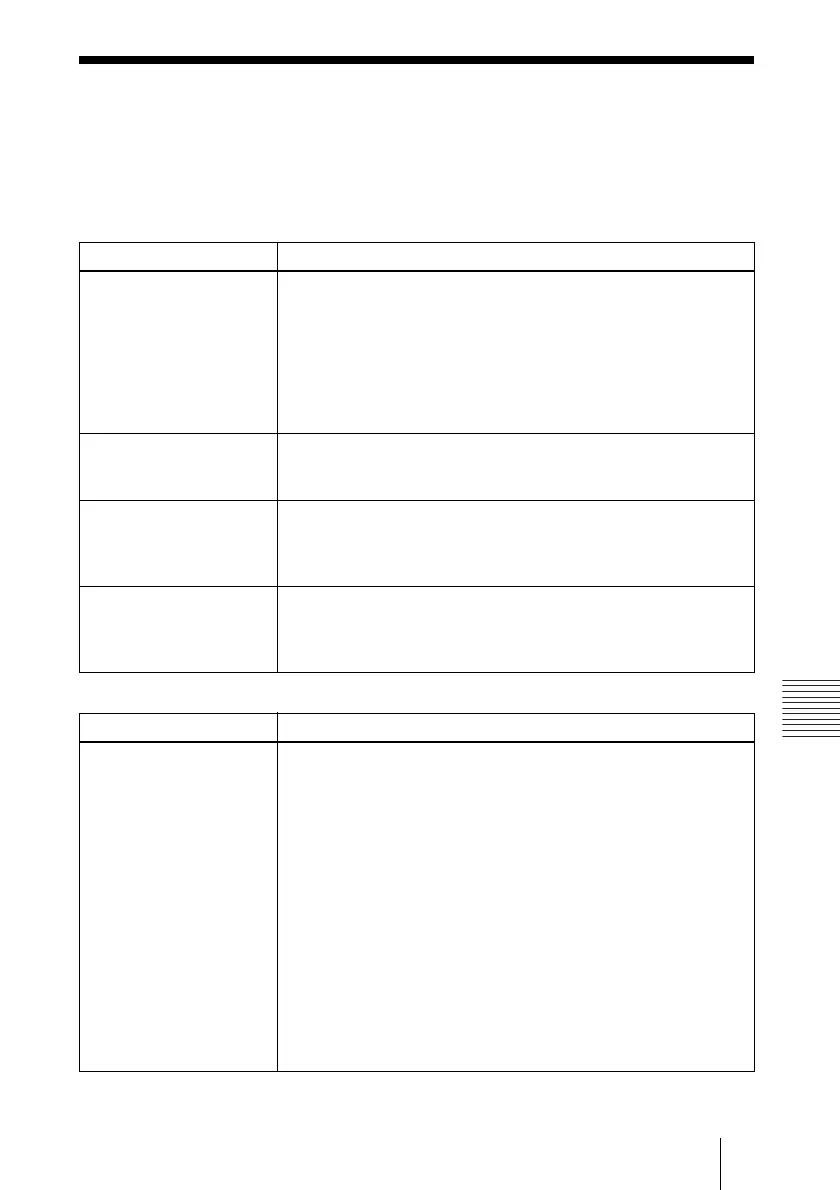
Power
Picture
Symptom Cause and Remedy
The power is not turned on. • The power has been turned off and on with the I / 1 key at a short
interval.
c Wait for about 60 seconds before turning on the power
(see page 21).
• The lamp cover is detached.
c Close the lamp cover securely (see page 39).
• The air filter cover is detached.
c Attach the air filter cover securely (see page 40).
Both the LAMP/COVER
and TEMP/FAN indicators
light up.
• The electrical system breaks down.
c Consult with qualified Sony personnel.
The powered tilt adjuster
and the lens protector do
not close.
• The AC power cord is unplugged with the power of the projector
turned on.
c Connect the power cord to the AC outlet again, turn on the
power of the projector, then turn it off.
The lens protector cannot
open.
• The electrical system breaks down.
c Consult with qualified Sony personnel. If it is necessary to use
the projector in case of emergency, slide the lens protector by
hand, and then press the I/
1 key. You can use the projector.
Symptom Cause and Remedy
No picture. • Cable is disconnected or the connections are wrong.
c Check that the proper connections have been made
(see page 16).
• The connections are wrong.
c This projector is compatible with a DDC2B (Digital Data
Channel 2B). If your computer is compatible with a DDC, turn
the projector on according to the following procedures.
1 Connect the projector to the computer.
2 Turn the projector on.
3 Start the computer.
• Input selection is incorrect.
c Select the input source correctly using the INPUT key
(see page 19).
• The picture is muted.
c Press the PIC MUTING key to release the picture muting (see
page 13).



 To Next Page