51
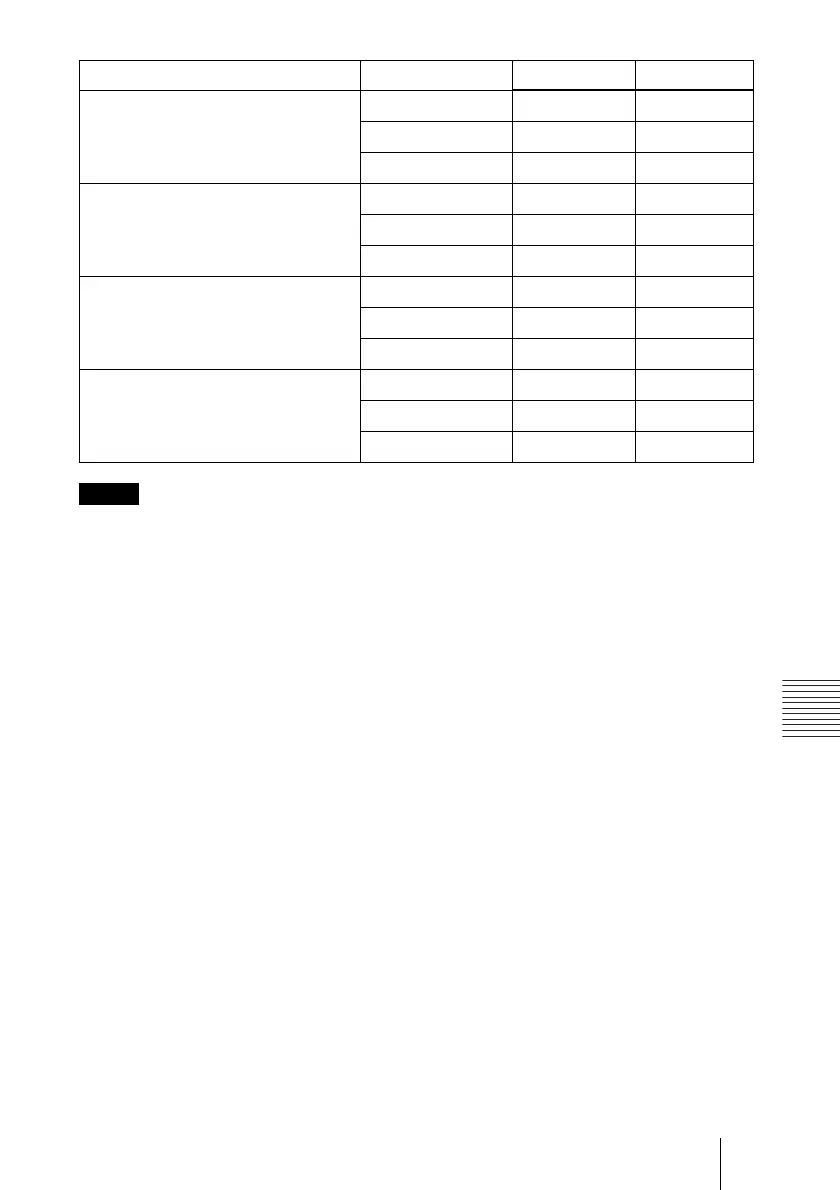
“Side Shot” and “V Keystone” Adjustments
Others
• If “V Keystone” is set to “Auto,” the “Side Shot” adjustment area may be narrow.
• “V Keystone” of the INSTALL SETTING menu is set to “Auto” at the factory, and the vertical
distortion of the picture is automatically corrected. However, the distortion may not be perfectly
corrected depending on the room temperature or the screen angle. In this case, set to “Manual,”
and correct the distortion using values.
Input signals a b
Video/60, Video/50, 480/60i, 575/50i,
480/60p, 575/50p
a=0 0 +/–20
a
≠
0 or b
≠
0 +/–20 +/–11
b=0 +/–30 0
1080/60i, 1080/50i, 540/60p a=0 0 +/–16
a
≠
0 or b
≠
0 +/–20 +/–11
b=0 +/–30 0
720/60p, 720/50p a=0 0 +/–16
a
≠
0 or b
≠
0 +/–20 +/–7
b=0 +/–30 0
PC, Air Shot, Memory Stick a=0 0 +/–14
a
≠
0 or b
≠
0 +/–20 +/–7
b=0 +/–30 0
Notes



 To Next Page