20
Connecting the Projector
• If you set your computer, such as a notebook
computer, to output the signal to both your
computer’s display and the external monitor,
the picture of the external monitor may not
appear properly. Set your computer to output
the signal to only the external monitor.
For details, refer to the operating
instructions supplied with your computer.
To connect a Macintosh computer equipped
with a video output connector of a type having
two rows of pins, use a commercially available
plug adaptor.
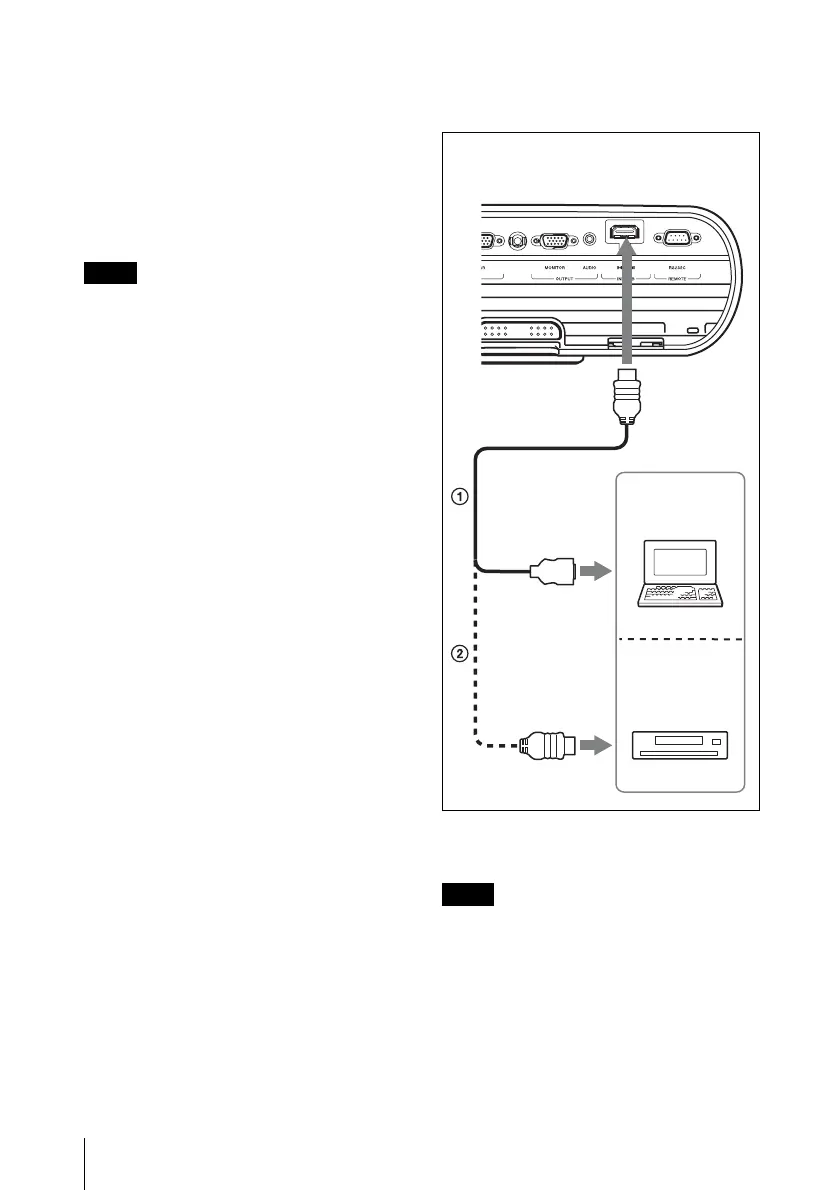
To connect a computer (Digital) or
video equipment (Digital) (VPL-EW5
only)
1 HDMI-DVI-D cable (not supplied)
2 HDMI cable (not supplied)
• Be sure to use the HDMI cable with an
HDMI logo.
• The HDMI connector of this projector is not
compatible with DSD (Direct Stream
Digital) Signal or CEC (Consumer
Electronics control) Signal.
Note
Notes
Computer
to DVI-D output
connector
to HDMI connector DVD player
Front (the connector panel on the right
of the lens)
VPL-EW5





 To Next Page