EasyManua.ls Logo

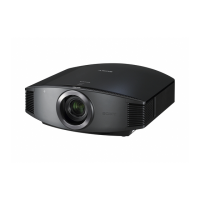
Sony VPL-VW80 - User Manual

Sony VPL-VW80
88 pages
Print Icon
To Next Page IconTo Next Page
Loading...
Operating Instructions
VPL-VW80
© 2008 Sony Corporation
4-110-071-13 (1)
Video Projector

Table of Contents

Questions and Answers

  • T
    Terri HancockAug 21, 2025
    Why is my Sony Projector power not turning on?
    • R
      Ronald ScottAug 22, 2025
      The projector may not turn on immediately if you've recently turned it off with the ON/STANDBY switch. Wait about 1 minute before attempting to power it on again. Also, ensure that the lamp cover and filter holder are securely closed and that the screws are tightened. Check the warning indicators as well.
  • N
    Natalie BarnesSep 4, 2025
    What to do if my Sony VPL-VW80 remote control does not work?
    • P
      Paige GravesSep 4, 2025
      First, replace the batteries with new ones, ensuring they are inserted with the correct polarities. If there's a fluorescent lamp nearby, it might be interfering with the remote control detector. Also, you can set 'IR Receiver' to 'Front & Rear' on the Installation menu.
  • D
    David ChandlerSep 3, 2025
    What does it mean when my Sony VPL-VW80 Projector says 'Please clean the filter.'?
    • S
      Steven PooleSep 3, 2025
      It is time to clean the air filter, so proceed to clean it.
  • A
    Anna YoungSep 1, 2025
    What does it mean when my Sony Projector says 'Please replace the Lamp/ Filter.'?
    • A
      Alexander FoxSep 1, 2025
      It is time to replace the lamp and the air filter. Replace the lamp and the air filter, and restart cleaning the ventilation holes.
  • L
    lorimatthewsAug 30, 2025
    What does it mean when LAMP/COVER flashes red on my Sony VPL-VW80?
    • T
      tiffanymaloneAug 31, 2025
      A LAMP/COVER flashing red with a repetition rate of 2 flashes indicates that the lamp cover or the filter holder is not securely closed. Make sure the lamp cover is securely closed and the screws are tightened, and that the filter holder is also securely closed.
  • A
    Alexander BatesAug 29, 2025
    Why is the bright area unclear on my Sony VPL-VW80 with HDMI?
    • B
      bergrodneyAug 29, 2025
      Switch the RGB dynamic range of the connected equipment to Limited (16-235). If this adjustment is unavailable, adjust 'Brightness', 'Contrast', or 'Sharpness' in the Picture menu of the projector.
  • C
    catherinerodriguezAug 28, 2025
    How to fix strange colors on Sony VPL-VW80 Projector from INPUT A?
    • H
      henrymckayAug 28, 2025
      Select 'Computer,' 'Component' or 'Video GBR' for 'Input-A Signal Sel.' on the Setup menu according to the input signal.
  • G
    gosbornAug 27, 2025
    How to fix strange colors on Sony VPL-VW80 Projector from VIDEO INPUT?
    • K
      Kent RobbinsAug 27, 2025
      Adjust the picture settings in the Picture menu. Also, set 'Color System' in the Setup menu to match the color system being input.
  • D
    David MontoyaAug 25, 2025
    Why is there no picture on my Sony VPL-VW80?
    • B
      brianolsonAug 25, 2025
      Check that all connections are properly made. Ensure you've selected the correct input source using the INPUT button. If using a computer, set the computer signal to output from an external monitor, possibly setting it to output only to the external monitor. Also, verify that 'Input-A Signal Sel.' is correctly set in the Setup menu.
  • R
    Robert MartinAug 23, 2025
    Why is my Sony VPL-VW80 picture too dark?
    • D
      David MorenoAug 23, 2025
      Adjust the 'Contrast' or 'Brightness' in the Picture menu to improve the image visibility.

Sony VPL-VW80 Specifications

General IconGeneral
Resolution1920 x 1080
Contrast Ratio15000:1
Lamp Life2000 hours
TechnologySXRD
Lamp TypeUHP
Throw Ratio1.38 - 2.83:1
Brightness800 ANSI lumens
Projection Size40 - 300 inches
InputsHDMI, Component, Composite

Related product manuals