Back Back to Top Print
Digital Music Player
NW-E393/E394/E395
Notes for transferring content such as music from your computer
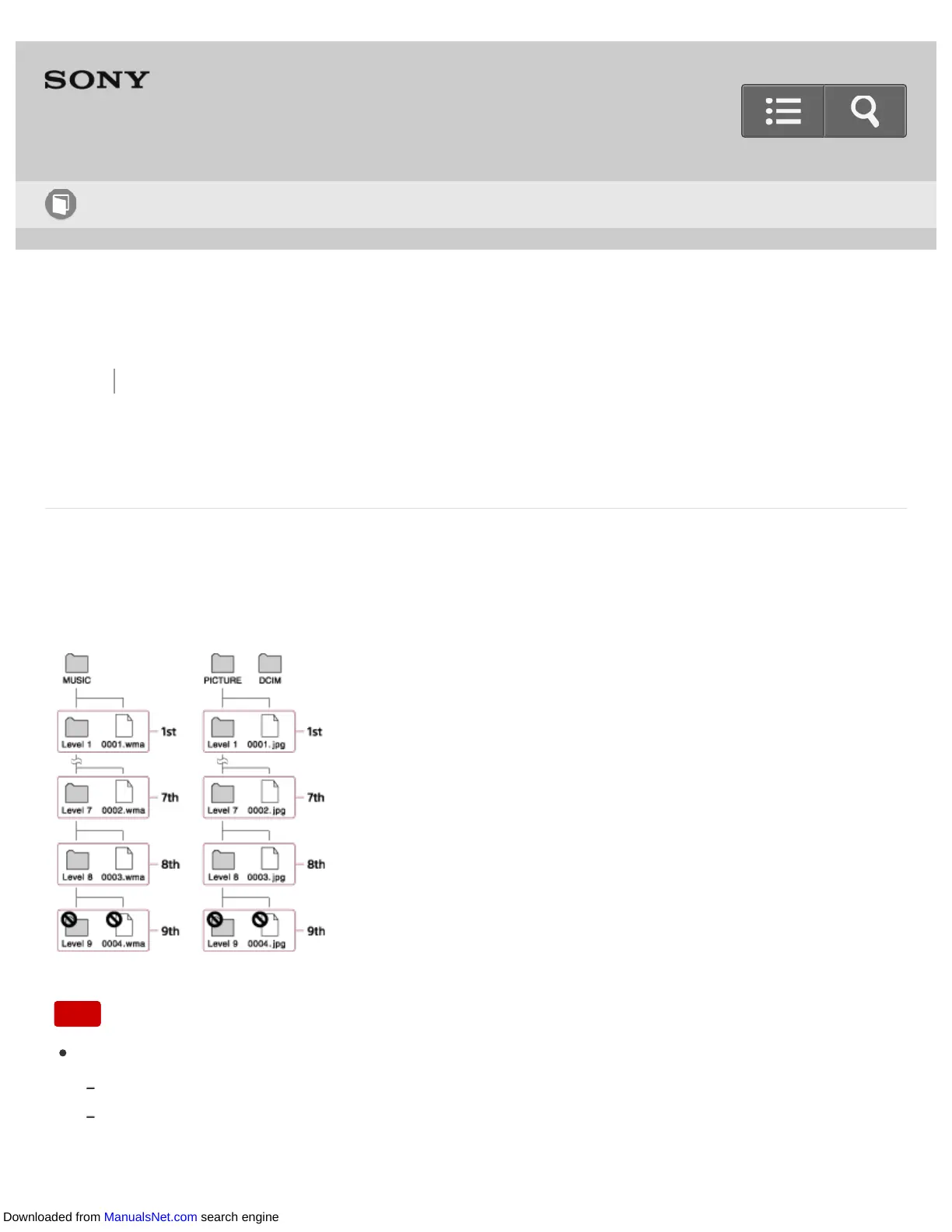
Drag-and-drop content such as music or folders into the correct folder as shown in the
following illustrations. Your Walkman can play back content stored in the 1st to 8th level of
each folder.
Note
Do not rename the following default folders.
MUSIC
PICTURE and DCIM
Otherwise, they will not be recognized by your Walkman anymore.
Help Guide
How to Use
Downloaded from ManualsNet.com search engine











 To Next Page