Advanced Operations
21
B
Advanced Operations
Repeat mode
There are 3 types of repeat mode: Track
Repeat, A-B Repeat, and Sentence Repeat.
• Track Repeat (Track Rep)
This mode plays back tracks repeatedly in
the following 3 ways.
Track Repeat
mode
Repeat
Single Repeat
Shuffle Repeat
• A-B Repeat (A-B Rep)
This mode plays back the specified section
in a track repeatedly.
• Sentence Repeat (Sentence Rep)
This mode plays back voice data within a
specified section in a track repeatedly.
Selecting the repeat mode
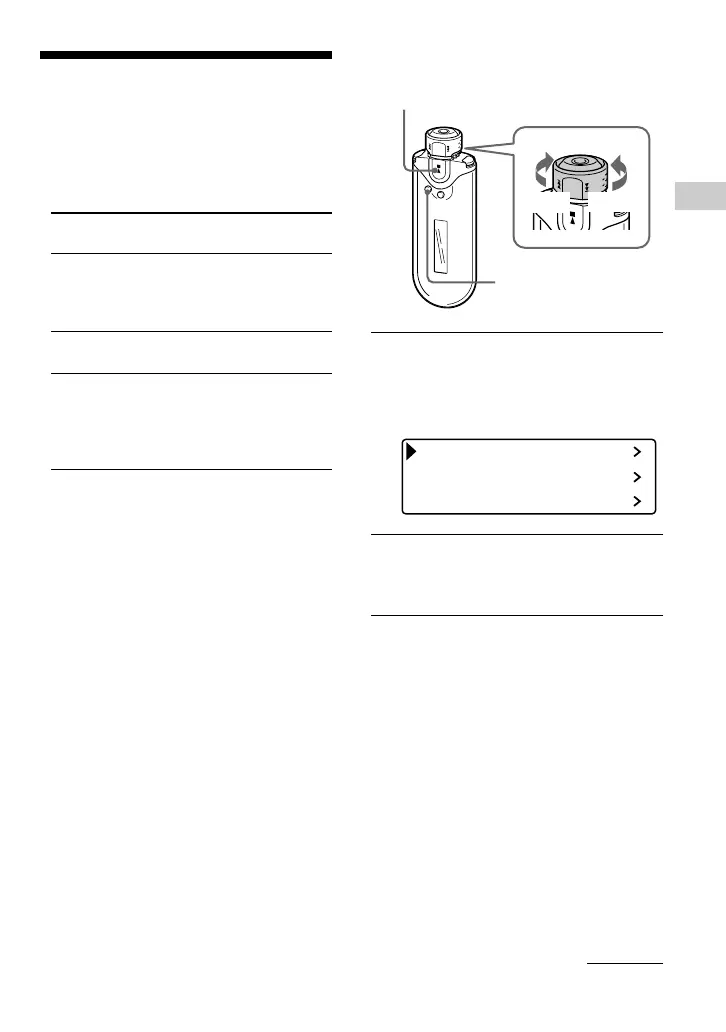
1 Press and hold the SEARCH/
MENU button for half a second in
stop mode.
The menu screen is displayed.
Repeat Mode
Sound
Volume Mode
2 Rotate the Shuttle switch to select
“Repeat Mode>” and press the
Nx button to confirm.
Operation
All the songs in the Play
Range (coverage of
playback) are played back
repeatedly.
The current song is
played back repeatedly.
All the songs in the Play
Range (coverage of
playback) are played back
repeatedly in random
order.
Nx button
SEARCH/
MENU button
Shuttle switch
to >
to .
continued











 To Next Page