39
Other functions
Displaying the
player information
(Information)
Information such as product name, built-in
flash memory capacity, serial number and
software version can be displayed.
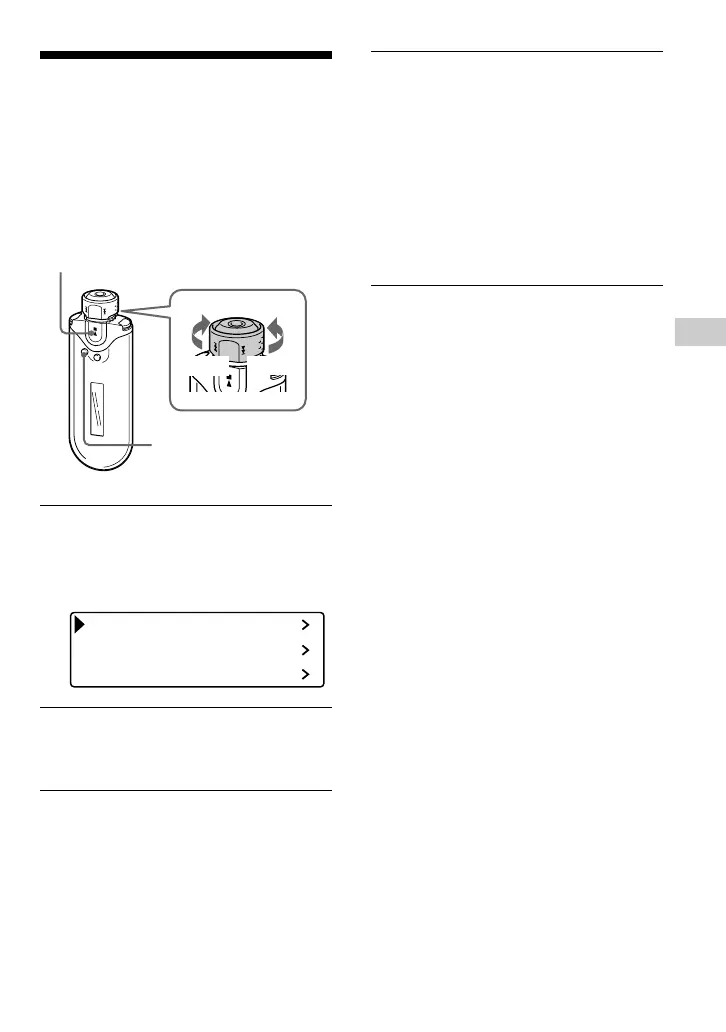
1 Press and hold the SEARCH/
MENU button for half a second in
stop mode.
The menu screen is displayed.
Repeat Mode
Sound
Volume Mode
2 Rotate the Shuttle switch to select
“Advanced Menu>”, and press the
Nx button to confirm.
3 Rotate the Shuttle switch to select
“Information>”, and press the
Nx button to confirm.
Rotate the Shuttle switch to show the
following information.
1: product name
2: built-in flash memory capacity
3: serial number
4: software version
To cancel the Menu mode
Press the SEARCH/MENU button to return the
screen to the previous stage. Press repeatedly until
the normal screen is displayed.
Nx button
SEARCH/
MENU button
Shuttle switch
to >
to .











 To Next Page