31
Adjusting the settings of your Network Walkman
B
Adjusting the settings of
your Network Walkman
Adjusting the
current time
setting
(Date-Time)
You can set and display the current time.
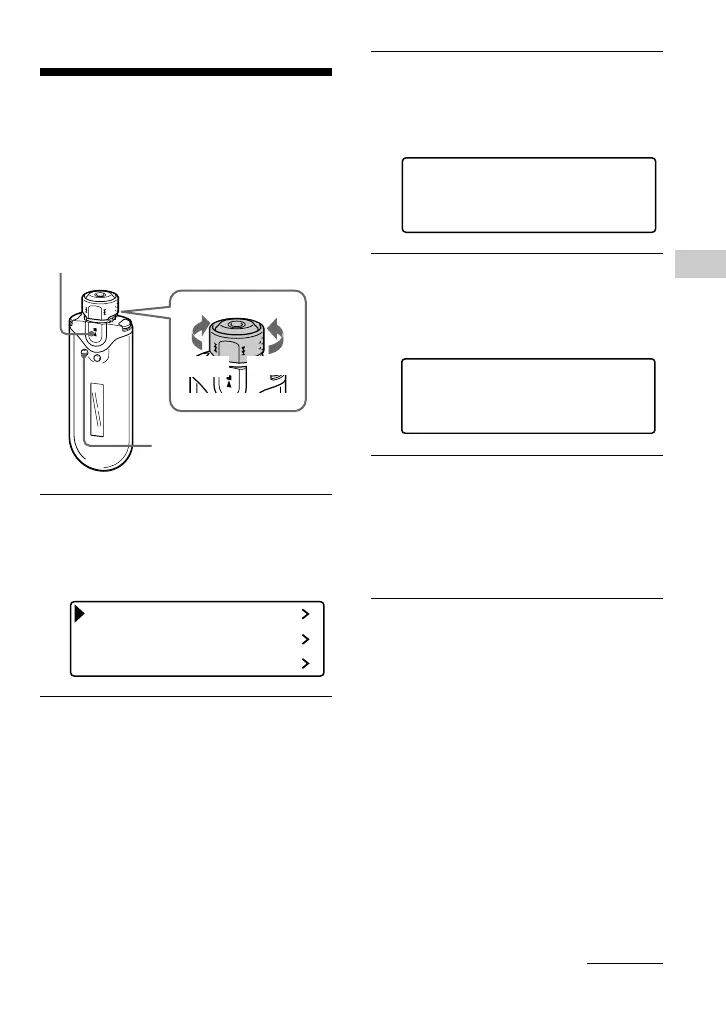
1 Press and hold the SEARCH/
MENU button for half a second in
stop mode.
The menu screen is displayed.
Repeat Mode
Sound
Volume Mode
2 Rotate the Shuttle switch to select
“Date-Time>” and press the Nx
button to confirm.
The year digit is displayed in [ ].
Y
[2005] 01 / 01 15 : 00
MDhm
3 Rotate the Shuttle switch to adjust
the “year” setting and press the
Nx button to confirm.
The month digit is displayed in [ ].
Y
2005 [01]/ 01 15 : 00
MDhm
4 As you did in step 3, adjust the
settings for “month”, “date”,
“hour”, and “minute”.
After rotating the Shuttle switch to
adjust the time and date setting, pressing
the Nx button to confirm.
Nx button
SEARCH/
MENU button
Shuttle switch
to >
to .
continued











 To Next Page