36
Tur ning off the
beep sound (Beep)
You can turn off the beep sounds of your
Network Walkman.
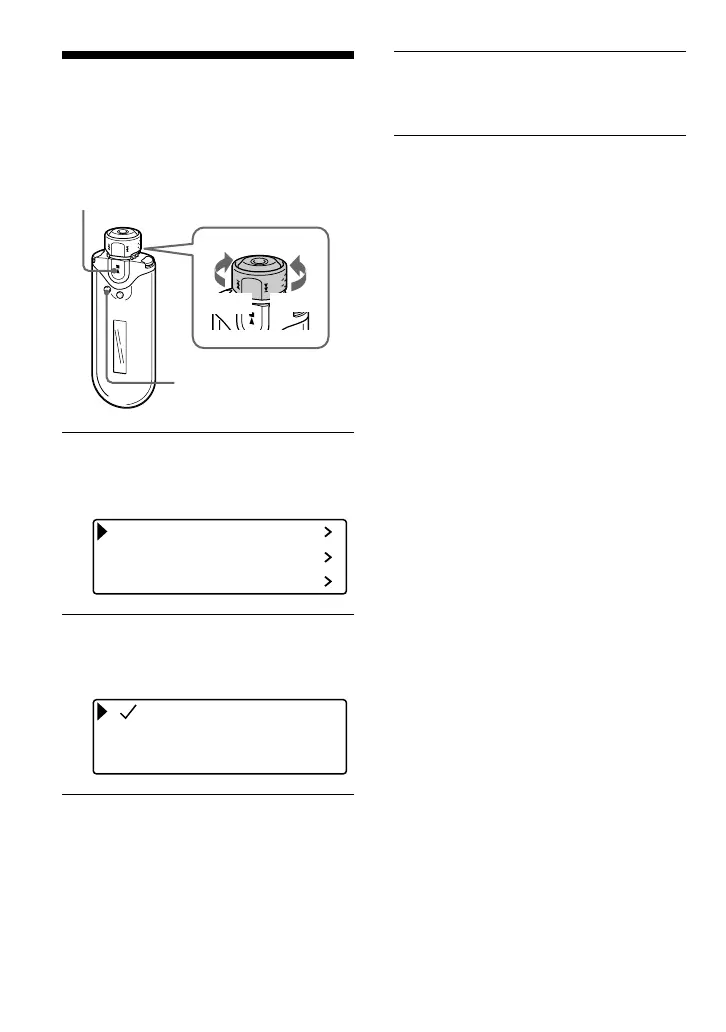
1 Press and hold the SEARCH/
MENU button for half a second.
The menu screen is displayed.
Repeat Mode
Sound
Volume Mode
2 Rotate the Shuttle switch to select
“Beep>” and press the Nx
button to confirm.
Beep ON
Beep OFF
3 Rotate the Shuttle switch to select
“Beep OFF”, and press the Nx
button to confirm.
To change the setting to “ON”
Select “Beep ON” in step 3.
To cancel the Menu mode
Press the SEARCH/MENU button to return the
screen to the previous stage. Press repeatedly to exit
menu mode.
Nx button
SEARCH/
MENU button
Shuttle switch
to >
to .











 To Next Page