EasyManua.ls Logo

Sony Walkman NW-E403 - Device Introduction and Setup; Product Overview and Features

Sony Walkman NW-E403
55 pages
Print Icon
To Next Page IconTo Next Page
To Previous Page IconTo Previous Page
Loading...
6
Overview
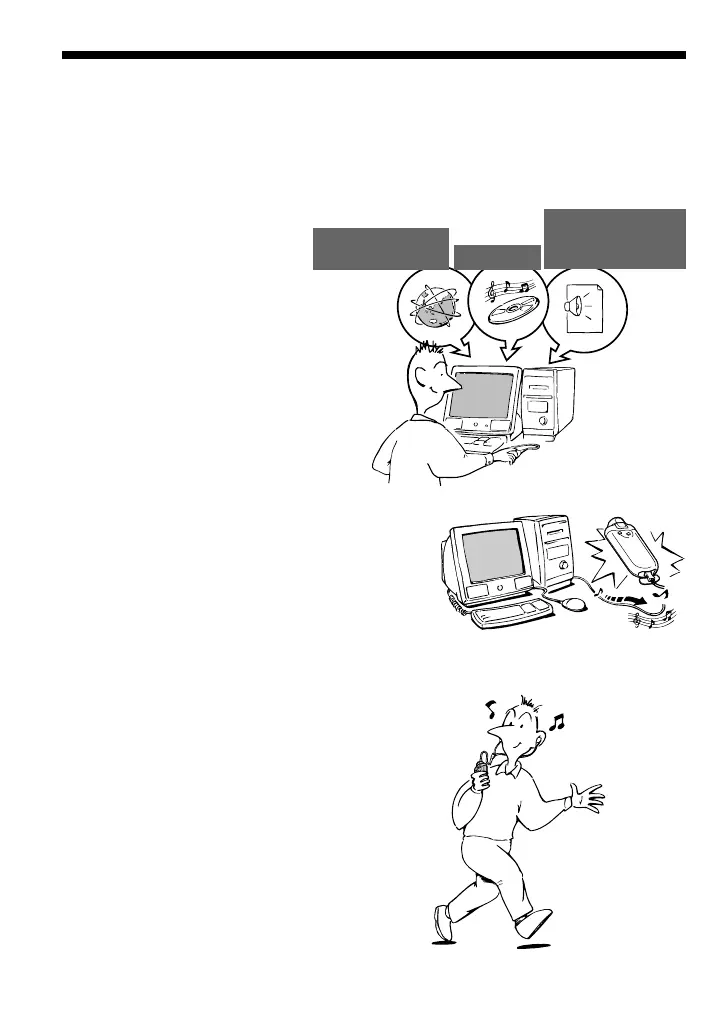
What you can do with your Network Walkman
First, you need to install the “SonicStage” software into your computer. You can easily transfer
digital audio files from your computer to the built-in flash memory and carry it anywhere to
enjoy.
1 Store digital audio
files on your
computer.
2 Transfer files to your
Network Walkman.
3 Enjoy music with your
Network Walkman.
USB connection
Download the
latest audio
files!
Store favorite
songs!
EMD (Electric Music
Distribution) Services
Audio CDs
MP3, WAV and
Windows
®
Media
Format Audio Files

Table of Contents

Other manuals for Sony Walkman NW-E403

Related product manuals