The Tape Player26
Recording the tracks on CD by specifying the tape length
(continued)
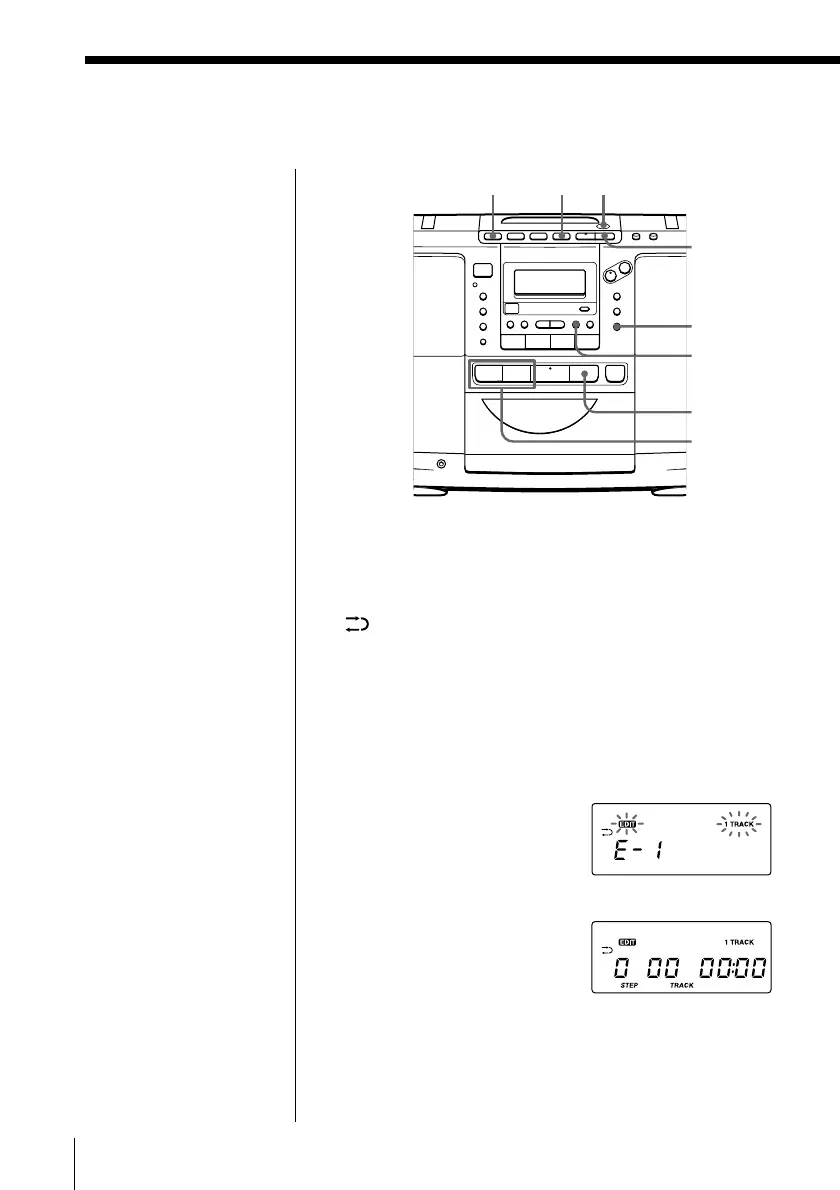
Recording a single track (EDIT 1TRACK)
EDIT 1TRACK is useful to record the first track of
single CD, and to record a track from a number of
different CDs. Recorded on the both sides mode
“
” is automatically selected.
1 Insert a blank tape into the tape compartment.
2 Press p on the CD section until “Cd” appears in
the display.
3 Press EDIT to display “E-1”.
EDIT
6 PUSH
OPEN/CLOSE
=, +
(
p
r/P
ENTER
MEMORY
CHECK
.
p
Tips
• You can edit a CD
having 20 tracks or
fewer.
• We recommend that
you use AC power as
the power source for
optimum recording
quality.
Note
Do not open the CD
tray while editing; the
settings for recording
will be erased. If you
do, start from step 1
again.


 To Next Page
 Loading...