24
E.4 Menu sequence and menu structure
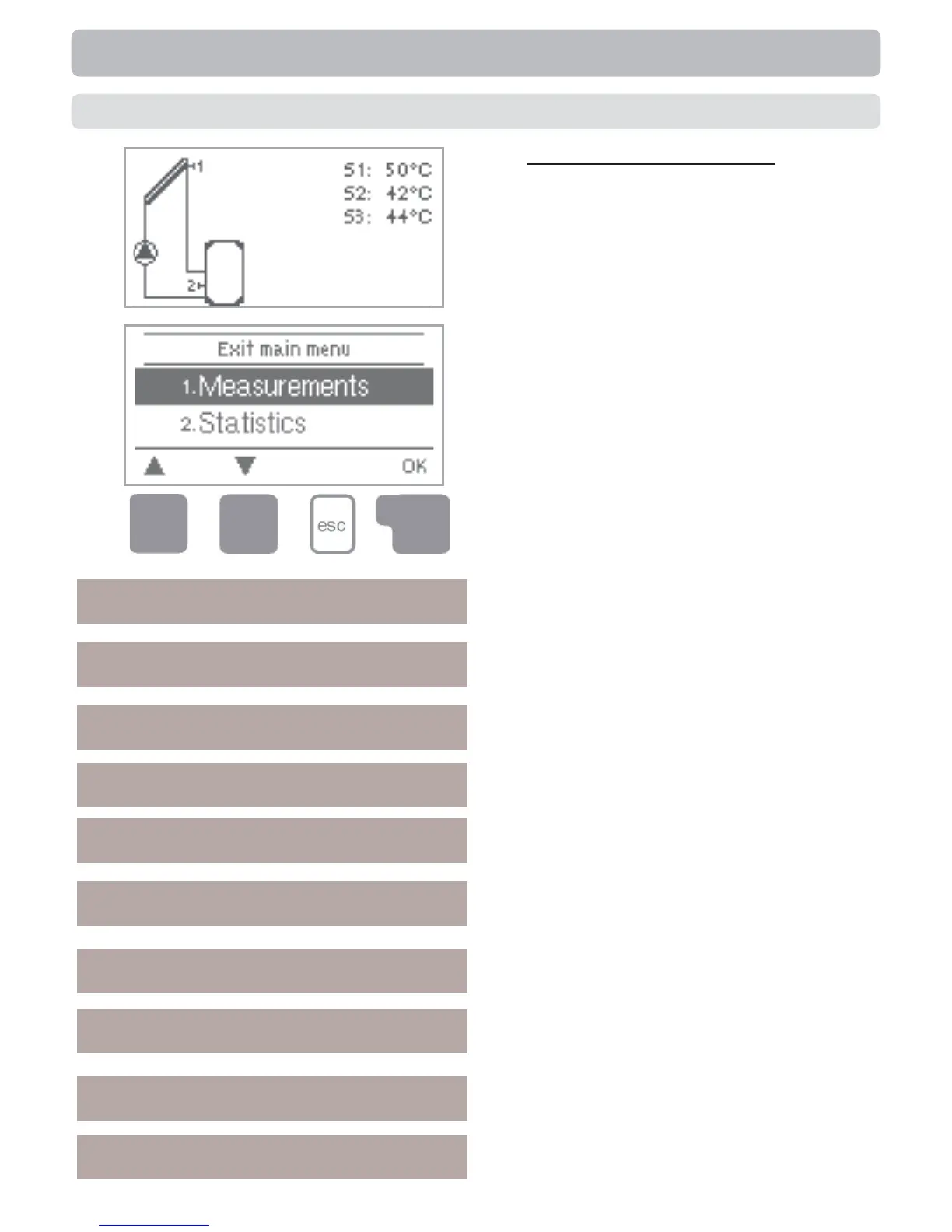
The graphics or overview mode appears
when no key has been press for 2 min-
utes, or when the main menu is exited by
pressing “esc“.
Pressing a key in graphics or overview
mode takes you directly to the main menu.
The following menu items are then avail-
able for selection there:
Current temperature values with explana-
tions
Function control of the system with oper-
ating hours, etc
Select graphics mode or overview mode
Automatic mode, manual mode or switch
unit off
Set parameters needed for normal opera-
tion
Solar and frost protection, recooling, anti-
seizing protection
Program selection, sensor cali-bration,
clock, additional sensor, etc.
Against unintentional setting chan-ges at
critical points
For diagnosis in the event of
an error
Language selection
Operation
1. Measurements
2. Statistics
3. Display Mode
4. Operating Mode
5. Settings
6. Protections
7. Special functions
8. Menu lock
9. Service data
10. Language


 To Next Page