13
Adjustment
An easy method of optimizing your existing subwoofer enclosure with Hawkins ‘Hz’ control is as follows
(assuming the audio system is already turned on).
1. Adjust frequency and boost control to full counterclockwise position.
2. Set the bass control switch to ‘HAWKINS BASS CONTROL’.
3.While listening to music with strong bass content at a moderate level, slowly adjust frequency control
clockwise. Listen for a reduction of bass response. Now, rotate frequency control slightly backwards.
This serves the purpose of removing the ‘subsonic’ bass energy.
With Soundstream’s Hawkins Bass Control, the boost and frequency control can provide virtually any
combination of boost and cut to suit your designs. So, Hawkins Bass Control can provide the ‘tailoring’
needed for any type of ‘assisted’ design and any woofer in any type of installation.
The shaded area below shows the Hawkins Bass Control adjustments, crossover range switch and
frequency as they appear on the control panel of the amplifier.
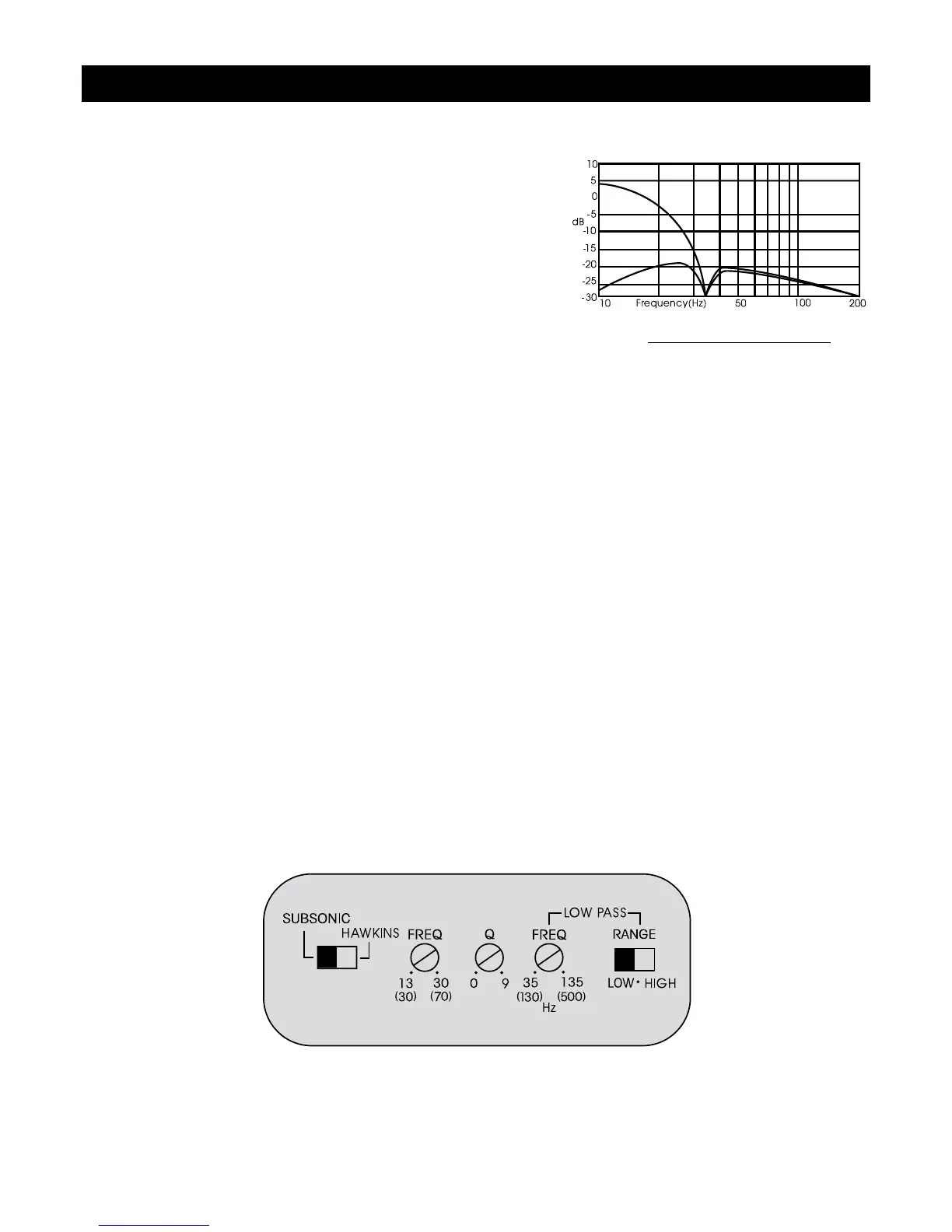
Fig.4 Limited Excursion
Application
Subwoofers in general have excellent power handling
characteristics over their operational bandwidth. This
bandwidth is determined by many factors, including driver
design, and enclosure type. It is possible to overdrive any
subwoofer by sending powerful signals outside of its
operational bandwidth. These potentially damaging signals can
be removed by adding a subsonic filter. Figure 4 shows the
effectiveness of the Hawkins Bass Control on woofer excursion
in a vented enclosure. The woofer travels 7.5 mm at 10 Hz.
With Hawkins Bass Control properly adjusted, this excursion
can be reduced to less than 1 mm. This is of great benefit to
lowering woofer distortion and increasing output.




 To Next Page