BLUETOOTH SECTION Only
for VR-3458 /VR-3458Tmodel
Warning: Driving and having a Telephone conversation at the same time is dangerous, please
park your car before having a telephone conversation. The supplier assumes any and all liability
when this warning is not followed.
To enter Bluetooth mode, you can press mode button on remote or on front panel.
BT
Main Menu
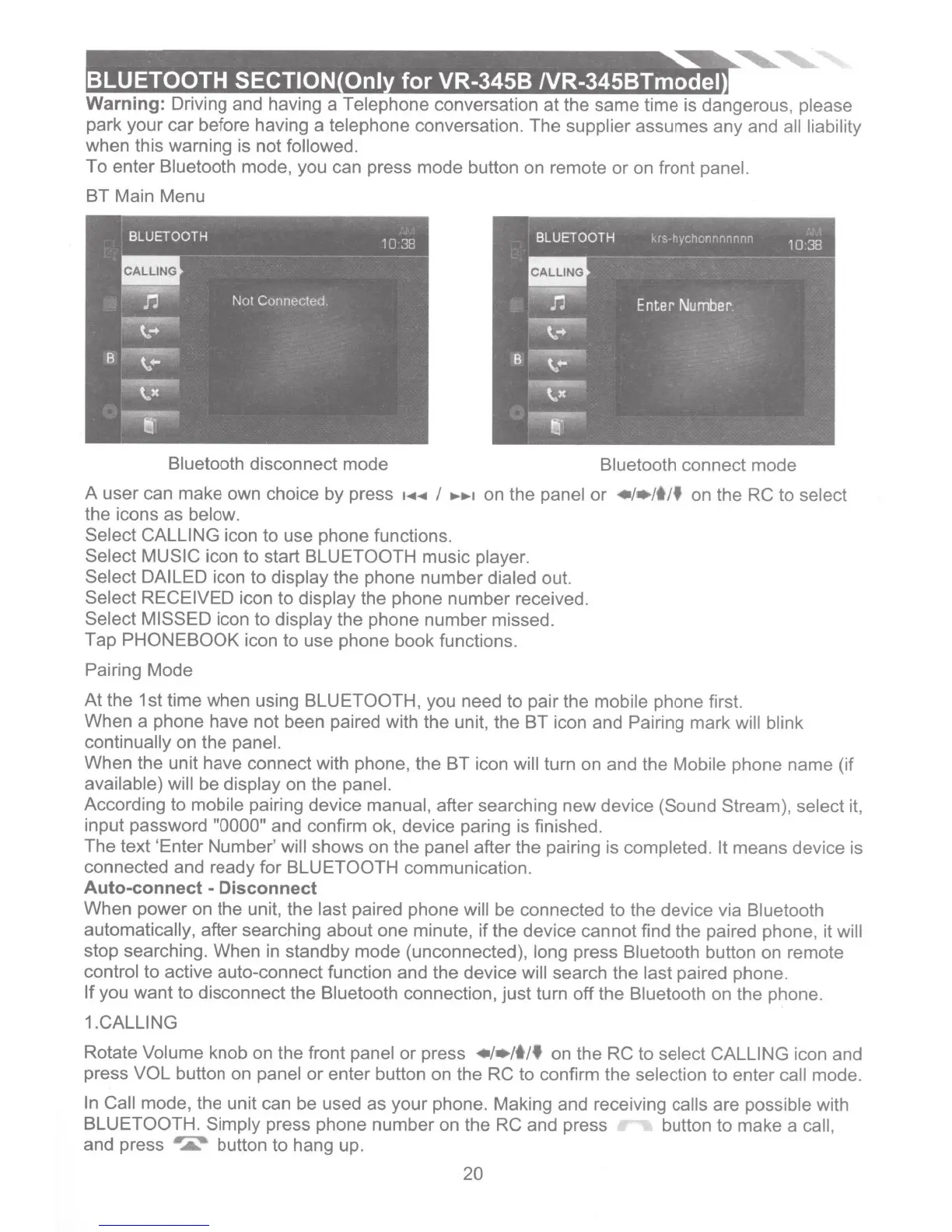
Bluetooth disconnect mode
Bluetooth connect mode
A user can make own choice by press
·~~
I
.......
on the panel or
•l•ltlf
on the RC to select
the icons as below.
Select CALLING
icon to use phone functions.
Select
MUSIC
icon to start
BLUETOOTH
music player.
Select
DAILED
icon to display the phone number dialed out.
Select
RECEIVED
icon to display the phone number received.
Select MISSED
icon to display the phone number missed.
Tap
PHONEBOOK
icon to use phone book functions.
Pairing Mode
At
the 1st time when using BLUETOOTH, you need to pair the mobile phone first.
When a phone have not been paired with the unit, the BT icon and Pairing mark will blink
continually on the panel.
When the unit have connect with phone, the BT icon will turn
on
and the Mobile phone name (if
available) will be display on the panel.
According to mobile pairing device manual, after searching new device (Sound Stream), select it,
input password
"0000"
and confirm ok, device paring is finished.
The text 'Enter Number' will shows on the panel after the pairing is completed.
It
means device is
connected and ready for BLUETOOTH
communication.
Auto-connect- Disconnect
When power on the unit, the last paired phone will be connected to the device via Bluetooth
automatically, after searching about one minute,
if
the device cannot find the paired phone, it will
stop searching. When
in
standby mode (unconnected), long press Bluetooth button on remote
control to active auto-connect function and the device will search the last paired phone.
If
you want to disconnect the Bluetooth connection, just turn off the Bluetooth on the phone.
1.CALLING
Rotate Volume knob
on
the front panel
or
press
•1•/t/f
on the RC to select
CALLING
icon and
press
VOL
button on panel or enter button on the RC to confirm the selection to enter call mode.
In
Call mode, the unit can be used
as
your phone. Making and receiving calls are possible with
BLUETOOTH. Simply press phone number on the
RC
and press button to make a call,
and press
•
.....
button to hang up.
20













 To Next Page