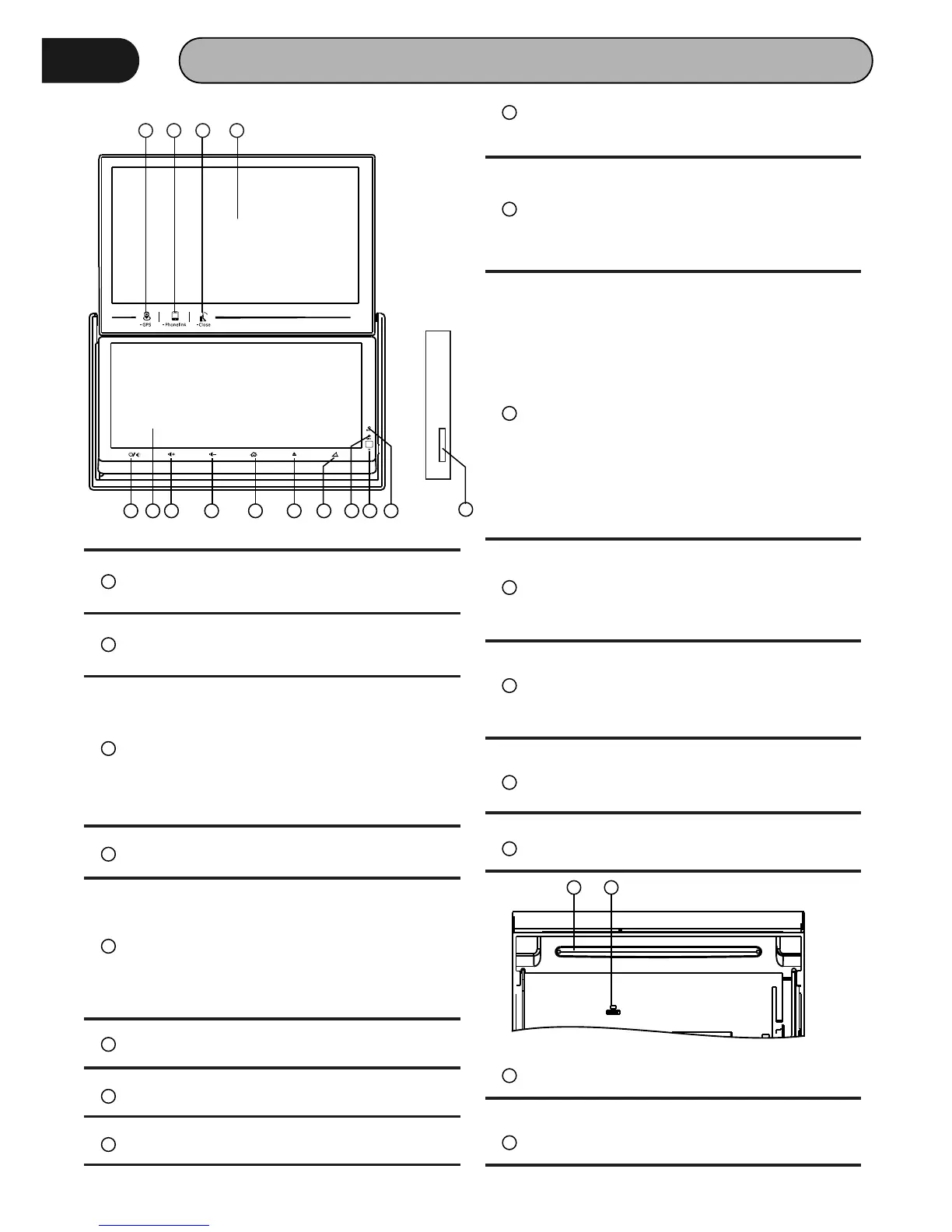
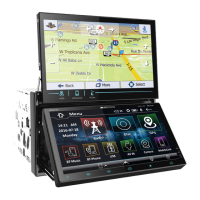
PANEL
1 2 3 4
5 6 7 8 9 10 11
12 13 14
15
1
GPS Button
Touch this Button, go to GPS mode
2
Phone Link Button
Touch this Button, go to Phone Link mode
3
Top Panel Close/ Adjustment Button
Condition: Top panel opened
Touch this button: Close top panel
Touch and hold this button for 3 seconds:
Adjust angle of top panel (Angle1 →
Angle2 → Angle3 → Angle4)
4
Top Panel
Top panel 7” display
5
Power Button/Mute
Touch this button to turn on or mute the
volume output, touch it again to resume
volume
Touch and hold this button for 3 seconds
to turn off the head unit
6
Bottom Panel
Bottom Panel 6.95” display
7
Vol-
Touch this button to decrease volume
8
Vol+
Press this button to increase volume
9
Home Button
Touch this button to go back to main
menu of bottom panel
10
Eject Button
Touch this button to eject a disc. If the
disc is not removed for about 10 seconds
a ft e r e je c t , t he d i s c i s r e in s e rt e d
automatically.
11
Panel Open/ Adjustment Button
Condition: top panel closed.
Touch this button: Open top panel
Touch and hold this button for 3 seconds:
Adjust angle of bottom panel (Angle1 →
Angle2 → Angle3 → Angle4 →Angle5 →
Angle6)
Condition: Top panel opened
Touch this button: No Function
Touch and hold this button for 3 seconds:
Adjust angle of bottom panel (Angle3 →
Angle4 → Angle5 → Angle6)
12
Reset Button
Press it with a thin, sharp object. The unit
will then be reset to factory default
settings.
13
IR Sensor of Remote
IR r em ote co n tr ol s ig na l re ce i vi ng
window. Max distance is 6-8 meters, 45
degree angle.
14
Mic
Build in Microphone for Bluetooth phone
calling.
15
Micro SD Card Slot
Micro SD card slot for GPS map.
16
Disc Slot
Insert & Eject disc




 To Next Page