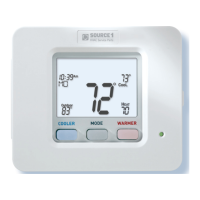
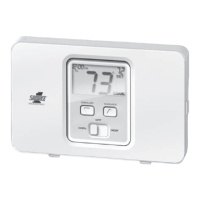
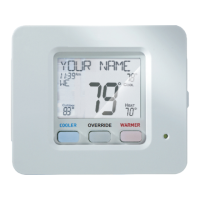
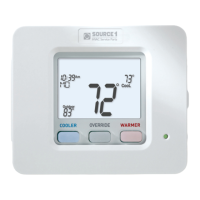
The Source 1 S1-THSU302-S is a residential digital thermostat designed for HVAC systems, offering both programmable and non-programmable options. It supports various heating and cooling configurations, including conventional gas/electric systems and heat pumps. The thermostat features an intuitive backlit, scrolling LCD display that shows current room temperature, desired set temperature, time, day of the week, and operational mode. It also includes indicators for heating or cooling demand (red for heat, green for cool), Wi-Fi connection status, and keypad lock.
Technical Specifications:
- Power Requirements: 20 - 30 VAC, 50/60 Hz, 3.0 VA @ 24V nominal.
- Output Rating:
- W1, W2, W3: 0.2A max, 0.01A min, 3A inrush, 20 – 30 VAC
- Y1, Y2, G: 0.4A max, 0.01A min, 3A inrush, 20 – 30 VAC
- Local Temperature Sensor Type: Thermistor, NTC 10K @ 25°C
- Remote Temperature Sensor Type: Thermistor, NTC 10K @ 25°C
- Wire Size: 16 AWG (100 ft max) to 24 AWG (36 ft max)
- Temperature Adjustment Range: 35° to 99°F (2° to 36°C)
- Accuracy:
- 35° to 65°F: +/- 3°F
- Greater than 65°F to less than 80°F: +/- 2°F
- 80° to 99°F: +/- 3°F
- Greater than 99°F to 104°F: +/- 5°F
- Deadband: Adjustable 1° to 6°F for the first stage, 0° – 10°F for 2nd & 3rd stages.
- Ambient Operating Conditions: 35° to 104°F (2° to 40°C), 5 – 95% RH non-condensing, 86°F max dew point.
- Storage Conditions: -22° to 122°F (-30° to 50°C), 5-95% RH non-condensing, 86°F max dew point.
- Compliance: UL/cUL listed, file E468676, NEC Class 2.
- Dimensions: 4.4" H x 5.2" W x 1.0"D
- Shipping Weight: 0.34 kg
Usage Features:
- Mode Selection: Users can select between Off, Heat, Cool, or Auto-Changeover modes. In Auto-Changeover, the thermostat automatically switches between heating and cooling based on room temperature demand.
- Temperature Adjustment: WARMER and COOLER buttons allow users to adjust desired setpoints. In Auto mode, both heat and cool setpoints adjust simultaneously, while in Heat or Cool mode, only the individually displayed setpoint is adjusted.
- Fan Operation: The FAN button toggles between constant fan operation ("Fan On") and auto mode, where the fan only runs during heating or cooling demands.
- Temperature Sensor Viewing: The OUTDOOR button displays the current outdoor temperature, along with the daily high and low temperatures (resets at midnight). If connected to Skyport, it can also show forecasted high and low temperatures. The Accessory Status button allows viewing of linked wireless/wired sensors.
- Backlight Operation: Configurable backlight settings include:
- Backlight (Setup Step 3): Off (turns on for 8 seconds after button press) or On (continuously on).
- Backlight Intensity Level (Setup Step 4): Adjustable between Off and seven brightness levels.
- Night Dimmer (Setup Step 5): Enables automatic dimming of the display at night.
- Night Dimmer Brightness (Setup Step 6): Adjustable from Off to seven brightness levels.
- Night Dimmer Start/Stop Time (Setup Steps 7-8): Configurable times for dimming to begin and end.
- Scrolling Display Options (Setup Step 16): Users can choose how scrolling text is displayed, with options like "Scroll Letters Slow," "Whole Words Fast," or "Words Centered Slow."
- Language Selection (Setup Step 15): Setup instructions on the scrolling display can be set to English, Spanish, or French.
- Vacation & Away Settings:
- Vacation Feature: Allows temporary, energy-saving setpoints without altering regular programming. Users can specify the number of days for these settings.
- HOME/AWAY Feature: A single button press activates stored unoccupied vacation settings and a subsequent press restores the last used comfort settings.
- Emergency Heat: Available for heat pump systems, this function turns on the fan and auxiliary heat stages during a heat demand, disabling the compressor for heating and all cooling stages.
- Wireless Module: Supports an optional wireless module, enabling Wi-Fi connectivity. The Accessory Status button provides information on wireless devices (battery level, signal strength, last updated time). The Accessory Setup button facilitates linking wireless devices or connecting the thermostat to a network.
- Dry Contact Operation: Supports a dry contact switch for various functions:
- Polarity (Setup Step 47): Configurable as Normally Open or Normally Closed.
- Use (Setup Step 48): Can be set for Condensate (locks out compressor and displays "CONDENSATE PAN OVERFLOW"), Vacation (forces AWAY/unoccupied settings), or FDD (displays "Equipment fault").
- Skyport (Setup Step 49): Enables access to Skyport services for remote management (requires Wi-Fi accessory).
- Local API (Setup Step 50): Allows third-party software to interface with the thermostat, typically for home automation setups (requires Wi-Fi accessory).
- Automated Demand Response (ADR): Supports handling signals from utility providers to reduce energy usage on demand.
- ADR (Setup Step 51): Controls whether the thermostat responds to utility signals.
- ADR Action (Setup Step 52): Determines the action taken during an ADR event (e.g., "Observe Setpoint Offsets" or "Observe Static Setpoints").
- Event Max Cool Setpoint (Setup Step 53) / Event Min Heat Setpoint (Setup Step 54): Specifies allowable setpoint adjustments during an ADR event.
- Static Cool Setpoint (Setup Step 55) / Static Heat Setpoint (Setup Step 56): Setpoints used when ADR ACTION is set to "Observe Static Setpoints."
- Cool Setpoint Offset (Setup Step 57) / Heat Setpoint Offset (Setup Step 58): Defines how much current setpoints are altered during an ADR event when "Observe Setpoint Offsets" is selected.
- Keypad Locking/Unlocking: Prevents unauthorized use by disabling front panel buttons.
- Fahrenheit or Celsius (Setup Step 45): Allows the thermostat to display temperature in either unit.
Maintenance Features:
- Service Filter Runtime (Setup Steps 9-10, 12-13):
- Current Service Filter Runtime Hours (Setup Step 9): Tracks fan runtime in Heating, Cooling, and standalone Fan modes. Can be reset.
- Current Service Filter Calendar Days (Setup Step 10): Displays calendar days elapsed since the counter was reset, helping track fan runtime. Can be reset.
- Set Service Filter Runtime Hours (Setup Step 12): Allows setting a timer for "Replace Filter" alerts based on fan runtime hours. Can be disabled.
- Set Service Filter Calendar Days (Setup Step 13): Allows setting a timer for "Replace Filter" alerts based on calendar days. Can be disabled.
- UV Lamp Runtime (Setup Steps 11, 14):
- Current UV Lamp Calendar Days (Setup Step 11): Tracks calendar days elapsed for UV lamp runtime. Can be reset.
- Set UV Lamp Calendar Days (Setup Step 14): Allows setting a timer for "Replace UV Lamp" alerts based on calendar days. Can be disabled.
- Clear All Messages (Setup Step 59): The FAN button can be used to clear all current error messages from the display.
- Technician Setup: Provides diagnostic and testing features for qualified technicians, including:
- Viewing thermostat version numbers.
- Viewing jumper settings (Gas/Electric or Heat Pump, Reversing Valve, Fan).
- Viewing the state of Dry Contact and Fault terminals.
- Turning on equipment outputs for testing.
- Calibrating thermostat and remote sensors.
- Factory Default Reset: Allows resetting all stored settings, including Time Period and Advanced Programming, to factory defaults.

 Need help?
 General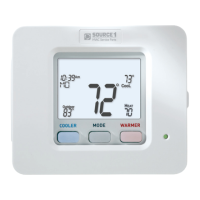

 To Next Page