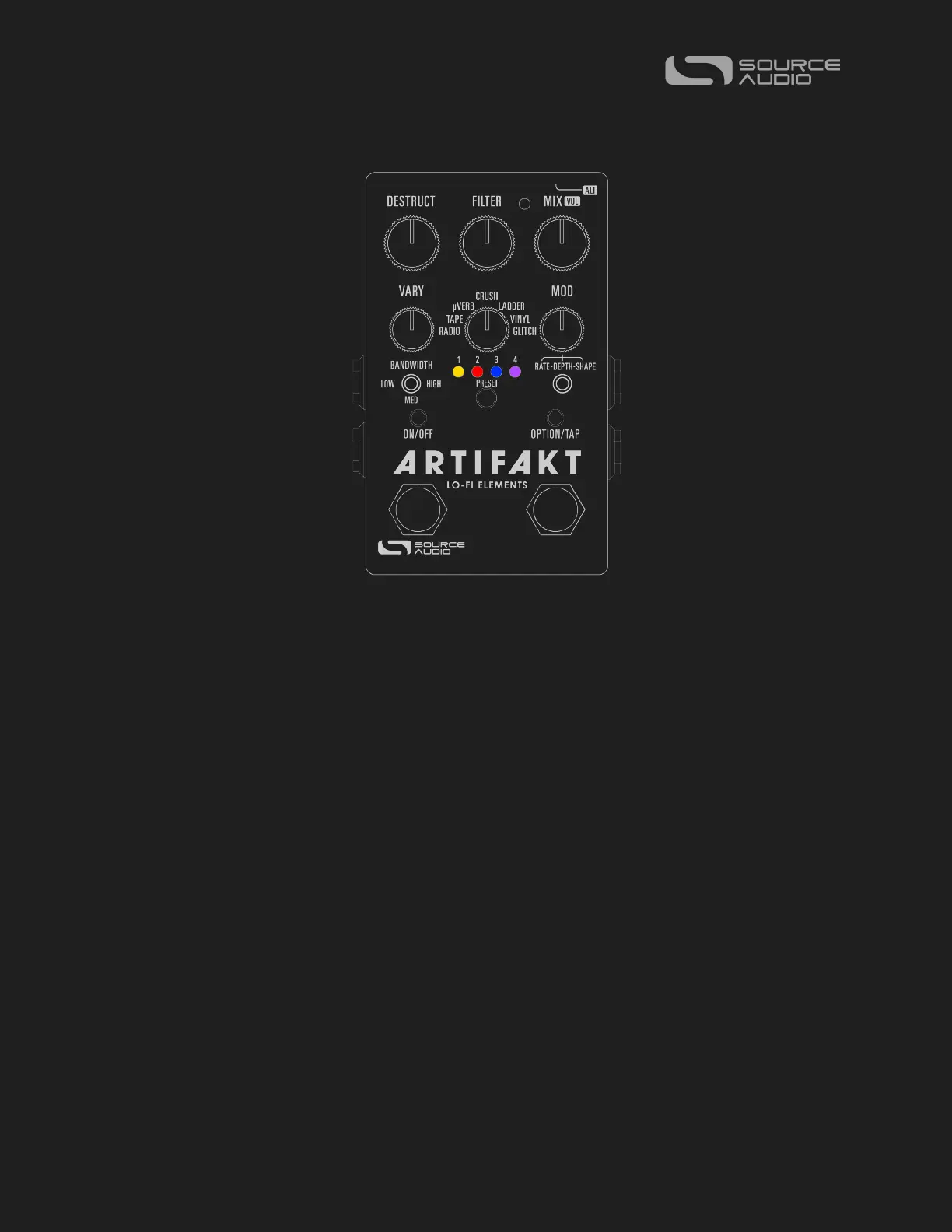
Source Audio Artifakt Lo-Fi Elements User Guide
Controls
ON/OFF Footswitch
Click the footswitch to engage or bypass the pedal. Press + hold the footswitch down
while the pedal is bypassed to bank to Red LED (ALT) Mode for more presets.
OPTION Footswitch
Function varies per engine and can be changed using the Neuro desktop and mobile
App.
Control Input / ALT Button
This small button located at the top of the pedal is used to enable or disable external
control. It also is used to control the ALT parameters/functions on the surface of the pedal.
Press + hold the ALT knob while turning a knob or hitting a switch to access that knob or
switch’s ALT function (if applicable – not every bit and bob has an ALT function!)
ON/OFF LED
The Engage/Bypass LED indicates whether the effect is bypassed or engaged.
OPTION LED
This LED indicates whether the Artifakt’s OPTION mode is in use. Please note, while all 7
factory engines on the Effect Selector Switch utilize a Tap OPTION function, not every
engine uses a Hold OPTION function, and not every Factory or Community Preset will
have an OPTION function.















 To Next Page