13
BENDING
Refer to the “Identification” section of this manual.
1. Turn on bender by pressing on the green power switch (20).
2. Use the BEND, RETURN or JOG button on hand pendent (17)
to orient the shoe so that the hooks of the conduit type to be bent
are around the 7 o’clock (approximately – 5°) position on the analog
or digital display.
(Gray hooks are for EMT; Black hooks are for IMC and Rigid.)
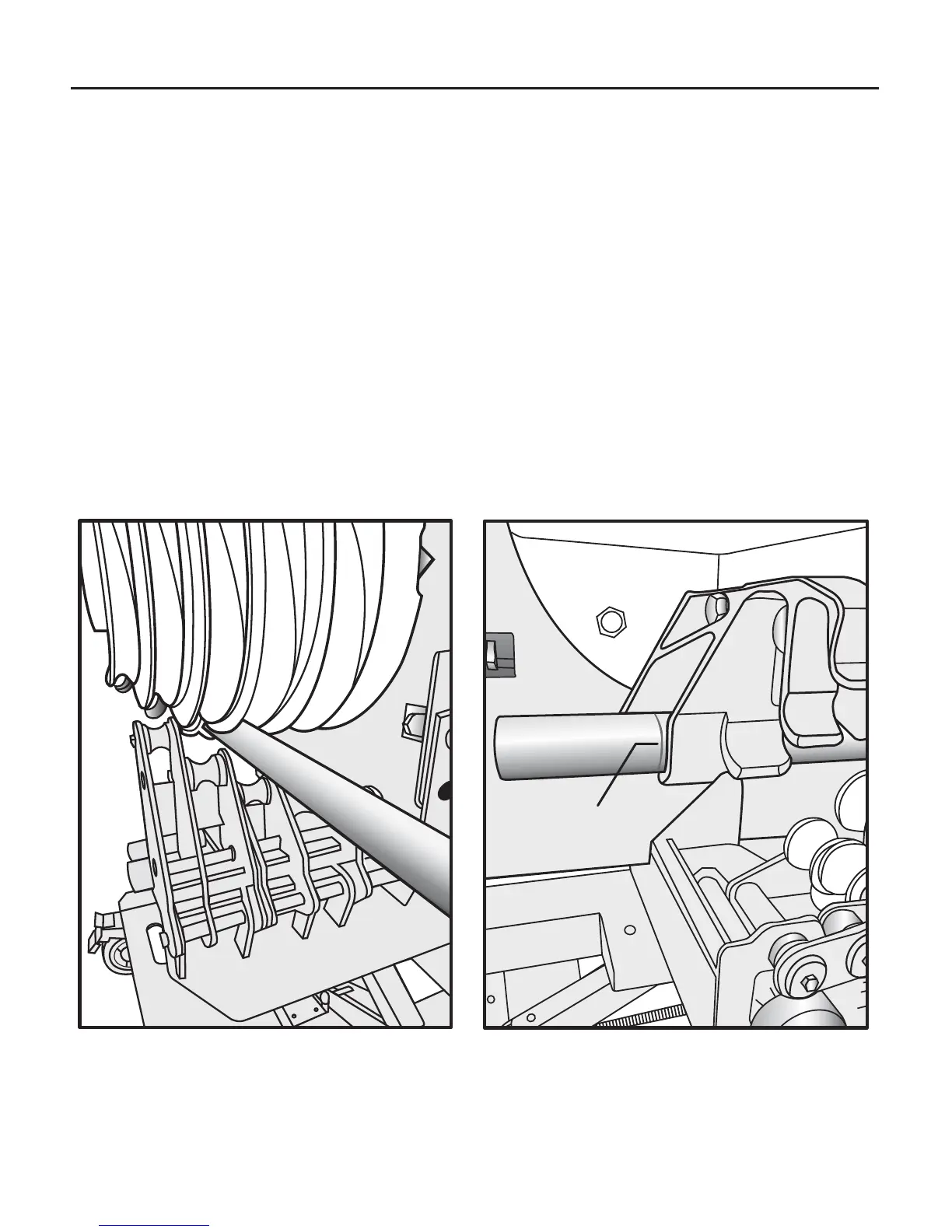
3. Load the conduit into the appropriate sized roller and groove (Fig 12)
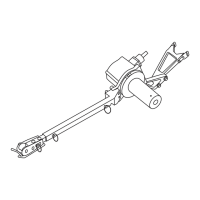
so that the bending mark is aligned with the front edge of the hook
as shown in (Fig 13).
OPERATION cont.
Fig. 12 Fig. 13
Mark


 To Next Page