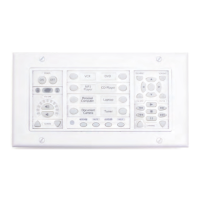
Theflexibleinterfacemaybecustomizedtoyourrequirements.Mostbuttonsmaybereplacedby
blankbuttonmodulesifunneeded.PixieProcancontrolalmostanyIR-controllabledevice.The
PixiePromaybefield-programmedinminutesusingIR-learningtechnology.Configurationandpro-
grammingmaybequicklyandeasilycopiedtomultipleunitswithCAT5cable,orusingwireless
cloningtechnology.ForinstructionsonassemblingPixieProbuttonmodules,seetheAssembly sec-
tiononpage4.
PixieProhasconfigurablefeaturesincludingautomaticbrightnessadjustment,securitycodelockout,
automaticinactivityshutdowntimer,multiple-devicetransportcontrol,andmanyothersthatwillbe
describedlaterinthismanual.ThedefaultconfigurationsettingsonthePixieProwillbesuitablefor
themajorityofusers.Ifyouwanttolearnabouttheconfigurationoptions,orchangeanyofthose,
gototheConfiguration sectiononpage19.
Formulti-roominstallations,inwhicheachroomhasanidenticalprojector,learnedcodesandcon-
figurationsettingscaneasilybecopiedor“cloned”fromonePixieProtoanother.Thiscanbedone
eitherwirelesslyorthroughCAT5cable.Forinstructionsoncopyingsettingsandcodesfromone
PixieProtoanother,seetheCloning sectiononpage17.
Unneeded
buttonsmaybe
replacedwith
blankplastic.
2
Twoauxbuttonswithtwoblanks
Figure 2: PixieProwithblankbuttonmodulesinsertedinsomeareas


 To Next Page