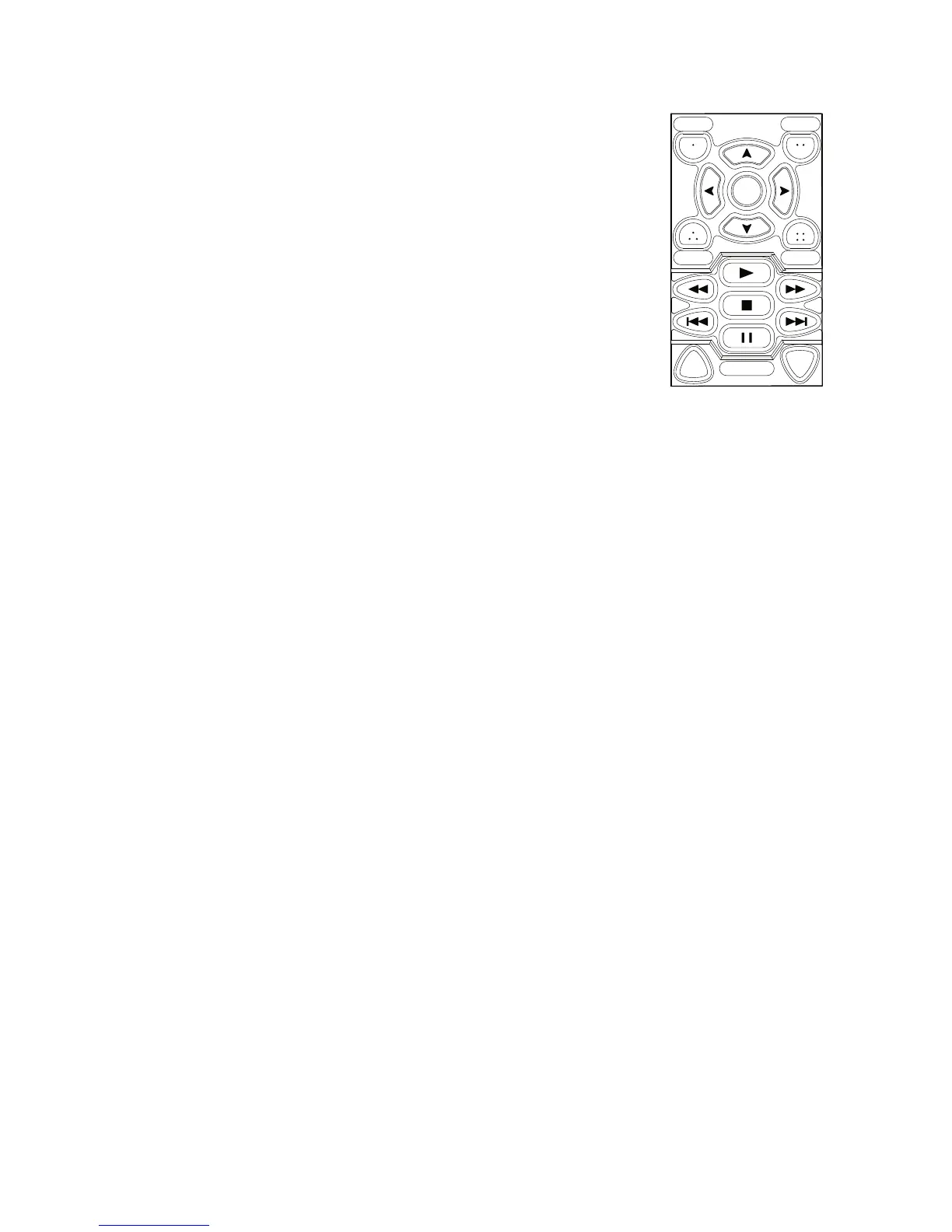
E. Programming the Transport Control/Menu Module (TCM)
TheTransportControl/MenuModule(TCM) maybeconfiguredforSingle-
Device orMultiple-Device mode(toenableSingle-Devicemode,seethe
Configuration sectiononpage19).
InMultiple-Device Mode,theTCMmaybeprogrammedwithasmanyas
ninedifferentcodesetsfordevicesyouwishtocontrol(e.g.VCR,DVD
player,CDplayer,documentcamera,etc.).TheTCMwillcontrolthedevice
thatcorrespondstothecurrentlyselectedinputsource.
Example:TheTCMmaybeprogrammedwithcodesforaVCRanda
DVDplayer.WhentheVCRsourceisselectedonthePixiePro,theTCM
willswitchtotheVCRcodes.WhentheDVDsourceisselected,theTCM
willswitchtotheDVDcodeset.Thebuttonsyouhaveprogrammedfor
eachdevicewillilluminateonlywhentheirassociatedSourcebuttonis
selected.
Bothoreithermodulesmaybeconfiguredwithkeypads;eitherwillfunction
independentlyinSingleDevicemodeorMultiple-Devicemode.
Single-Device TCM Programming:ProgramtheTCMbuttonsnormally
(seeSimple Programming andComplex Programming sections)tocontrol
justonedevice.
Multiple-Device TCM Programming:ToarmtheTCMtolearnacodesetassociatedwithaspe-
cificdevice(e.g.,aDVDplayer),presstheassociatedSourcebuttonwhileinLearningMode.Any
buttonprogrammedontheTCMwillbeassociatedwiththelast-selectedSourcebutton.Youmay
completelyprogramtheTCMwithaseparatecodesetassociatedwitheachoftheeightSource
buttons.
Example:
1.ConfigurethePixieProtoMultiple-Devicemode(seeConfigurationbelow).
2.SetthePixieProtoLearningMode.
3.PresstheSource1buttontoactivatetheSource1CodeSetProfileontheTCM.Notethatthis
willarmSource1forlearning.ItisnotnecessarytoprogramtheSourcebuttonatthistime.
4.AfterpressingtheSource1button,pressabuttonontheTCM thatyouwishtolearnacodefor.
5.LearnthedesiredcodesontheTCMtobeassociatedwithSource1byrepeatingstep4.
6.PresstheSource2buttontoactivatetheSource2CodeSetProfileontheTCM.
7.LearnthedesiredcodesontheTCMtobeassociatedwithSource2.
8.ContinueforanySourceButtonsyouwouldliketoassociatecommandswith.
YoumayleaveasmanySourceprofilesunprogrammedasyouwish.
Device 0
InadditiontotheeightSourcebuttons,theTCMmayalsobeprogrammedwithanotherdevice,
referredtoasdevice0.Duringoperation,device0becomesselectedwheneverthecurrently
selectedSourcebuttonispressedasecondtime.Thismaybeusefulforaccessingprojector
menuswhenanysourceisactive.
ToprogramtheTCMdevice0profile,pressthecurrentlyselectedSourcebuttonasecondtime
whileinLearningMode.
To Exit Learning Mode
GentlyremovethepaperclipfromtheLearningModeaperturetoexitLearningMode.
15
Figure 13: Transport
Control/MenuModule


 To Next Page